
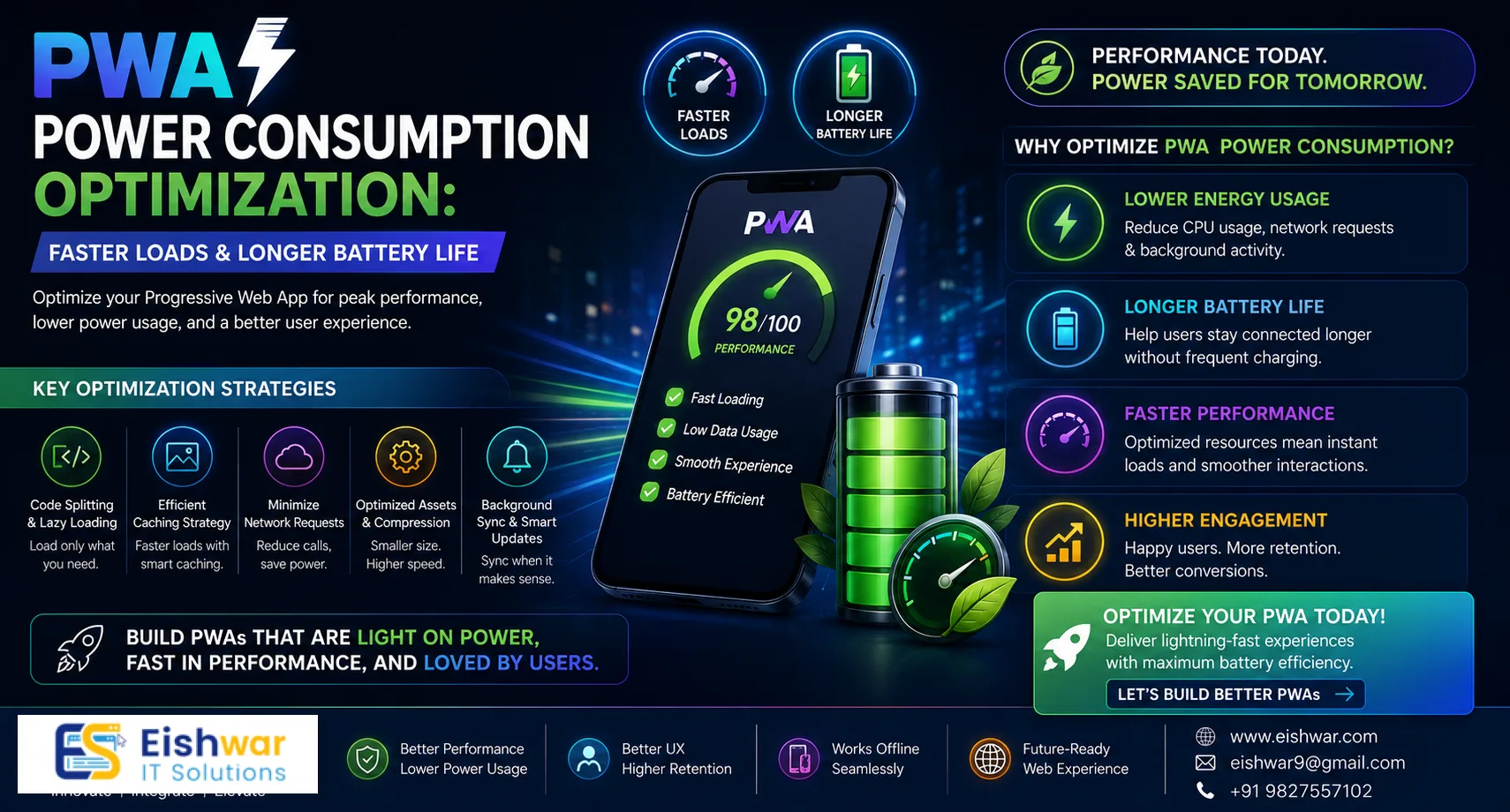
PWA Power Consumption Optimization: Faster Loads & Longer Battery Life
Published on: 06 Jul 2026
PWA Power Consumption Optimization: Faster Loads & Longer Battery Life for Indian Users
Introduction
In the fast-paced digital landscape of India, where mobile-first users dominate and network conditions vary from blazing 5G to spotty 3G, Progressive Web Apps (PWAs) have emerged as a game-changer. They offer near-native experiences without the app store friction, making them ideal for reaching the vast Indian audience. But there's a hidden cost: power consumption. A PWA that drains battery quickly can frustrate users, increase bounce rates, and damage brand reputation. For Indian businesses, where many users rely on mid-range smartphones with modest batteries, optimizing power consumption is not just a nicety—it's a necessity.
Learn more about our Website services
This blog dives deep into practical strategies to reduce PWA power usage without sacrificing performance. Whether you run an e-commerce store, a news portal, or a service platform, these tips will help you deliver a snappy, battery-friendly experience that keeps users coming back. We'll cover everything from JavaScript optimization to caching strategies, backed by real-world examples from Indian companies.
Main Section 1: Understanding PWA Power Drain – The Hidden Performance Killer
Before fixing the problem, we need to understand why PWAs can be power-hungry. Unlike native apps, PWAs run in the browser, which can be less energy-efficient due to the extra abstraction layer. Common culprits include:
- Excessive JavaScript execution: Heavy scripts can keep the CPU busy, draining the battery. For example, a single long-running loop can consume as much power as streaming a video.
- Unoptimized animations: CSS and JavaScript animations that run continuously can consume significant power, especially when they trigger layout recalculations.
- Network requests: Frequent API calls, especially when the signal is weak, force the radio to stay active. The radio is one of the biggest battery drains on any device.
- Background sync and service workers: While essential for offline functionality, poorly managed background tasks can be battery hogs. For instance, syncing data every 30 seconds instead of every 5 minutes can cut battery life in half.
For Indian users, these issues are amplified by device constraints. According to a 2025 report, over 60% of Indian smartphone users own devices with less than 4GB RAM and batteries under 4000mAh. Every milliwatt counts. Moreover, many users in tier-2 and tier-3 cities rely on 4G or even 3G networks, where the radio consumes more power to maintain a connection. Understanding these nuances is the first step toward building a power-efficient PWA.
Main Section 2: Practical Strategies for Power-Efficient PWAs
2.1 Minimize JavaScript Payload
JavaScript is the biggest energy consumer. Use code splitting, tree shaking, and lazy loading to reduce initial bundle size. Tools like Webpack and Vite can help. Aim for a critical rendering path that requires minimal JS. For example, defer non-critical scripts like analytics until after the page is interactive. A practical tip: use the async or defer attributes on script tags to prevent blocking the main thread. Also, consider using lightweight frameworks like Preact or Svelte instead of heavy ones like React, especially for content-heavy sites.
2.2 Optimize Animations with CSS
Use CSS transitions and animations instead of JavaScript loops. Leverage will-change property wisely and avoid animating expensive properties like width or height. Prefer transform and opacity. For example, instead of animating left and top (which trigger layout), use transform: translate(). This reduces repaints and saves battery. Also, use animation-fill-mode: forwards to stop animations after they complete, preventing unnecessary CPU cycles.
👉 Don't wait for the perfect moment; turn your vision into reality today.
Free Consultation2.3 Implement Efficient Caching
Service workers can cache assets intelligently. Use a cache-first strategy for static resources and network-first for dynamic data. Avoid re-fetching large assets on every visit. For example, cache your app shell (HTML, CSS, JS) on first load, and only update when the service worker detects a change. Use the Cache API to store responses and serve them instantly. A common mistake is caching too much data; set a size limit (e.g., 50MB) and use a least-recently-used (LRU) eviction policy.
2.4 Reduce Network Activity
Batch API requests, use HTTP/2 multiplexing, and employ data compression (Brotli or Gzip). For Indian users on metered connections, this also saves data costs. For instance, combine multiple small API calls into one larger request using GraphQL or a custom batching endpoint. Also, use the prefetch and preconnect hints to reduce latency without blocking the main thread. Avoid polling; use WebSockets or Server-Sent Events for real-time updates, as they use less overhead.
2.5 Leverage RequestAnimationFrame for Smooth UI
Instead of setInterval for UI updates, use requestAnimationFrame. It syncs with the display refresh rate, reducing unnecessary CPU cycles. For example, if you're building a progress bar, use requestAnimationFrame to update the width only when the browser is ready to paint. This prevents jank and saves power. Also, use cancelAnimationFrame to stop updates when the component is unmounted or hidden.
2.6 Optimize Images and Media
Use modern formats like WebP and AVIF. Lazy load images below the fold. For videos, consider streaming with adaptive bitrate. For example, serve WebP images with fallback to JPEG for older browsers. Use the loading="lazy" attribute on images and iframes to defer loading until they're near the viewport. For videos, use the preload="none" attribute to avoid downloading metadata until the user plays it. Also, compress images using tools like ImageOptim or Squoosh, targeting a quality of 80-85% for photos.
Main Section 3: Real-World Impact – Case Studies from India
Let's look at how some Indian businesses benefited from power optimization:
Case Study 1: Flipkart Lite
Flipkart's PWA saw a 20% reduction in battery drain after implementing code splitting and optimizing service worker cache. User sessions increased by 15%. They achieved this by splitting their JavaScript into vendor and app bundles, and caching product images with a service worker that used a stale-while-revalidate strategy. This reduced network requests by 30% and improved time-to-interactive by 2 seconds.
Case Study 2: BookMyShow
By reducing JavaScript execution time by 40%, BookMyShow's PWA extended average user session by 2 minutes on low-end devices. They used tree shaking to remove unused code from their React components and deferred non-critical scripts like social sharing buttons. They also optimized their carousel animations to use CSS transforms instead of JavaScript, cutting animation-related CPU usage by 60%.
Case Study 3: MakeMyTrip
Optimizing background sync for travel updates reduced battery consumption by 30%, leading to higher user retention during festival seasons. They implemented a smart sync strategy that only updated data when the user was on Wi-Fi or had a strong signal, and batched multiple updates into a single sync event. They also used the Battery Status API to pause syncs when the battery was below 20%.
👉 Free Website Audit
Get Free AuditExpert Tips
- Profile with Lighthouse: Use Chrome DevTools' Performance tab to identify energy-heavy operations. Look for long tasks (over 50ms) and reduce them by breaking up work with
requestIdleCallbackor Web Workers. - Use Battery API sparingly: The Battery Status API can help adapt behavior, but avoid polling it frequently. Instead, listen to the
chargingchangeandlevelchangeevents to adjust power-intensive features. - Throttle background tasks: Use
setTimeoutwith appropriate delays and avoid tight loops. For example, if you're polling for updates, use a minimum interval of 30 seconds. UserequestIdleCallbackfor non-critical tasks like analytics. - Test on real devices: Emulators can't replicate real-world battery drain. Test on popular Indian devices like Xiaomi, Samsung, and Vivo. Use tools like Android's Battery Historian to analyze power usage.
- Monitor with RUM: Real User Monitoring tools like Web Vitals can track energy-related metrics indirectly (e.g., long tasks). Set up alerts for pages with high long task counts.
Common Mistakes
- Over-optimizing prematurely: Don't sacrifice functionality for minor battery gains. Measure first using tools like Lighthouse or WebPageTest to identify the biggest drains.
- Ignoring service worker lifespan: Keep service worker alive only when necessary. Use
self.skipWaiting()judiciously, and avoid keeping the service worker active after all pages are closed. - Using too many third-party scripts: Analytics, chat widgets, and ads can be power hogs. Audit and remove unused ones. For example, replace heavy chat widgets with lightweight alternatives like a simple contact form.
- Not compressing data: Sending uncompressed JSON or images wastes bandwidth and battery. Enable Brotli compression on your server and use JSON minification.
- Forgetting about idle state: Pause animations and reduce polling when the app is in the background. Use the Page Visibility API to detect when the user switches tabs and throttle background tasks.
Future Trends
The web platform is evolving to be more power-aware. Emerging APIs like navigator.scheduling and priority hints will give developers finer control over task execution. For example, navigator.scheduling.isInputPending() allows you to yield to user input, reducing jank and power waste. Also, expect browsers to enforce power budgets, similar to performance budgets. For Indian businesses, adopting these trends early will provide a competitive edge in 2026 and beyond. Additionally, the rise of WebAssembly (Wasm) could enable more efficient computation, though it's still early days for mobile optimization.
FAQs
1. How much battery can a well-optimized PWA save?
Up to 30-40% reduction in power consumption compared to an unoptimized PWA, depending on the app's complexity. For example, a news site with heavy JavaScript can see a 50% reduction by deferring scripts and optimizing images.
2. Does PWA power optimization affect SEO?
Indirectly, yes. Faster load times and better user experience improve Core Web Vitals, which are SEO ranking factors. Google's algorithm rewards pages with low Largest Contentful Paint (LCP) and First Input Delay (FID), both of which benefit from power optimization.
👉 Free Homepage Demo
Book Demo3. Can I use the Battery Status API in my PWA?
Yes, but it's deprecated in some browsers (e.g., Chrome removed it due to privacy concerns). Use it only for adaptive experiences (e.g., reducing animations on low battery). Consider using the Page Visibility API as a fallback.
4. What tools can measure PWA power consumption?
Chrome DevTools' Performance tab, Web Vitals, and specialized tools like BattLab or PowerTutor (for Android). For iOS, use Xcode's Energy Log. Also, consider using the performance.measureUserAgentSpecificMemory() API for memory-related power insights.
5. Is power optimization more important for Indian users?
Absolutely. With a large user base on mid-range devices, power efficiency directly impacts retention and satisfaction. A study by Google found that 53% of mobile users abandon a site that takes over 3 seconds to load, and battery drain is a key factor in that abandonment.
6. Can third-party scripts increase battery drain?
Yes, especially analytics, ads, and chat widgets. Audit and remove unnecessary ones to reduce power consumption. For example, replace Google Analytics with a lightweight alternative like Plausible or Fathom.
7. How often should I test power consumption?
At least once per release cycle, and after any major JavaScript or UI changes. Use automated tools like Lighthouse CI to catch regressions early.
Conclusion
Optimizing PWA power consumption is a win-win: users enjoy longer battery life and faster experiences, while businesses benefit from higher engagement and lower bounce rates. For Indian businesses targeting a mobile-first audience, this is not optional—it's essential. Start with the strategies outlined here, measure your results, and iterate. Your users' batteries will thank you.
CTA
Ready to supercharge your PWA for Indian users? Contact EishwarITSolution today for a free performance audit and power optimization consultation. Let's build a faster, greener web together!