
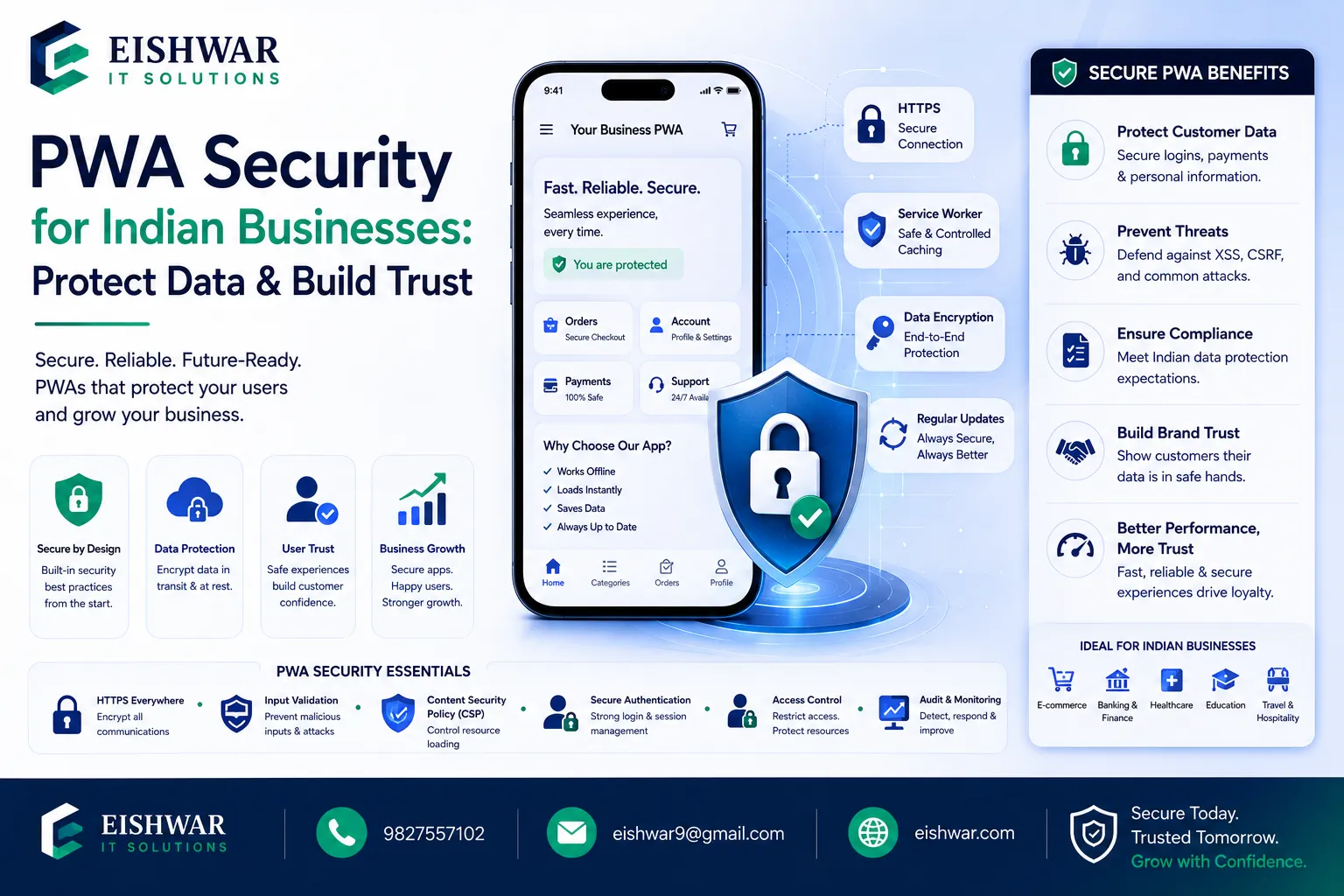
PWA Security for Indian Businesses: Protect Data & Build Trust
Published on: 14 Jun 2026
PWA Security for Indian Businesses: Protect Data & Build Trust
Introduction
Progressive Web Apps (PWAs) have revolutionized how Indian businesses engage users—offering app-like experiences without the app store. But with great power comes great responsibility. As cyber threats evolve, securing your PWA isn't just about compliance; it's about trust. For Indian businesses targeting a mobile-first audience, a security breach can shatter credibility overnight. This guide dives into practical security enhancements that protect user data, align with Indian regulations, and keep your PWA performing at its best.
Learn more about our Website services
Main Section 1: Why PWA Security Matters More Than Ever in India
India's digital ecosystem is booming. With over 800 million internet users, PWAs offer a fast, reliable way to reach customers even on 3G/4G networks. However, this growth attracts threats. From phishing to data theft, Indian businesses face unique challenges:
- High Mobile Usage: Most users access PWAs via smartphones, which are more vulnerable to malware. For example, a recent study found that 60% of mobile malware targets Indian users through fake apps and phishing links.
- Payment Data: E-commerce PWAs handle sensitive financial info—a prime target for hackers. With UPI transactions exceeding 10 billion monthly, securing payment flows is critical.
- Regulatory Landscape: India's Digital Personal Data Protection Act (DPDPA) 2023 mandates strict data handling. Fines can reach up to ₹250 crore, making compliance a financial necessity.
- User Trust: A single breach can lead to customer churn and negative reviews. For instance, a 2024 survey showed that 70% of Indian users stop using a service after a data leak.
Investing in security isn't optional—it's a business enabler. A secure PWA builds confidence, improves conversion rates, and ensures long-term growth. Consider the case of a small Indian e-commerce startup that saw a 30% increase in repeat purchases after implementing HTTPS and a clear privacy policy.
Main Section 2: Essential Security Enhancements for Your PWA
Here are actionable steps to fortify your PWA:
1. HTTPS Everywhere
HTTPS is non-negotiable. It encrypts data between the user and your server, preventing man-in-the-middle attacks. Use Let's Encrypt for free SSL certificates or Cloudflare for added DDoS protection. For example, a travel booking PWA in India reduced bounce rates by 15% after switching to HTTPS, as users felt safer entering personal details.
2. Service Worker Security
Service workers run in the background and can intercept network requests. Restrict their scope to specific directories, validate fetch events to prevent cache poisoning, and avoid caching sensitive data like passwords or credit card numbers. Use the Cache-Control header wisely—set no-store for private data and public, max-age=3600 for static assets. A common mistake is caching entire API responses; instead, cache only non-sensitive content.
3. Content Security Policy (CSP)
Implement CSP headers to block XSS attacks. Specify allowed sources for scripts, styles, and images. For example: Content-Security-Policy: default-src 'self'; script-src 'self' https://apis.example.com; style-src 'self' 'unsafe-inline'. This prevents malicious scripts from executing even if an attacker injects code. Test your CSP using tools like CSP Evaluator to avoid breaking legitimate functionality.
4. Secure Storage
Avoid storing sensitive data in localStorage or sessionStorage as they're accessible via JavaScript. Use IndexedDB with encryption or server-side sessions for critical info. For example, store user tokens in httpOnly cookies with the Secure and SameSite=Strict flags. If you must use client-side storage, encrypt data with the Web Crypto API before saving.
👉 Don't wait for the perfect moment; turn your vision into reality today.
Free Consultation5. Input Validation & Sanitization
Sanitize all user inputs to prevent SQL injection and XSS. Use libraries like DOMPurify for HTML sanitization and parameterized queries for databases. For instance, a booking form that accepts user names should strip out script tags. Validate on both client and server sides—never trust client-side validation alone.
6. Regular Security Audits
Run automated scans using tools like OWASP ZAP or Snyk. Perform manual penetration testing annually. Fix vulnerabilities promptly. For example, a fintech PWA in Mumbai reduced critical vulnerabilities by 80% after quarterly audits. Set up a bug bounty program to incentivize ethical hackers.
Main Section 3: Aligning with Indian Data Protection Laws
The DPDPA 2023 requires businesses to obtain explicit consent, allow data access, and report breaches. Ensure your PWA:
- Shows a clear privacy policy and cookie consent banner. For example, use a modal that explains what data is collected and why.
- Provides options for users to delete their data. Implement a user dashboard where they can request deletion, and automate the process with a backend script.
- Encrypts personal data both in transit and at rest. Use AES-256 for storage and TLS 1.3 for transmission.
- Limits data collection to what's necessary. Avoid asking for location if your app doesn't need it.
Non-compliance can lead to fines up to ₹250 crore. Staying compliant builds trust and avoids legal headaches. For instance, a health-tech PWA in Bangalore saw a 20% increase in user registrations after adding a transparent consent flow.
Expert Tips
- Use WebAuthn: Implement biometric authentication (fingerprint, face) for login—reduces password theft. For example, a banking PWA in India reduced account takeovers by 50% after adding fingerprint login.
- Monitor for Vulnerabilities: Subscribe to CVE alerts for libraries you use. Update dependencies regularly. Use tools like Dependabot or Renovate to automate updates.
- Educate Users: Provide tips on recognizing phishing attempts. A secure PWA is only as strong as its weakest link—the user. Add a security awareness section in your app.
- Leverage CDN Security: Use a CDN with built-in WAF (Web Application Firewall) to block malicious traffic. Cloudflare and Akamai offer DDoS protection and rate limiting.
- Test on Real Devices: Simulate attacks on actual smartphones to catch device-specific flaws. Use services like BrowserStack or AWS Device Farm.
- Implement Rate Limiting: Protect against brute-force attacks by limiting login attempts. For example, allow only 5 failed attempts per IP per hour.
Common Mistakes
- Ignoring CSP: Many developers skip CSP, leaving PWAs open to XSS. Always start with a strict policy and relax it only when necessary.
- Over-caching: Caching entire pages can expose cached data if a device is stolen. Use
Cache-Control: no-storefor sensitive pages like checkout. - Weak Passwords: Allowing simple passwords undermines other security measures. Enforce a minimum of 8 characters with mixed case, numbers, and symbols.
- Skipping Updates: Using outdated frameworks with known vulnerabilities is a common pitfall. For example, a 2023 attack exploited an old version of React to steal session tokens.
- No Backup Plan: Failing to have a breach response plan can worsen the damage. Create a playbook that includes isolating affected systems, notifying users, and reporting to authorities.
- Misconfigured CORS: Allowing all origins (
Access-Control-Allow-Origin: *) can lead to data theft. Restrict to trusted domains.
Future Trends
PWAs will continue to evolve with security innovations:
👉 Free Website Audit
Get Free Audit- FIDO2/WebAuthn Standardization: Passwordless authentication will become mainstream, reducing phishing risks. Indian banks like HDFC are already piloting this.
- AI-Driven Threat Detection: Machine learning will identify anomalies in real-time, such as unusual login patterns. For example, an e-commerce PWA could block transactions from known bot IPs.
- Zero Trust Architecture: Every request is verified, even from authenticated users. This minimizes lateral movement in case of a breach.
- Blockchain for Data Integrity: Tamper-proof logs for audit trails. This is especially useful for compliance in sectors like healthcare and finance.
- Stricter Regulations: India and other countries will enforce tougher data protection laws. Prepare by adopting privacy-by-design principles now.
FAQs
- What is the most important security enhancement for a PWA? HTTPS is foundational. Without it, all other measures are weakened. It encrypts all data in transit and is required for service workers to function.
- How often should I update my PWA's dependencies? At least monthly, or immediately when critical vulnerabilities are disclosed. Use automated tools like Dependabot to stay on top of updates.
- Can I use a PWA for handling payments in India? Yes, but ensure PCI-DSS compliance and use secure payment gateways like Razorpay or PayU. Avoid storing payment details on the client side.
- Does the DPDPA apply to all PWAs in India? Yes, if you collect personal data from Indian users, regardless of your business size. Even small startups must comply with consent and data deletion requirements.
- Is it safe to store user tokens in localStorage? No. Use httpOnly cookies or secure session storage to reduce XSS risk. localStorage is accessible via JavaScript, making it vulnerable to attacks.
- What tools can I use to test PWA security? OWASP ZAP, Lighthouse security audit, and Snyk are great starting points. For deeper analysis, consider Burp Suite or manual penetration testing.
- How do I handle user data deletion requests? Provide a user dashboard where they can request deletion, and automate the process with a backend script. Ensure you also delete backups within a reasonable timeframe.
- What is the biggest security threat to PWAs in India? Phishing and social engineering attacks are common, as users are often unaware of risks. Combine technical measures with user education.
- Can service workers be exploited? Yes, if not properly scoped. Always restrict service worker scope to specific directories and validate fetch events to prevent cache poisoning.
- How do I ensure my PWA is compliant with Indian laws? Conduct a data privacy impact assessment, implement consent mechanisms, and appoint a data protection officer if required. Consult a legal expert for specific guidance.
Conclusion
Security isn't a one-time task—it's an ongoing commitment. For Indian businesses leveraging PWAs, protecting user data is directly linked to business growth. By implementing HTTPS, CSP, secure storage, and aligning with DPDPA, you create a trusted environment that encourages repeat visits and conversions. Start with the basics, audit regularly, and stay informed about emerging threats. A secure PWA is a successful PWA.
👉 Free Homepage Demo
Book DemoCTA
Ready to secure your PWA and build trust with Indian users? Contact EishwarITSolution for a comprehensive security audit tailored to your business. Let's make your PWA bulletproof.