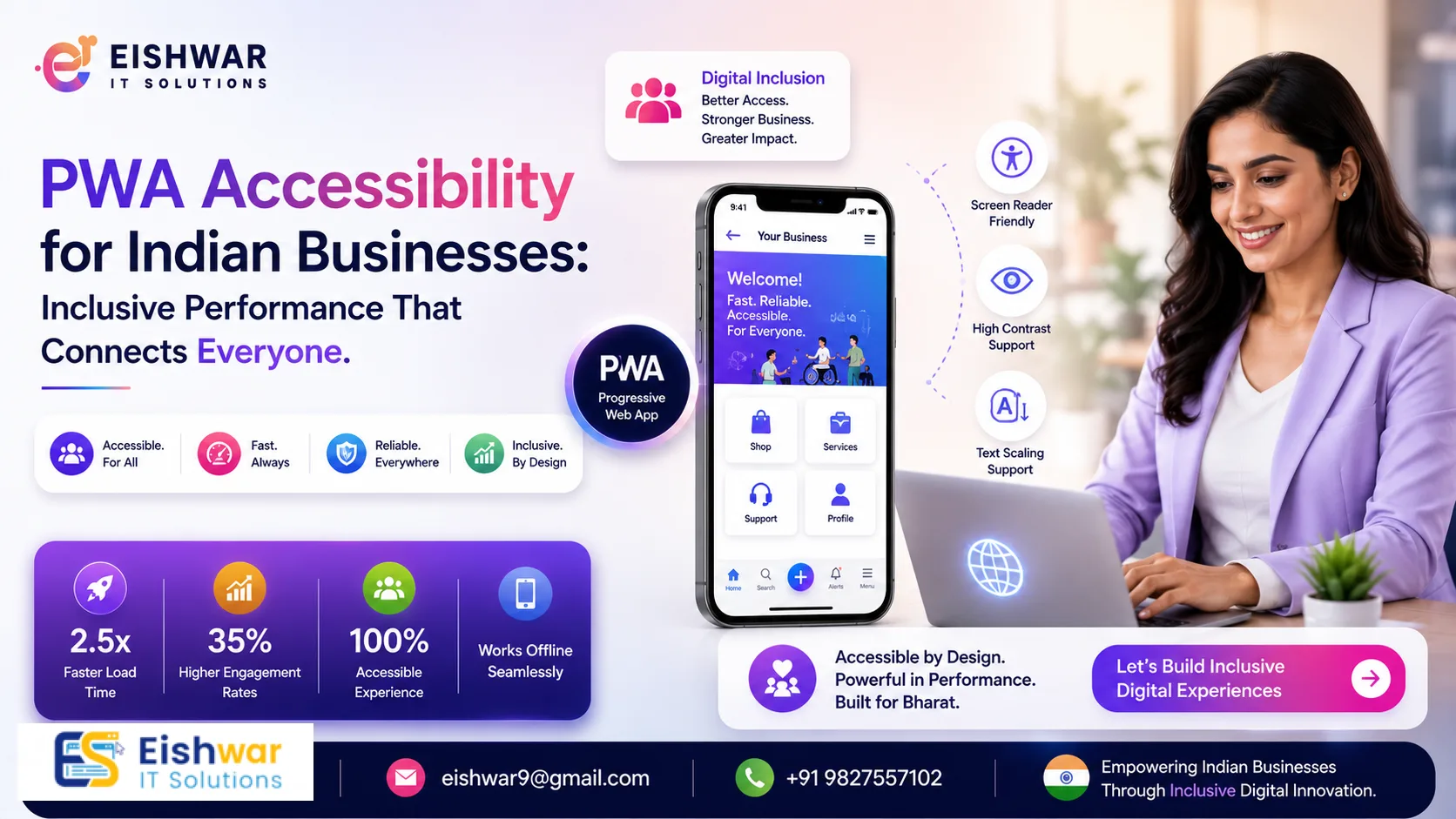
PWA Accessibility for Indian Businesses: Inclusive Performance That Co
Published on: 18 Jul 2026
PWA Accessibility for Indian Businesses: Inclusive Performance That Co
\nIntroduction
In India, over 70 million people live with some form of disability, yet most progressive web apps (PWAs) ignore accessibility, leaving a vast and underserved audience untapped. At EishwarITSolution, we believe that true performance includes everyone. An accessible PWA not only opens doors for users with visual, auditory, motor, or cognitive impairments but also improves SEO, reduces bounce rates, and boosts conversions for your business. For Indian businesses, this isn't just a moral imperative—it's a strategic advantage in a market where mobile-first, low-bandwidth usage dominates.
Learn more about our Website services
This guide will walk you through actionable steps to make your PWA inclusive without sacrificing speed. From semantic HTML to voice navigation, you'll learn how to build for all Indians, from metro cities to rural villages. Let's make your web app work for every hand, eye, and ear, turning accessibility into a growth engine.
Why Accessibility Matters for Indian PWAs
India's digital landscape is incredibly diverse. Users access the web on low-end devices, slow networks, and in varied environments—bright sunlight, noisy trains, or quiet homes. Accessibility isn't just about disabilities; it's about designing for real-world constraints that affect everyone at some point. For instance, a user with a temporary injury, a parent holding a child, or someone in a loud market all benefit from accessible design.
Consider this: a visually impaired user relying on a screen reader like TalkBack on a budget Android phone, a farmer in rural Punjab using voice commands on a basic smartphone, or an elderly person with tremors struggling with tiny buttons. Each of these users represents a potential customer with unique needs. By making your PWA accessible, you tap into an underserved market with high loyalty potential—people who remember brands that respect their time and dignity.
Moreover, Google rewards accessible sites with better rankings. Accessibility features like proper heading structure and alt text align with SEO best practices, helping your content get discovered. In India, where mobile-first indexing dominates and over 90% of internet users access via mobile, an accessible, fast PWA is a competitive edge that can set you apart from competitors who overlook this.
Main Section 1: Core Accessibility Principles for PWAs
Accessibility starts with the POUR principles: Perceivable, Operable, Understandable, and Robust. Let's apply them to your PWA with practical examples relevant to Indian users.
1.1 Perceivable: Make Content Available to All Senses
Ensure all non-text content has text alternatives. Use descriptive alt text for images—for example, instead of 'image1.jpg', write 'A woman using a smartphone in a rural field.' For icons and buttons, use aria-label to describe their purpose. Example: a shopping cart icon should have aria-label='View cart'. For videos, provide captions in Hindi or regional languages, and transcripts for audio content like podcasts.
Color contrast is critical, especially in bright sunlight. Use tools like WebAIM's contrast checker to ensure a ratio of at least 4.5:1 for normal text and 3:1 for large text. Avoid relying solely on color to convey information—add patterns or text labels. For instance, a form error should show both red border and an icon with text like 'Error: Please enter a valid email.'
👉 Don't wait for the perfect moment; turn your vision into reality today.
Free Consultation1.2 Operable: Ensure All Users Can Interact
Your PWA must be fully navigable via keyboard. Test all interactive elements—links, buttons, forms—using only the Tab and Enter keys. Provide visible focus indicators (e.g., a blue outline or a 2px solid border) so users know where they are. For touch targets, ensure a minimum size of 48x48 CSS pixels to accommodate larger fingers or tremors—Apple and Google both recommend this.
Avoid time-based interactions that can't be extended or turned off. For example, if a flash sale timer runs out, allow users to request more time via a button. For carousels, provide pause/play controls and ensure they don't auto-rotate without user consent, as motion can be disorienting.
1.3 Understandable: Keep Content Clear and Predictable
Use plain language, especially for error messages and instructions. Instead of 'Error 404', say 'Page not found. Try our search bar or check your URL.' Maintain consistent navigation across pages—users shouldn't have to relearn how to find the menu. For forms, label each field clearly and provide inline validation feedback in real time. For example, show a green checkmark next to a valid email field, not just after submission.
1.4 Robust: Maximize Compatibility with Assistive Technologies
Write semantic HTML: use <nav> for navigation, <main> for primary content, and <button> for actions. Avoid generic <div> or <span> for interactive elements. Test with screen readers like NVDA (free on Windows) or VoiceOver (built into iOS). For Android, use TalkBack. A simple test: can you complete a purchase using only a screen reader? If not, fix the gaps.
Main Section 2: Performance Enhancements That Support Accessibility
Performance and accessibility go hand in hand. A slow PWA frustrates everyone, but it hits users with assistive technologies hardest—they often rely on slower devices and networks. Here's how to optimize both together, with Indian context in mind.
2.1 Lazy Loading with Care
Lazy loading images and videos saves bandwidth, but don't hide content from screen readers. Use loading='lazy' attribute and ensure that lazy-loaded elements have meaningful alt text. For critical content like product images or navigation icons, load it eagerly. Example: on a product listing page, lazy load secondary images but eagerly load the first image and the product name.
2.2 Service Workers and Offline Accessibility
Service workers can cache accessibility resources like screen reader-friendly versions of pages. Offer an 'Offline Mode' that works with keyboard and voice. For example, cache a text-only version of your product catalog for users on slow networks. In rural India, where connectivity drops frequently, this can be a game-changer. Use the Cache API to store ARIA attributes and semantic markup.
2.3 Reduce Render-Blocking Resources
Minimize CSS and JavaScript that block rendering. Use defer or async for scripts. This helps assistive technologies parse the DOM faster. A fast first paint improves the experience for all users, especially those with cognitive disabilities who may lose focus during delays. Aim for a First Contentful Paint (FCP) under 2 seconds on 3G networks.
👉 Free Website Audit
Get Free Audit2.4 Optimize Font Loading
Custom fonts can delay text rendering. Use font-display: swap to show fallback fonts immediately. Ensure fonts have good legibility at small sizes—avoid thin or overly decorative styles. For Indian languages, use system fonts that support Devanagari or Tamil scripts, like Noto Sans. This ensures text is readable even before custom fonts load.
Main Section 3: Practical Implementation for Indian Context
India's unique challenges require tailored solutions. Here's how to adapt accessibility for local users, with practical steps.
3.1 Multilingual Accessibility
India has 22 official languages, and users often switch between English and their native tongue. Use lang attribute correctly (e.g., lang='hi' for Hindi). Provide a language switcher that works with keyboard and screen readers. For transliteration, ensure screen readers can pronounce words correctly—test with regional voice packs like Google's Text-to-Speech for Hindi or Tamil. Avoid using images of text for regional languages; use actual text that can be resized and read aloud.
3.2 Low-Bandwidth-Friendly Accessibility
Many Indian users rely on 2G or 3G. Offer a 'Light Mode' that strips heavy assets like high-res images and animations but keeps accessibility features intact. Use responsive images with srcset to serve low-resolution versions (e.g., 320px wide for small screens). Cache accessibility scripts (like ARIA attributes) via service worker so they load instantly on repeat visits. For forms, use progressive enhancement: start with a basic HTML form and add JavaScript enhancements only if supported.
3.3 Voice Navigation Support
Voice search is booming in India, especially in regional languages. Integrate Web Speech API for voice commands. Allow users to say 'Add to cart' or 'Go to checkout' without touching the screen. Test with Indian accents—English spoken with a Hindi or Tamil accent can be tricky for speech recognition. Provide visual feedback for voice commands, like a confirmation message. For example, after saying 'Add to cart', show a toast notification saying 'Item added to cart.'
3.4 Screen Reader Compatibility with Indian E-Commerce
E-commerce is huge in India, with platforms like Flipkart and Amazon leading. Ensure product listings have proper ARIA roles like role='list' and role='listitem'. For ratings, use semantic stars with text like '4 out of 5 stars' instead of just images. Avoid relying on images for price—use text that screen readers can interpret. For product variants (size, color), use clear labels and ensure changes are announced via ARIA live regions.
Expert Tips
- Start with an accessibility audit: Use tools like axe DevTools, Lighthouse, or WAVE to identify issues. Fix high-priority items first (e.g., missing alt text, poor contrast). Run audits regularly, especially after major updates.
- Involve real users: Partner with disability advocacy groups in India (like the National Association for the Blind or the Indian Sign Language Research and Training Centre) for user testing. Their feedback is gold—they'll catch issues automated tools miss.
- Use ARIA sparingly: 'No ARIA is better than bad ARIA.' Only add ARIA when native HTML semantics aren't enough. Overusing ARIA can confuse screen readers. For example, use
<nav>instead of<div role='navigation'>. - Monitor accessibility with analytics: Track how users with assistive technologies interact with your PWA. Use event tracking for keyboard navigation and screen reader usage. Tools like Google Analytics can segment users by device type or input method.
- Keep accessibility in your CI/CD pipeline: Automate checks with tools like pa11y or Lighthouse CI. Catch issues before they go live. Set a baseline score (e.g., 90 on Lighthouse accessibility) and fail builds that drop below.
Common Mistakes
- Ignoring focus order: Users expect logical tab order (left to right, top to bottom). Test by tabbing through your PWA. A common mistake is having a hidden menu that appears out of order.
- Using color alone to indicate status: For example, only red for error. Add icons or text like 'Error: Please enter a valid email.' This helps color-blind users and those using screen readers.
- Overloading animations: Excessive motion can trigger vestibular disorders. Respect the
prefers-reduced-motionmedia query. Use CSS transitions instead of JavaScript animations when possible. - Forgetting to label form fields: Every input must have an associated
<label>oraria-label. Placeholder text is not a replacement—it disappears on input. For example, use<label for='email'>Email address</label>. - Not testing on real devices: Emulators don't capture real-world conditions. Test on budget Android phones (like Redmi or Samsung M series) with TalkBack screen reader. Also test on iOS with VoiceOver.
Future Trends
Accessibility will become a competitive differentiator, especially in India's fast-growing digital economy. Look for these trends:
👉 Free Homepage Demo
Book Demo- AI-powered personalization: PWAs will adapt interfaces based on user needs—e.g., larger text for low vision, simplified layout for cognitive disabilities. AI can detect user behavior and offer adjustments automatically.
- Voice-first interfaces: With smart speakers and voice assistants growing, PWAs will integrate deeper with Web Speech API and regional languages. Expect voice commands for complex tasks like booking a train ticket.
- Wearable accessibility: Smartwatches and AR glasses will require PWAs to support haptic feedback and voice output for hands-free navigation. For example, a PWA on a smartwatch could announce notifications via text-to-speech.
- Regulatory push: India's Rights of Persons with Disabilities Act (2016) may soon mandate web accessibility for businesses, especially those in e-commerce and government services. Get ahead of compliance to avoid penalties.
- Community-driven testing: Crowdsourced accessibility testing platforms will emerge, leveraging India's diverse user base. Users from different regions and disabilities can test your PWA and provide feedback at scale.
FAQs
- What is PWA accessibility? PWA accessibility means designing and coding your progressive web app so that people with disabilities can perceive, understand, navigate, and interact with it effectively. It includes features like screen reader support, keyboard navigation, and high contrast.
- Why is accessibility important for Indian businesses? India has a large population with disabilities (over 70 million). Accessible PWAs tap into this market, improve SEO, reduce legal risk under the Rights of Persons with Disabilities Act, and enhance brand reputation. They also improve usability for all users in challenging environments.
- How do I test my PWA for accessibility? Use automated tools like Lighthouse, axe DevTools, or WAVE. Then perform manual testing with screen readers (NVDA on Windows, TalkBack on Android, VoiceOver on iOS) and keyboard-only navigation. Involve real users with disabilities for the most accurate feedback.
- Will accessibility slow down my PWA? No. Many accessibility features (like proper HTML semantics) actually improve performance by reducing reliance on heavy JavaScript. Lazy loading and caching can be optimized for accessibility. In fact, an accessible PWA often loads faster because it uses cleaner code.
- What are the legal requirements for accessibility in India? The Rights of Persons with Disabilities Act, 2016, mandates accessibility in ICT for government and public services. While not yet strictly enforced for all private businesses, it's a growing expectation. Following WCAG 2.1 AA is recommended as a baseline.
- Can I make an accessible PWA on a budget? Yes. Start with free tools like Lighthouse and open-source libraries like Accessible Rich Internet Applications (ARIA) patterns. Prioritize high-impact fixes like alt text, keyboard navigation, and contrast. Many improvements are low-cost but yield high returns in user satisfaction and SEO.
- How do I handle regional languages in accessibility? Use the
langattribute for each language, provide language switchers that work with keyboards, and test with regional screen reader voice packs. Avoid images of text for regional languages; use actual Unicode text.
Conclusion
Accessibility is not an afterthought—it's a core part of performance. By making your PWA inclusive, you reach more users, improve SEO, and build trust. At EishwarITSolution, we help Indian businesses create PWAs that are fast, accessible, and conversion-focused. Start small, test often, and listen to your users. The result? A web that works for everyone, driving growth and loyalty in India's diverse digital landscape.
CTA
Ready to make your PWA accessible and high-performing? Contact EishwarITSolution today for a free accessibility audit. Let's build an inclusive digital India together.