
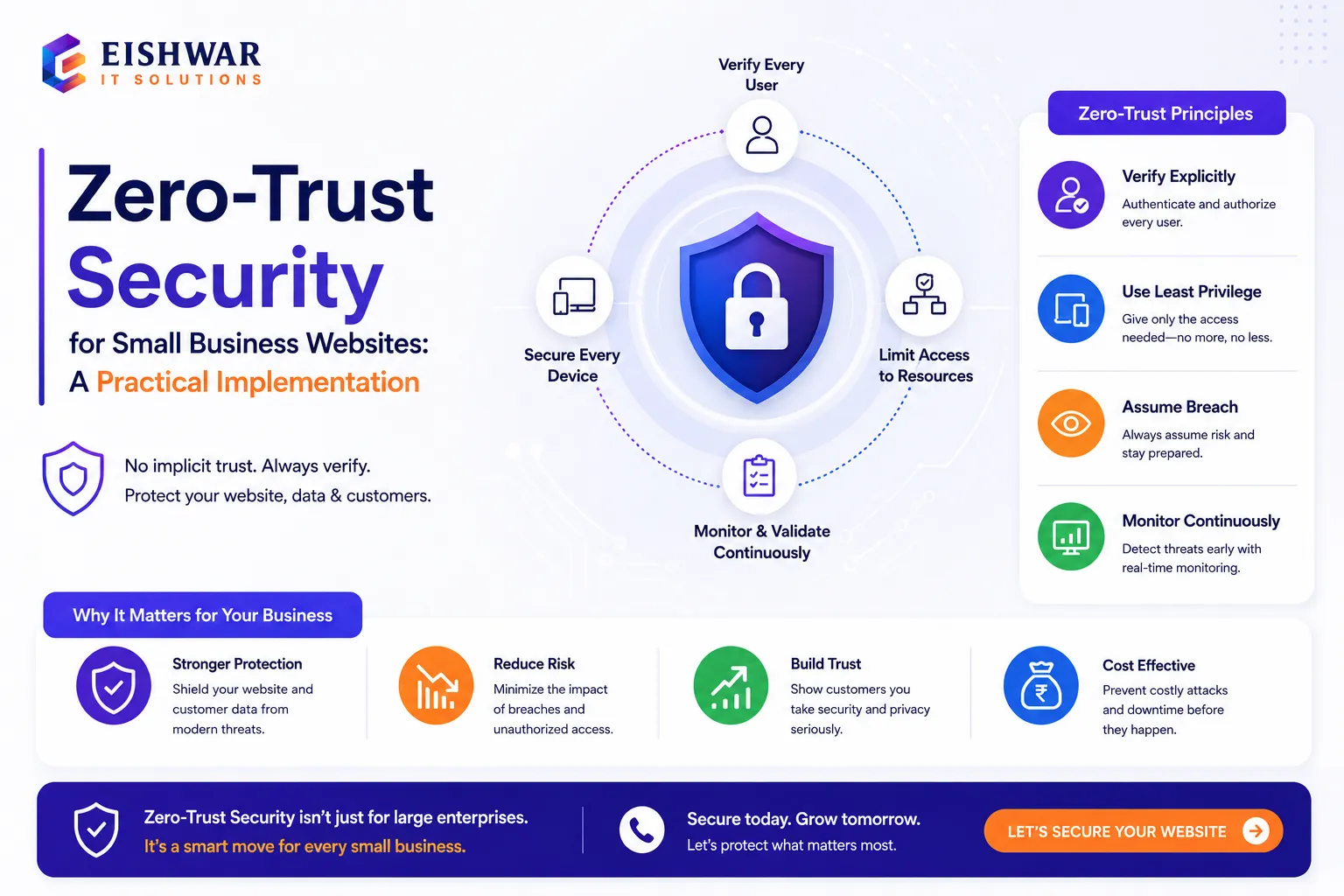
Zero-Trust Security for Small Business Websites: A Practical Implement
Published on: 14 Jun 2026
Zero-Trust Security for Small Business Websites: A Practical Implementation Guide
Introduction
In today's digital landscape, small business websites are prime targets for cyberattacks. The traditional 'trust but verify' approach is no longer sufficient. Zero-trust security flips the script: never trust, always verify. For Indian business owners, adopting zero-trust can safeguard customer data, prevent financial loss, and build trust. This guide breaks down zero-trust into actionable steps you can implement today.
Learn more about our Website services
Consider a small e-commerce store in Mumbai that processes hundreds of transactions daily. Without zero-trust, a single compromised admin credential could expose customer payment details, leading to regulatory fines under the Digital Personal Data Protection Act (DPDPA) and irreversible reputational damage. Zero-trust ensures that even if an attacker gains a foothold, they cannot move laterally or access sensitive systems without repeated verification.
Main Section 1: Understanding Zero-Trust Security
Zero-trust is a security framework that assumes no user, device, or network is trusted by default—even if they are inside the corporate perimeter. Every access request is verified before granting permission. Key principles include:
- Verify explicitly: Authenticate and authorize based on all available data points, such as user identity, device health, location, and time of access.
- Least privilege access: Grant only the minimum access needed to perform a task. For example, a content editor should not have database admin rights.
- Assume breach: Design systems to limit damage if a breach occurs. This means segmenting networks, encrypting data, and maintaining immutable backups.
For a small business website, this means controlling who can access your admin panel, database, and server, and monitoring all activity. A practical example: A WordPress site with multiple authors should restrict each author to only their own posts, not the entire content library.
Zero-trust is not a product but a mindset. It requires continuous evaluation of access policies and adapting to new threats. For Indian businesses, this is especially critical given the rise in ransomware attacks targeting SMEs—according to a 2023 report by the Indian Computer Emergency Response Team (CERT-In), over 60% of cyber incidents involved small businesses.
Main Section 2: Step-by-Step Implementation for Your Website
Here's how to apply zero-trust to your website hosted in India:
- Identify your 'protect surface': List all critical assets—customer data, payment gateways, admin dashboards, and API endpoints. For an online store, this includes the checkout page, user database, and inventory management system.
- Map transaction flows: Understand how data moves between users, apps, and databases. For instance, when a customer places an order, data flows from the browser to the web server, then to the payment gateway, and finally to the database. Each point is a potential vulnerability.
- Implement Multi-Factor Authentication (MFA): Require MFA for all admin logins. Use authenticator apps like Google Authenticator or hardware tokens like YubiKey. Avoid SMS-based MFA due to SIM-swapping risks in India.
- Enforce least privilege: Create separate user roles (admin, editor, subscriber) with minimal permissions. Regularly audit access—remove accounts for former employees or interns. Use role-based access control (RBAC) plugins for CMS platforms.
- Micro-segment your network: Even on shared hosting, isolate critical components using virtual private servers or containerization. For example, run your database on a separate VPS with strict firewall rules that only allow connections from the web server.
- Enable logging and monitoring: Use tools like Fail2Ban or a web application firewall (WAF) to detect and block suspicious activity. Set up alerts for failed login attempts, unusual file changes, or unauthorized database queries.
- Encrypt data at rest and in transit: Use HTTPS (SSL/TLS) for all communications. Encrypt sensitive database fields like passwords (using bcrypt) and payment details. For Indian businesses, ensure compliance with RBI guidelines on payment data encryption.
Example: A Delhi-based travel agency implemented these steps after a brute-force attack compromised their booking system. They enabled MFA, restricted admin access to specific IPs, and set up real-time monitoring. Within a month, unauthorized access attempts dropped by 85%.
👉 Don't wait for the perfect moment; turn your vision into reality today.
Free ConsultationMain Section 3: Tools and Technologies for Indian Businesses
Affordable zero-trust tools suitable for Indian small businesses:
- Cloudflare Zero Trust: Free tier includes WAF, DDoS protection, and access controls. You can create policies that require MFA for specific URLs, like /wp-admin.
- Google Workspace: Built-in MFA and access policies for email and collaboration. Use context-aware access to block logins from untrusted locations.
- WordPress plugins: Wordfence or Sucuri for MFA, login lockdown, and activity logs. Wordfence also includes a firewall that blocks malicious traffic.
- Indian hosting providers: Many offer free SSL, server-level firewalls, and daily backups. Providers like HostGator India, Bluehost India, and BigRock have security add-ons tailored for local businesses.
- Open-source tools: Use OSSEC for intrusion detection, or ModSecurity for web application firewall. These are free but require technical expertise to configure.
Example: A Jaipur-based e-commerce store implemented Cloudflare Access to restrict admin login to specific IPs and enforce MFA, reducing unauthorized attempts by 90%. They also used a local hosting provider's backup service to maintain daily offsite backups, ensuring data recovery in case of ransomware.
Expert Tips
- Start small: Apply zero-trust to your admin panel first. Once that's secure, extend to other areas like API endpoints and customer portals.
- Use a password manager to generate and store strong, unique passwords. Tools like LastPass or Bitwarden offer free tiers for small teams.
- Conduct quarterly access reviews—remove unused accounts, especially those with elevated privileges. A common mistake is leaving developer accounts active after project completion.
- Train your team on phishing awareness—zero-trust won't help if credentials are stolen. Conduct simulated phishing campaigns using free tools like GoPhish.
- Leverage free resources: NIST Zero Trust Architecture guide for deeper understanding. Also, refer to CERT-In's guidelines for Indian SMEs.
- Implement session timeouts: Force re-authentication after periods of inactivity. For admin panels, set a 15-minute timeout.
Common Mistakes
- Overcomplicating: Trying to implement all zero-trust principles at once leads to burnout. Focus on high-impact areas first, like MFA and least privilege.
- Neglecting user experience: Too many authentication steps can frustrate users. Balance security with usability—for example, allow trusted devices to skip MFA for a set period.
- Ignoring third-party integrations: Plugins and APIs can become weak links. Vet their security practices—check for regular updates, vulnerability disclosures, and data handling policies.
- No backup plan: Zero-trust reduces risk but doesn't eliminate it. Maintain offline backups in a separate location, and test restoration procedures regularly.
- Assuming shared hosting is secure: Shared environments have inherent risks. If you must use shared hosting, isolate your application using file permission restrictions and database user privileges.
Future Trends
Zero-trust is evolving. Expect AI-driven continuous authentication (e.g., behavioral biometrics that analyze typing patterns or mouse movements), integration with IoT devices (like smart inventory systems), and India-specific regulations like the Digital Personal Data Protection Act (DPDPA) pushing adoption. Small businesses that adopt zero-trust early will gain a competitive edge by building customer trust and avoiding costly breaches.
👉 Free Website Audit
Get Free AuditAdditionally, the rise of remote work in India means that employees access websites from various networks—home, cafes, or co-working spaces. Zero-trust ensures that each access point is verified, regardless of location. As cloud adoption grows, expect more zero-trust solutions tailored for Indian businesses, with local data residency and compliance features.
FAQs
What is zero-trust security in simple terms?
Is zero-trust security expensive for small businesses?
How does zero-trust protect my website from hackers?
Can I implement zero-trust on shared hosting?
What are the first three steps for a beginner?
How does the DPDPA affect zero-trust for Indian businesses?
Can zero-trust work with legacy systems?
Conclusion
Zero-trust security isn't just for large enterprises. Small business websites in India can benefit immensely from its practical, layered approach. By starting with MFA, least privilege access, and monitoring, you can significantly reduce risk. Remember, security is a journey, not a destination. Regularly update your practices to stay ahead of threats, and involve your team in building a security-first culture. The investment in zero-trust today will pay dividends in customer trust, regulatory compliance, and business continuity.
👉 Free Homepage Demo
Book DemoCTA
Ready to secure your website with zero-trust principles? Contact EishwarITSolution for a free security audit tailored for Indian businesses. Our experts will help you identify vulnerabilities, implement MFA, and set up monitoring—all within your budget. Protect your customers and your reputation today.