
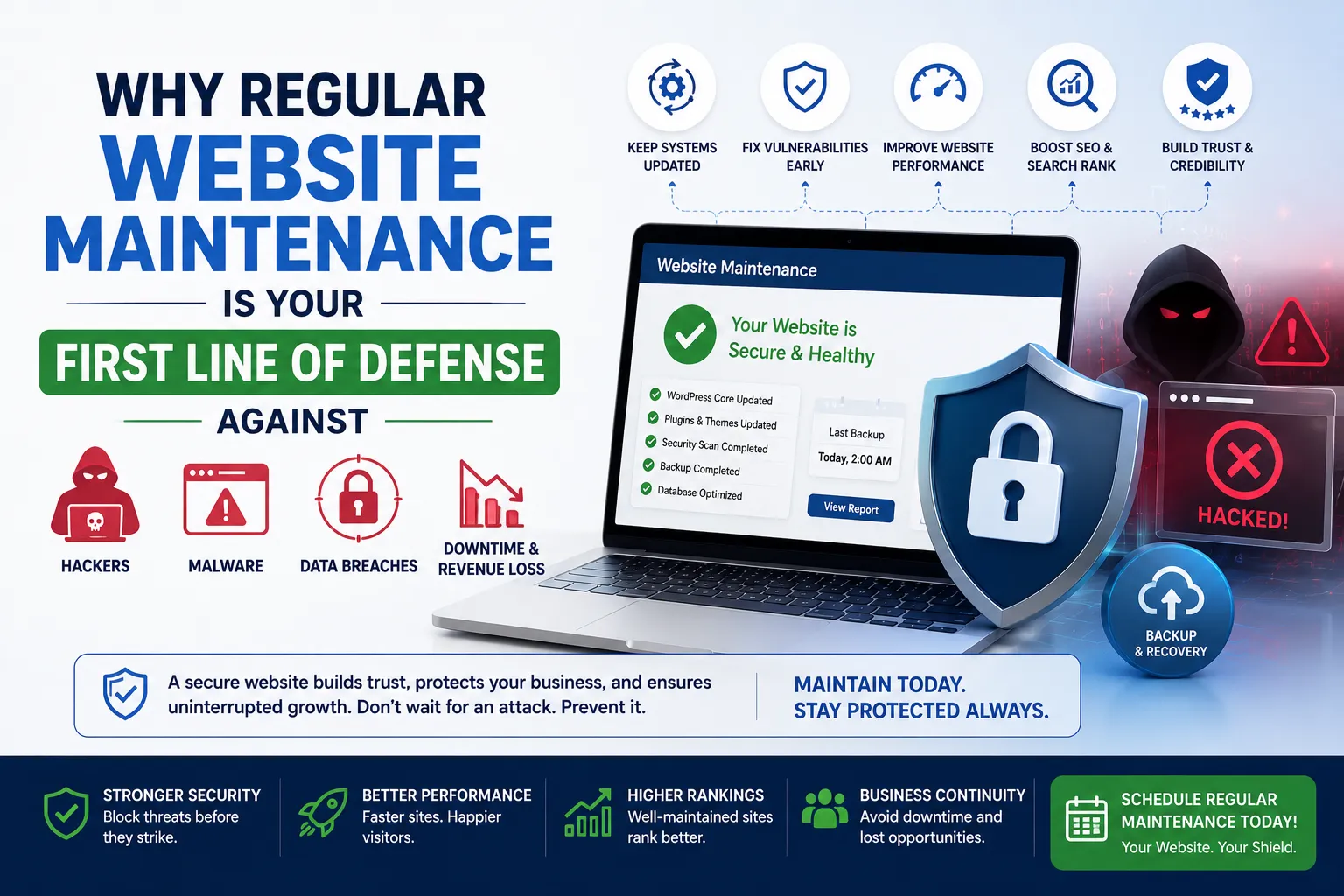
Why Regular Website Maintenance Is Your First Line of Defense Against
Published on: 18 Jun 2026
Why Regular Website Maintenance Is Your First Line of Defense Against Cyberattacks
Introduction
In today's digital age, your website is the front door to your business. But what if that door has a weak lock? Cybercriminals are constantly looking for vulnerabilities, and an unmaintained website is an open invitation. Regular website maintenance is not just about aesthetics or performance—it's your first line of defense against cyberattacks. For business owners, marketers, and professionals in India, where digital adoption is skyrocketing, ignoring maintenance can lead to data breaches, financial loss, and reputational damage. In this blog, we'll explore why maintenance matters, how to do it right, and what happens when you don't.
Learn more about our Website services
Consider this: A small e-commerce store in Pune neglected updates for just three months. Hackers exploited an outdated plugin to steal customer payment data, resulting in a ₹15 lakh loss and a permanent hit to their brand reputation. This isn't an isolated incident—it's a growing trend. As cyberattacks become more sophisticated, regular maintenance is your most cost-effective shield. Let's dive deep into the hidden risks, actionable steps, and future trends that will keep your website secure.
Main Section 1: The Hidden Risks of Neglecting Website Maintenance
When you skip updates, your website becomes a ticking time bomb. Hackers exploit outdated software, plugins, and themes to inject malware, steal data, or take your site hostage. For example, in 2023, a popular e-commerce platform in India suffered a breach because their CMS wasn't updated for six months. The result? Customer credit card details were compromised, and the company faced legal action. Regular maintenance patches these vulnerabilities, ensuring your site stays secure. Think of it like changing the oil in your car—skip it, and you're asking for trouble.
But the risks go beyond data theft. An unmaintained website can be used for phishing campaigns, where hackers redirect visitors to malicious sites. In one case, a Delhi-based travel agency's site was hijacked to host fake booking pages, leading to ₹20 lakh in fraudulent transactions. Additionally, search engines like Google blacklist compromised sites, causing a 90% drop in organic traffic. For Indian businesses relying on local SEO, this can be devastating. The hidden costs include lost sales, legal fees, and the expense of forensic audits to clean up the mess. A study by the National Association of Software and Service Companies (NASSCOM) found that 60% of Indian SMEs that suffered a cyberattack closed within six months. Don't let your business become a statistic.
Main Section 2: Key Components of a Maintenance Routine
A solid maintenance routine includes more than just updates. Here's what you need to cover:
- Core Updates: Always update your CMS, plugins, and themes. Most updates include security patches. For instance, WordPress releases minor updates that fix critical vulnerabilities—ignoring them is like leaving your front door unlocked.
- Backups: Schedule automated backups weekly. In case of an attack, you can restore your site quickly. Use a 3-2-1 strategy: three copies, two different media types, one offsite. Services like UpdraftPlus or BackupBuddy make this easy.
- Security Scans: Use tools like Sucuri or Wordfence to scan for malware and vulnerabilities. Run scans daily for high-traffic sites and weekly for smaller ones. These tools also monitor for changes in core files, alerting you to unauthorized modifications.
- Performance Checks: Slow websites are more susceptible to attacks. Monitor page speed using Google PageSpeed Insights or GTmetrix. Optimize images, enable caching, and use a content delivery network (CDN) like Cloudflare to reduce load times. A fast site also improves user experience and SEO.
- User Access Review: Remove old user accounts and change passwords regularly. Implement role-based access control (RBAC) to limit permissions. For example, a content writer shouldn't have admin access. Use password managers like LastPass to generate strong, unique passwords.
- Database Optimization: Clean up spam comments, post revisions, and unused tables. This reduces vulnerability points and improves performance. Tools like WP-Optimize automate this process.
For example, a local business in Mumbai implemented a monthly maintenance checklist and reduced their security incidents by 80% in one year. Simple steps make a huge difference. They also set up automated email alerts for failed login attempts, which helped them block a brute force attack within hours.
👉 Don't wait for the perfect moment; turn your vision into reality today.
Free ConsultationMain Section 3: How Maintenance Prevents Common Attacks
Cyberattacks like SQL injection, cross-site scripting (XSS), and brute force attacks often target outdated systems. Regular maintenance closes these doors. Here's how:
- SQL Injection: Updated plugins and input validation prevent attackers from manipulating your database. For instance, a vulnerability in an old contact form plugin allowed hackers to extract user emails. Regular updates patch these flaws.
- XSS: Regular code reviews and updates prevent malicious script injection. A Chennai-based news site suffered an XSS attack that injected ads for illegal products. They fixed it by updating their theme and sanitizing user inputs.
- Brute Force: Strong passwords and login attempt limits, enforced through updates, block automated attacks. Use plugins like Limit Login Attempts Reloaded to lock out IPs after failed tries. Two-factor authentication (2FA) adds an extra layer.
- Malware Injections: Outdated plugins are a common entry point for malware. A Bangalore-based startup found their site redirecting to a phishing page. They restored from a clean backup and updated all components.
Consider this: A Delhi-based startup ignored maintenance for a year. Hackers used a known vulnerability in an old plugin to inject ransomware, demanding ₹10 lakh. The startup had to pay or lose all data. Don't be that story. Regular maintenance would have prevented this entirely.
Expert Tips
Here are actionable tips from cybersecurity professionals:
- Automate Where Possible: Use tools like ManageWP or Jetpack for automated backups and updates. Set up automatic updates for minor versions, but test major updates on a staging site first.
- Monitor 24/7: Invest in a web application firewall (WAF) and security monitoring service. Services like Sucuri or Cloudflare WAF block malicious traffic before it reaches your site. They also provide real-time alerts for suspicious activity.
- Educate Your Team: Train employees on phishing and password hygiene. Human error is a top cause of breaches. Conduct quarterly workshops and simulate phishing attacks to test awareness.
- Test Regularly: Run penetration tests quarterly to find weak spots before hackers do. Use tools like OWASP ZAP or hire ethical hackers. A penetration test might reveal an exposed API endpoint or misconfigured server settings.
- Use a Staging Environment: Test updates and changes in a staging environment before applying them live. This prevents compatibility issues that could break your site.
- Keep a Change Log: Document all maintenance activities. This helps track issues and proves compliance during audits.
Common Mistakes
Even well-intentioned businesses make mistakes. Avoid these:
👉 Free Website Audit
Get Free Audit- Ignoring Minor Updates: Small updates often fix critical security holes. Don't skip them. For example, a minor WordPress update patched a vulnerability that allowed remote code execution.
- Using Nulled Themes/Plugins: These often contain malware. Always use official sources. A nulled plugin might include a backdoor that gives hackers full control of your site.
- Neglecting Logs: Review server logs monthly to spot unusual activity early. Look for repeated failed login attempts, unusual IP addresses, or unexpected file changes. Tools like Logwatch can automate this.
- Forgetting Mobile Security: Ensure your mobile site is also maintained and secure. Mobile plugins and themes need updates too. A responsive design doesn't guarantee security.
- Overlooking SSL Certificates: An expired SSL certificate exposes data in transit. Set up automatic renewal and use HTTPS everywhere.
- Assuming Hosting Provider Handles Everything: Shared hosting providers may not secure your application layer. Always take responsibility for your own maintenance.
Future Trends
The landscape of website security is evolving. Here's what to watch:
- AI-Driven Maintenance: Tools that predict vulnerabilities before they're exploited. For example, AI can analyze code patterns to flag potential security issues, reducing manual effort.
- Zero-Trust Architecture: Even internal users are verified before accessing sensitive areas. This model assumes no user or device is trustworthy by default, requiring continuous authentication.
- Blockchain for Backups: Decentralized backups to prevent tampering. Blockchain ensures backup integrity by creating an immutable record of changes.
- Regulatory Changes: India's Digital Personal Data Protection Act will require stricter maintenance practices. Businesses must implement data protection measures, including regular security audits and breach notification protocols.
- Serverless Security: As serverless architectures grow, maintenance will focus on function-level security. Tools like AWS Lambda Layers will need regular updates.
- Quantum-Resistant Cryptography: With quantum computing on the horizon, encryption standards will evolve. Stay informed about post-quantum cryptographic algorithms.
FAQs
- How often should I perform website maintenance? At least monthly for basic checks, and weekly if you handle sensitive data. For high-traffic e-commerce sites, consider daily scans and updates.
- Can I do maintenance myself? Yes, but consider hiring a professional for complex tasks like security audits or penetration testing. DIY maintenance works for basic updates, but experts can identify subtle vulnerabilities.
- What's the cost of neglecting maintenance? Potential data loss, legal fines, and reputational damage—costing lakhs to crores. For example, a data breach under India's new data protection law can result in fines up to ₹250 crore.
- Do I need a maintenance plan? Absolutely. A structured plan ensures nothing is missed. It also provides a clear timeline for backups, updates, and reviews, reducing the risk of oversight.
- How do I choose a maintenance service? Look for providers with experience, transparent pricing, and good reviews. Check their response time for emergencies and ask for case studies. EishwarITSolution offers customized plans for Indian businesses.
- What is a web application firewall? It filters traffic to block malicious requests before they reach your site. A WAF can prevent SQL injection, XSS, and DDoS attacks, acting as a shield between your site and the internet.
- Will maintenance affect my SEO? Yes, positively. Regular updates improve site speed and security, which Google rewards. A secure site also earns trust badges, boosting click-through rates. Conversely, a hacked site can be deindexed, destroying SEO efforts.
- How do I recover from a cyberattack? First, isolate the site by taking it offline. Then, restore from a clean backup, change all passwords, and run a security scan. Finally, conduct a post-mortem to prevent recurrence. Professional help is recommended.
- What is the role of SSL in maintenance? SSL encrypts data between the user and server. Regular maintenance ensures your SSL certificate is valid and configured correctly. Expired certificates cause browser warnings, driving visitors away.
- Can maintenance improve website speed? Yes, by optimizing databases, compressing images, and caching content. A faster site reduces bounce rates and improves user experience, indirectly enhancing security by reducing server load.
Conclusion
Regular website maintenance is not optional—it's essential. It protects your business from cyberattacks, saves money, and builds trust with your customers. Start today by creating a maintenance schedule, automating backups, and staying informed. Your website is your digital storefront; keep it secure. Remember, a proactive approach costs far less than a reactive one. In a world where cyber threats evolve daily, maintenance is your first and most reliable line of defense.
👉 Free Homepage Demo
Book DemoCTA
Ready to secure your website? Contact EishwarITSolution for a free maintenance audit. Let's protect your business together. Our team of experts will assess your current security posture, identify vulnerabilities, and create a customized maintenance plan. Don't wait for an attack—act now.