
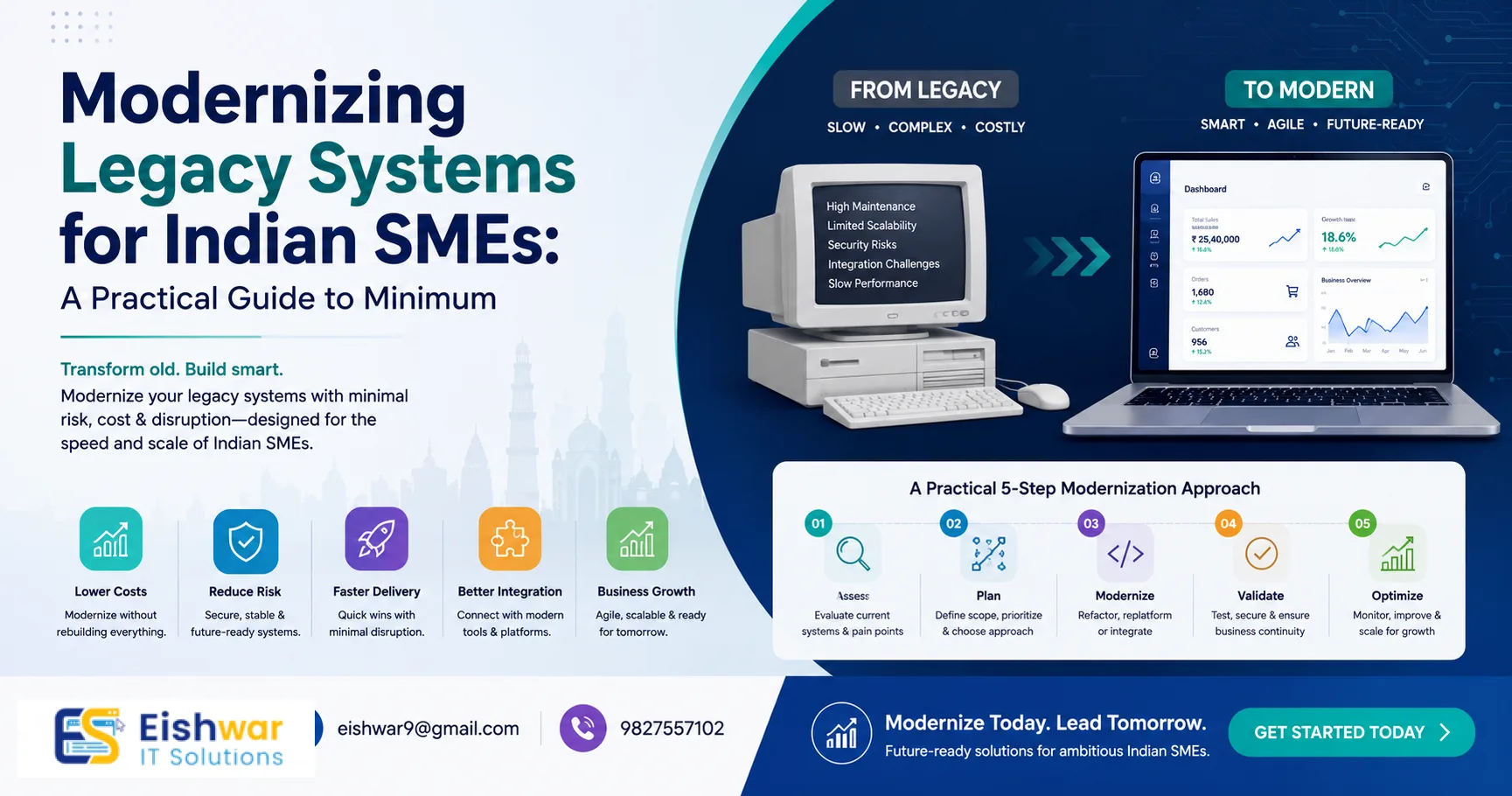
Modernizing Legacy Systems for Indian SMEs: A Practical Guide to Minim
Published on: 29 Jun 2026
Modernizing Legacy Systems for Indian SMEs: A Practical Guide to Minimizing Disruption
Introduction
Indian small and medium enterprises (SMEs) are the backbone of the economy, contributing nearly 30% to the GDP and employing over 110 million people. Yet, many of these businesses still rely on legacy systems—outdated software, hardware, or processes that have been in place for years, often since the early 2000s. While these systems might have served well in the past, they now pose serious risks: security vulnerabilities that invite cyberattacks, high maintenance costs that drain budgets, and an inability to scale or integrate with modern tools like cloud platforms, mobile apps, or AI-driven analytics. However, the thought of upgrading can be daunting for business owners, who worry about downtime, data loss, and disrupting daily operations that keep revenue flowing.
Learn more about our Website services
This guide is designed to help you modernize your legacy systems with minimal disruption. You'll learn practical strategies, real-world examples, and actionable tips to ensure a smooth transition. Whether you're migrating to the cloud, upgrading your ERP, or replacing an old CRM, these insights will help you protect your business continuity while embracing innovation. The goal isn't just to survive the upgrade—it's to thrive in a digital-first economy.
Main Section 1: Understanding Legacy Systems and Why Modernization is Non-Negotiable
Legacy systems are often deeply embedded in business operations. They might be custom-built applications, older versions of enterprise software, or even manual processes that have become institutionalized over decades. For Indian SMEs, the most common legacy systems include:
- On-premise accounting software like Tally ERP 9 (without cloud integration), which requires manual backups and lacks real-time collaboration.
- Custom inventory management systems built in FoxPro or early .NET, which are difficult to maintain as original developers retire.
- Legacy CRM tools that lack mobile access or automation, forcing sales teams to rely on spreadsheets and email.
- Outdated websites running on old CMS platforms (e.g., Joomla 2.5 or Drupal 7), which are vulnerable to hacks and slow to load.
The risks of sticking with these systems are significant. According to a 2023 report by Gartner, 70% of organizations that fail to modernize legacy systems experience a critical security breach within two years. For Indian SMEs, the cost of a data breach can be devastating—both financially and reputationally. For example, a ransomware attack on a small manufacturing firm in Pune in 2022 led to a 3-week shutdown and a loss of ₹50 lakhs. Beyond security, legacy systems limit your ability to leverage data analytics, automate workflows, or integrate with modern payment gateways like Razorpay or Paytm. In a competitive market, this can mean losing customers to more agile rivals who offer seamless digital experiences.
Modernization isn't just about technology; it's about future-proofing your business. By upgrading, you can reduce IT costs by up to 30% (by eliminating maintenance fees and hardware upgrades), improve employee productivity by automating repetitive tasks, and enhance customer experience with faster response times. The key is to approach modernization strategically, not hastily. A well-planned migration can yield ROI within 12–18 months, making it a sound investment.
Main Section 2: Step-by-Step Guide to Modernizing Without Disruption
Here's a proven framework to upgrade your legacy systems while keeping your business running smoothly. This approach has been tested by hundreds of Indian SMEs and minimizes risk at every stage.
👉 Don't wait for the perfect moment; turn your vision into reality today.
Free ConsultationStep 1: Audit and Prioritize
Start by mapping all your current systems, processes, and integrations. Identify which ones are critical for daily operations and which are most outdated. Create a priority matrix based on business impact and technical risk. For example, if your inventory management system fails, it could halt order fulfillment—so that should be a high priority. On the other hand, a legacy HR system used for attendance might be lower priority. Use a simple scoring system: rate each system on a scale of 1–5 for business criticality and technical debt. Focus on systems with scores above 7.
Step 2: Choose the Right Modernization Strategy
There are several approaches, and the best one depends on your specific situation. Here's a detailed breakdown:
- Rehosting (Lift and Shift): Move the system to the cloud without major changes. Quick and low-risk, but may not solve all problems like performance or scalability. Ideal for systems nearing end-of-life.
- Refactoring: Make minor code changes to optimize for cloud or modern platforms. For example, converting a monolithic .NET app to microservices. Good for systems with good business logic but poor architecture.
- Rebuilding: Develop a new system from scratch, often using modern frameworks like React or Node.js. Higher risk but best for outdated systems where the codebase is unmaintainable.
- Replacing: Adopt a new off-the-shelf solution. Good when a suitable product exists (e.g., moving from custom CRM to Salesforce or Zoho). This is often the fastest path for SMEs.
For example, a textile exporter in Surat replaced their custom FoxPro system with a cloud-based ERP (Odoo) in 3 months, reducing order processing time by 50%.
Step 3: Plan for Data Migration and Integration
Data is the lifeblood of your business. Ensure data integrity by following these best practices:
- Clean and deduplicate data before migration. Use tools like OpenRefine or Excel macros to remove duplicates and correct errors.
- Map old data fields to new ones carefully. Create a data mapping document that lists every field and its transformation rules.
- Run test migrations with a subset of data (e.g., 10% of records) to validate accuracy.
- Have a rollback plan in case of errors. This could mean keeping the old system running in parallel for a week.
Step 4: Implement in Phases
Don't try to do everything at once. Use a phased rollout to minimize risk. For example, migrate one department or module at a time. A common approach is to start with a non-critical module like HR or payroll, then move to sales, then inventory, and finally finance. This allows you to fix issues before they affect the entire business. For instance, a logistics company in Chennai migrated their billing system first, then warehousing, and finally fleet management over 6 months, with zero downtime.
Step 5: Train Your Team and Communicate
Change management is often overlooked but critical. Provide hands-on training for employees, create user manuals, and set up a support hotline during the transition. Clear communication about timelines and benefits will reduce resistance. For example, hold town hall meetings to explain how the new system will make their jobs easier. Offer incentives for early adopters, like recognition or small bonuses.
👉 Free Website Audit
Get Free AuditMain Section 3: Real-World Examples from Indian SMEs
Let's look at two examples that illustrate successful modernization, including the challenges faced and how they were overcome.
Case Study 1: A Mumbai-based wholesale distributor
This company used a legacy FoxPro-based inventory system that required manual data entry and had no real-time tracking. They faced frequent stockouts and overstocking, leading to lost sales and increased carrying costs. They decided to migrate to a cloud-based ERP (Odoo). By following a phased approach—first moving inventory, then sales, then accounting—they completed the transition in 4 months with only 2 hours of downtime (during a scheduled weekend). The result: 40% faster order processing, 20% reduction in stockouts, and a 15% increase in revenue due to better inventory turnover. Key lesson: involve warehouse staff in testing to ensure the new system matched their workflow.
Case Study 2: A Delhi-based e-commerce store
They were running on an outdated Magento 1 site, which had security vulnerabilities and slow page load times (over 8 seconds). They migrated to Shopify Plus using a data migration tool (Cart2Cart) and a staging environment. The migration took 3 weeks, and they maintained SEO rankings by setting up 301 redirects and updating sitemaps. Post-migration, site speed improved by 60%, and conversion rates increased by 15%. They also saw a 30% reduction in cart abandonment. Key lesson: they tested the staging site with real users to catch issues before going live.
Expert Tips
- Start with a small, non-critical system to test your migration process before tackling core systems. This builds confidence and uncovers hidden issues.
- Use automation tools for data migration to reduce human error. Tools like AWS Database Migration Service or Azure Data Factory can handle large volumes efficiently.
- Monitor performance continuously after migration. Use APM tools like New Relic or Datadog to track speed and errors. Set up alerts for anomalies.
- Involve end-users early in the selection and testing of new systems to ensure buy-in and reduce training time. Create a user feedback loop.
- Negotiate service-level agreements (SLAs) with your vendors that include uptime guarantees (e.g., 99.9%) and support response times (e.g., within 4 hours for critical issues).
Common Mistakes
- Rushing the process: Trying to modernize everything at once leads to chaos. Take it step by step. A phased approach reduces risk and allows for course correction.
- Ignoring data quality: Migrating dirty data into a new system only amplifies problems. Clean data first. Invest time in data profiling and cleansing.
- Lack of testing: Skipping thorough testing in a staging environment can cause production failures. Test with real-world scenarios, including peak loads.
- Underestimating training needs: Assuming employees will figure out the new system on their own leads to low adoption. Provide hands-on training and ongoing support.
- Not having a rollback plan: If something goes wrong, you need a way to revert quickly without losing data or revenue. Keep backups and a parallel system for at least a week.
Future Trends
The landscape of legacy system modernization is evolving rapidly. Here are key trends to watch that will impact Indian SMEs:
👉 Free Homepage Demo
Book Demo- AI-Driven Modernization: AI tools can analyze legacy code and suggest refactoring or migration paths, reducing manual effort. For example, IBM's AI for code analysis can identify dead code and security flaws.
- Low-Code/No-Code Platforms: These enable faster development of new applications without deep coding knowledge, ideal for SMEs with limited IT resources. Platforms like OutSystems or Appian allow rapid prototyping.
- Hyperautomation: Combining RPA, AI, and integration tools to automate end-to-end business processes, often replacing legacy workflows. For instance, automating invoice processing from receipt to payment.
- Edge Computing: For businesses with IoT devices (e.g., manufacturing sensors), edge computing reduces latency and bandwidth needs, complementing cloud modernization. This is crucial for real-time monitoring.
- Sustainability: Modern systems are often more energy-efficient, helping SMEs reduce their carbon footprint and meet ESG goals. Cloud providers like AWS and Azure offer carbon tracking tools.
FAQs
1. How long does it take to modernize a legacy system for an SME?
2. What is the cost of modernizing legacy systems?
3. Will modernization cause data loss?
4. Can I modernize without stopping my business operations?
5. How do I choose between rebuilding and buying a new solution?
6. What happens to my existing data integrations?
7. Do I need to hire a consultant or can I do it in-house?
8. How do I ensure security during modernization?
9. What if my legacy system is custom-built and no one knows the code?
10. How do I measure the success of modernization?
Conclusion
Modernizing legacy systems is not just a technical upgrade—it's a strategic move that can transform your Indian SME's agility, security, and growth potential. By following a structured approach, prioritizing critical systems, and focusing on minimal disruption, you can achieve a smooth transition that keeps your business running without missing a beat. The key is to start small, plan thoroughly, and invest in change management. The future of your business depends on the decisions you make today. Don't let outdated technology hold you back. Embrace modernization as an opportunity to innovate, compete, and thrive in the digital age.
CTA
Ready to modernize your legacy systems without the headache? Contact EishwarITSolution for a free consultation. Our experts will help you create a tailored roadmap that minimizes disruption and maximizes ROI. Let's future-proof your business together.