
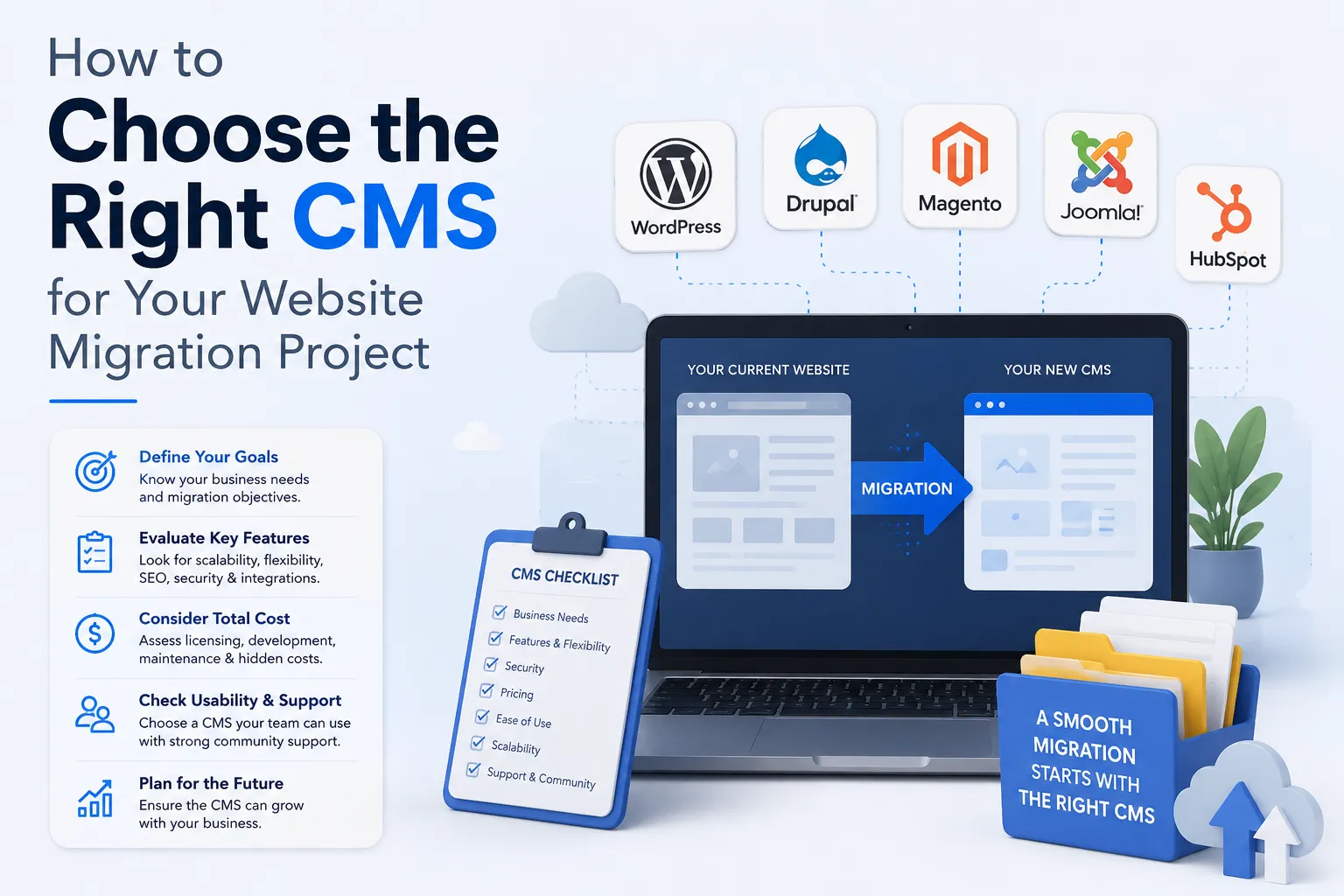
How to Choose the Right CMS for Your Website Migration Project
Published on: 18 Jun 2026
How to Choose the Right CMS for Your Website Migration Project
Introduction
When you decide to migrate your website, one of the most critical decisions you will face is choosing the right Content Management System (CMS). Your CMS is the backbone of your online presence, affecting everything from design flexibility and SEO performance to scalability and maintenance costs. For Indian business owners, marketers, and professionals, this choice can make or break your digital transformation journey.
Learn more about our Website services
In this guide, we will walk you through the key factors to consider when selecting a CMS for your migration project. We will compare popular platforms like WordPress, Drupal, and headless CMS options, share expert tips, and highlight common mistakes to avoid. By the end, you will have a clear roadmap to choose a CMS that aligns with your business goals and technical requirements.
Main Section 1: Understanding Your Business Needs
Before diving into CMS features, you must first understand your own requirements. Every business is unique, and what works for a large e-commerce store may not suit a small service-based company. Start by asking these questions:
- What type of content do you publish? (blogs, product pages, videos, etc.)
- How often do you update your site?
- Do you need multi-language support for regional Indian languages?
- What is your budget for development and ongoing maintenance?
- Do you have in-house technical expertise, or will you rely on an agency?
For example, a local restaurant in Mumbai that updates its menu weekly may prefer a simple, user-friendly CMS like WordPress. On the other hand, a tech startup building a complex web application might benefit from a headless CMS that offers greater flexibility.
Also, consider your growth plans. If you anticipate adding new features or scaling traffic, choose a CMS that can grow with you. A migration is a perfect opportunity to future-proof your digital infrastructure. For instance, a growing e-commerce business in Bangalore might start with WordPress but later need a headless CMS to support a mobile app and a progressive web app simultaneously.
Main Section 2: Comparing Popular CMS Options
WordPress
WordPress powers over 40% of all websites worldwide. It is known for its ease of use, vast plugin ecosystem, and strong SEO capabilities. For most small to medium Indian businesses, WordPress is an excellent choice. It offers thousands of themes and plugins, allowing you to add features like contact forms, SEO tools, and e-commerce functionality without custom coding. For example, a local bakery in Delhi can set up an online ordering system using WooCommerce in just a few hours.
Pros: User-friendly, large community, affordable, SEO-friendly.
Cons: Can be slower with too many plugins, security requires regular updates.
Drupal
Drupal is a more powerful and flexible CMS, often used for large enterprise websites. It offers advanced user permissions, content types, and scalability. If your site handles complex data structures or requires high security (e.g., government or financial sites), Drupal may be a better fit. For example, a government portal in India managing citizen data would benefit from Drupal's robust security and access control features.
👉 Don't wait for the perfect moment; turn your vision into reality today.
Free ConsultationPros: Highly customizable, excellent security, scalable.
Cons: Steeper learning curve, fewer ready-made themes, higher development cost.
Headless CMS
A headless CMS separates the backend content management from the frontend presentation. This allows you to deliver content across multiple channels (web, mobile apps, IoT) via APIs. Popular headless options include Contentful, Strapi, and Sanity. This approach is ideal for businesses that need omnichannel presence or want to use modern frontend frameworks like React or Vue.js. For instance, a media company in India might use a headless CMS to publish articles on its website, mobile app, and smart TV app from a single backend.
Pros: Ultimate flexibility, fast performance, future-proof.
Cons: Requires technical expertise, no built-in frontend, higher initial setup cost.
Other Options
Joomla and Squarespace are also worth mentioning. Joomla offers a balance between ease of use and flexibility, while Squarespace is great for visually rich sites with minimal technical effort. However, for most Indian SMEs, WordPress remains the most practical choice due to its extensive community support and cost-effectiveness.
Main Section 3: Key Factors for CMS Selection During Migration
When migrating, you need to consider how the CMS will handle the transition. Here are the most important factors:
- Data Import Capabilities: Can the CMS easily import your existing content, including posts, pages, images, and metadata? WordPress offers built-in importers, while Drupal requires custom scripts. For example, migrating from Joomla to WordPress is straightforward with plugins like FG Joomla to WordPress.
- SEO Preservation: Ensure the CMS supports URL redirects, meta tags, and structured data. Losing SEO rankings during migration is a common fear, but a good CMS can help maintain your search presence. Use tools like Yoast SEO or Rank Math to manage redirects and meta data.
- Performance and Hosting: Some CMS platforms are resource-intensive. Choose one that aligns with your hosting budget and performance requirements. For instance, WordPress can run on shared hosting, while Drupal may need a VPS or dedicated server for optimal performance.
- Security Features: Look for regular security updates, user role management, and SSL support. For Indian businesses handling customer data, compliance with local regulations like the IT Act is crucial. Drupal's granular user permissions make it ideal for sites with multiple editors.
- Support and Community: A large community means more tutorials, plugins, and help forums. WordPress and Drupal both have strong communities in India, with local meetups and online groups offering support.
For example, if you are migrating a legacy Joomla site, you may find it easier to move to WordPress due to its mature import tools and extensive documentation. A practical tip: always perform a test migration on a staging environment to identify potential issues before going live.
Expert Tips
Here are actionable tips from industry professionals:
- Start with a content audit: Before choosing a CMS, catalog all your existing content. Identify what to keep, update, or remove. This will simplify migration and reduce clutter. For example, a blog with 500 posts might find that 100 are outdated and can be archived.
- Test with a staging environment: Set up a staging site to test the new CMS before going live. Check for broken links, missing images, and SEO issues. Use tools like Screaming Frog to crawl both the old and new sites for comparison.
- Involve your team: If multiple people will manage content, choose a CMS with intuitive editing interfaces. WordPress’s block editor (Gutenberg) is great for non-technical users, while Drupal's interface may require training.
- Plan for training: Budget time and resources to train your team on the new CMS. This reduces errors and improves productivity. For instance, a half-day workshop on WordPress basics can empower your content team.
- Consider future integrations: Will you need to connect your CMS with CRM, email marketing, or ERP systems? Choose a CMS with robust API support. For example, WordPress offers REST API for seamless integration with tools like HubSpot.
Common Mistakes
Avoid these pitfalls when selecting a CMS for migration:
👉 Free Website Audit
Get Free Audit- Choosing based on popularity alone: Just because everyone uses WordPress does not mean it is right for you. Evaluate your specific needs. For instance, a high-security government site might be better off with Drupal despite WordPress's popularity.
- Ignoring scalability: A cheap CMS might work today but could limit your growth tomorrow. Think long-term. A startup that plans to scale rapidly should consider a headless CMS from the start.
- Underestimating migration complexity: Moving from one CMS to another can be technically challenging. Hire experienced developers if needed. A botched migration can lead to data loss and downtime.
- Forgetting about SEO: Failing to preserve URLs and meta data can cause traffic drops. Use 301 redirects and monitor rankings post-migration. For example, a site that loses its top 10 Google rankings due to broken redirects may take months to recover.
- Overlooking mobile responsiveness: Ensure the CMS themes are mobile-friendly, as mobile traffic dominates in India. Test themes on various devices before finalizing.
Future Trends
The CMS landscape is evolving rapidly. Here are trends to watch:
- Headless and decoupled CMS: More businesses are adopting headless CMS for omnichannel delivery and better performance. For example, a retail chain in India can use a headless CMS to manage content for its website, mobile app, and in-store kiosks.
- AI-powered content management: Tools that use AI for content personalization, SEO recommendations, and automated tagging are becoming common. For instance, WordPress plugins like Jetpack AI can suggest meta descriptions and alt text.
- Low-code and no-code platforms: These allow non-developers to build and manage websites, reducing reliance on technical teams. Platforms like Wix and Squarespace are popular for small businesses with limited technical skills.
- Better integration with e-commerce: CMS platforms are increasingly bundling e-commerce features, making it easier for Indian businesses to sell online. For example, WordPress's WooCommerce powers over 30% of online stores globally.
Staying ahead of these trends can give you a competitive edge. For instance, a headless CMS can help you deliver content to a mobile app and a website from a single backend, saving time and resources.
FAQs
1. What is the best CMS for small businesses in India?
2. Can I migrate from one CMS to another without losing SEO?
3. How long does a CMS migration take?
4. Is a headless CMS worth it for my business?
5. What are the costs involved in CMS migration?
6. Can I migrate my existing site to a headless CMS?
7. How do I ensure data security during migration?
Conclusion
Choosing the right CMS for your website migration is a strategic decision that impacts your business for years to come. By understanding your needs, comparing options like WordPress, Drupal, and headless CMS, and avoiding common mistakes, you can ensure a smooth transition and a strong digital foundation. Remember to test thoroughly, involve your team, and plan for future growth. With the right CMS, your migration can unlock new opportunities and enhance your online presence.
👉 Free Homepage Demo
Book DemoCTA
Ready to migrate your website with the perfect CMS? Contact EishwarITSolution today for expert guidance and seamless migration services tailored to Indian businesses.