
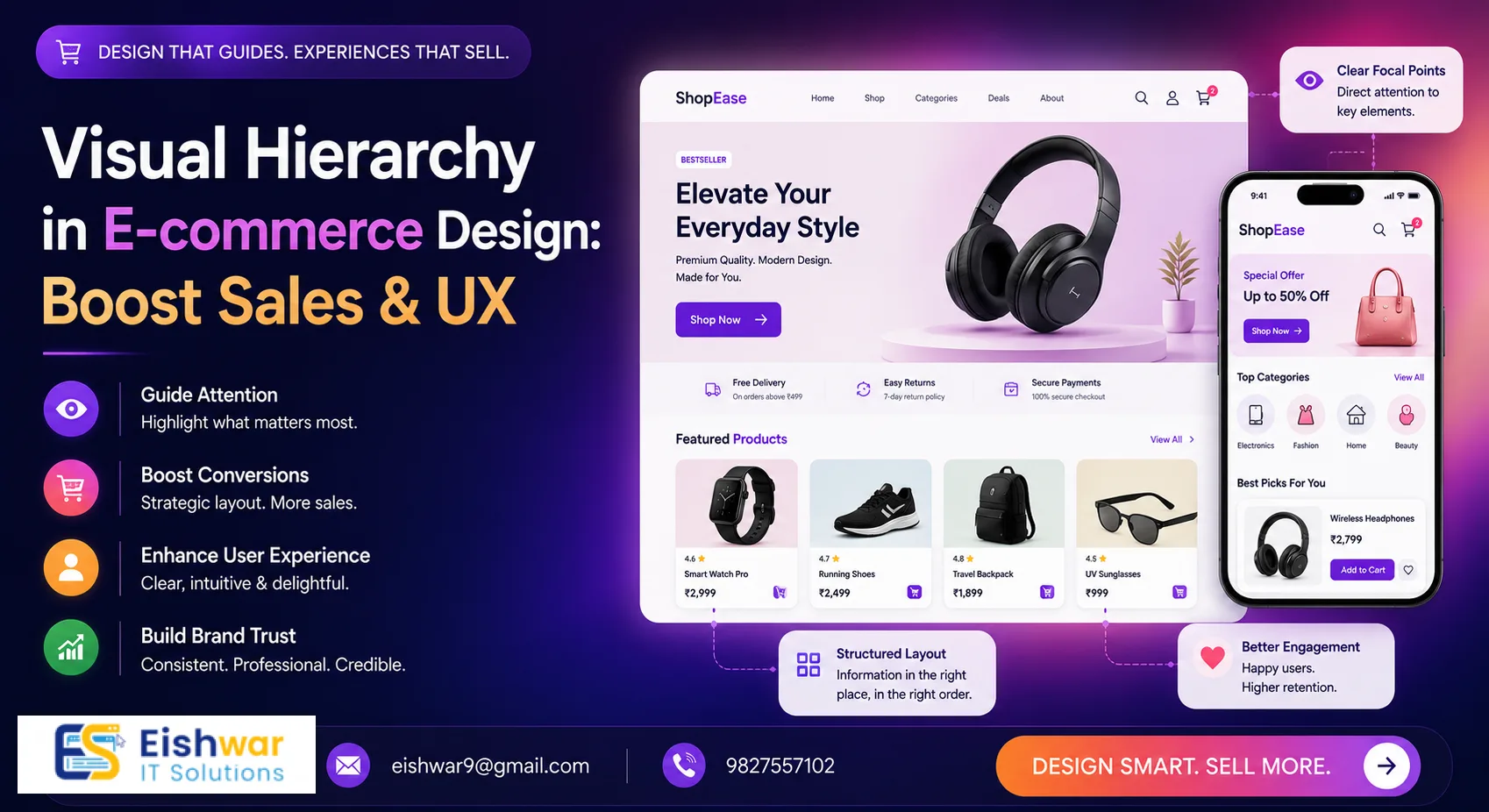
Visual Hierarchy in E-commerce Design: Boost Sales & UX
Published on: 29 Jun 2026
Visual Hierarchy in E-commerce Design: Boost Sales & UX
Introduction
In the crowded world of online shopping, first impressions matter more than ever. Your e-commerce website design is not just about aesthetics—it's about guiding visitors effortlessly toward a purchase. That's where visual hierarchy comes in. It's the secret sauce that makes your site intuitive, trustworthy, and conversion-focused. For Indian businesses targeting local audiences, mastering visual hierarchy can mean the difference between a sale and a bounce. Consider this: a well-designed visual hierarchy can increase conversion rates by up to 83%, according to a study by Stanford Web Credibility Research. When users land on your site, they make snap judgments about your brand within 0.05 seconds. If your layout is cluttered or confusing, they'll leave. But if it's clear and guided, they'll stay and explore.
Learn more about our Website services
In this guide, we'll break down what visual hierarchy is, why it's critical for e-commerce, and how you can apply it to your EishwarITSolution website to boost sales and user engagement. We'll dive into practical examples, expert tips, and common pitfalls to avoid. Whether you're a small business owner in Mumbai or a startup in Bangalore, these principles will help you create a site that not only looks great but also drives results. Let's dive in.
Main Section 1: What is Visual Hierarchy and Why It Matters for E-commerce
Visual hierarchy is the arrangement of design elements in order of importance. It uses size, color, contrast, spacing, and placement to lead the user's eye naturally from the most critical information (like a special offer or CTA) to secondary details (like product descriptions or reviews). Think of it as a roadmap for your visitors: you're telling them where to look first, second, and third. Without it, users feel lost, and they'll bounce to a competitor's site.
In e-commerce, where attention spans are short (the average user spends just 5.59 seconds looking at a website's written content), a well-structured visual hierarchy helps users quickly find what they need, understand your value proposition, and take action. Without it, your site can feel cluttered, confusing, and untrustworthy—leading to high bounce rates and lost revenue. For example, a study by Nielsen Norman Group found that users often scan web pages in an F-shaped pattern. By placing your key elements (logo, navigation, search bar, and CTA) along this path, you can improve usability and engagement. In practice, this means putting your primary CTA—like "Shop Now" or "Add to Cart"—in the top-left or top-center of the page, where eyes naturally start.
Why does this matter for Indian e-commerce specifically? With over 700 million internet users in India, competition is fierce. A site like Flipkart or Myntra uses visual hierarchy to stand out. For instance, Flipkart's homepage uses a large, bold hero banner with a clear offer (e.g., "Big Billion Days") and a prominent "Shop Now" button. Below, they use grid layouts with high-contrast product images. This isn't accidental—it's intentional design that guides users from awareness to action. By applying these same principles, your EishwarITSolution site can compete effectively.
👉 Don't wait for the perfect moment; turn your vision into reality today.
Free ConsultationMain Section 2: Key Principles of Visual Hierarchy for E-commerce Websites
Here are the core principles you need to apply to your e-commerce website design. Each principle is backed by research and real-world examples to help you implement them effectively.
- Size and Scale: Larger elements grab attention first. Use bigger fonts for headlines, product names, and prices. Smaller text for secondary details like SKU numbers or shipping info. For example, Amazon uses a large, bold price (e.g., "₹1,299") and a smaller, grayed-out original price (e.g., "₹2,499") to emphasize savings. On your product pages, make the "Add to Cart" button at least 48px tall to ensure it's easily clickable on mobile.
- Color and Contrast: High-contrast colors (like a bright CTA button against a neutral background) draw the eye. Use brand colors consistently but reserve high-contrast for key actions. For instance, a green "Buy Now" button on a white background works well because green is associated with positive actions. Avoid using low-contrast combinations like light gray text on a white background—this is a common mistake that reduces readability, especially for older users or those with visual impairments.
- Whitespace: Also called negative space, whitespace around elements makes them stand out. Avoid cramming products or text together. Give each element room to breathe. Apple is a master of whitespace: their product pages have generous margins and padding, which makes the product images and CTAs pop. On your site, use at least 16px of padding around buttons and 24px between sections to create a clean, professional look.
- Alignment and Proximity: Group related items (e.g., product image, name, price, and add-to-cart button) together. Align elements consistently to create a clean, professional look. For example, on a product card, place the image at the top, followed by the title, price, and button—all left-aligned. This reduces cognitive load because users don't have to search for related information.
- Typography: Use a clear hierarchy of headings (H1, H2, H3) and body text. Bold or italicize key phrases but don't overdo it. A good rule of thumb is to use no more than two font families (e.g., a sans-serif for headings and a serif for body text). For Indian audiences, ensure your fonts support Devanagari or other regional scripts if you're targeting non-English speakers.
- Visual Cues: Arrows, icons, or images pointing toward the CTA can guide users. For example, a model looking at the add-to-cart button subtly directs attention. On your homepage, use a downward-pointing arrow or a "Scroll Down" icon to encourage users to explore more products. This is especially effective on landing pages where you want to reduce bounce rates.
Pro tip: Test your design with heatmaps or eye-tracking tools to see where users actually look. Adjust based on real data. Tools like Hotjar (free tier available) or Crazy Egg can show you click maps and scroll maps. For example, if you notice users are clicking on non-clickable elements (like an image), consider making it a link. This data-driven approach ensures your visual hierarchy is optimized for your specific audience.
👉 Free Website Audit
Get Free AuditMain Section 3: Practical Implementation for Indian E-commerce Sites
Applying visual hierarchy to your EishwarITSolution e-commerce site doesn't have to be complex. Here are actionable steps, with specific examples for Indian businesses:
- Homepage: Place your hero banner with a clear value proposition (e.g., "Free Shipping on Orders Above ₹499" or "Diwali Sale: Up to 50% Off") at the top. Use a large, bold font (at least 36px) and a high-contrast CTA button like "Shop Now" in a vibrant color (e.g., orange or red). Below, show popular categories with large icons or images—use a grid layout with 3-4 columns for desktop and 2 columns for mobile. For example, if you sell clothing, categories like "Kurtas," "Sarees," and "Accessories" should be immediately visible.
- Product Pages: Feature the product image prominently on the left (or center for mobile). Below, use a clear product title (H1, 24px), price in bold (20px, with a strikethrough for original price if on sale), and a bright "Add to Cart" button (48px tall, with a contrasting color like green or blue). Add reviews and size/color options below the fold—use a star rating system (e.g., "4.5/5") to build trust. For Indian audiences, include details like "Cash on Delivery Available" and "Free Returns" near the CTA, as these are key decision factors.
- Checkout Flow: Use a single-column layout with progress indicators (e.g., "Step 1 of 3: Shipping Details"). Highlight the "Place Order" button with a contrasting color (e.g., orange or green). Minimize distractions by removing navigation links and sidebars. For example, Amazon's checkout page has a clean, focused design with only essential fields. On your site, use a sticky footer with the total price and "Proceed to Pay" button to reduce cart abandonment.
- Mobile Optimization: With over 70% of Indian users shopping on mobile, ensure your visual hierarchy scales. Use larger touch targets (at least 48x48px for buttons), stack elements vertically, and keep CTAs thumb-friendly (place them at the bottom of the screen). For example, Myntra's mobile app uses a bottom navigation bar with a prominent "Bag" icon, making it easy to access the cart. Test your site on devices like the Redmi Note 12 or iPhone 13 to ensure it looks good across screen sizes.
Real-world example: Flipkart uses a clean layout with bold product images, a prominent price, and a bright "Buy Now" button. Their visual hierarchy guides users from browsing to purchase effortlessly. On their product pages, the "Add to Cart" button is placed below the price, with a contrasting yellow color that stands out against the white background. They also use urgency cues like "Only 2 left" in red text near the button, which creates a sense of scarcity and encourages immediate action.
Expert Tips
- Use the "Golden Ratio" for Layout: Divide your page into sections proportionally (e.g., 60% main content, 40% sidebar). This creates a natural flow that feels balanced and pleasing to the eye. For example, on a product listing page, use 60% for product images and 40% for filters and details.
- Leverage F-Pattern and Z-Pattern: For text-heavy pages (like blogs), use F-pattern where users scan left to right, then down. For visual-heavy pages (like homepages), use Z-pattern to guide eyes from top-left to bottom-right CTA. On your homepage, place your logo in the top-left, navigation in the top-right, hero banner in the center, and CTA in the bottom-right—this follows the Z-pattern.
- Test with A/B Testing: Try different button colors, sizes, and placements. For example, test a red vs. green CTA button to see which gets more clicks. Use tools like Google Optimize (free) or VWO (paid) to run experiments. A simple test could be changing the "Add to Cart" button from blue to orange—you might see a 10-20% increase in clicks.
- Use Urgency Cues: Place countdown timers or "Low Stock" badges near the price or CTA to create urgency. For example, "Sale ends in 2 hours" or "Only 3 left in stock" can increase conversion rates by up to 30%, according to a study by Baymard Institute. On your product pages, add a small timer near the "Buy Now" button for limited-time offers.
- Optimize for Accessibility: Ensure your visual hierarchy works for users with disabilities. Use high contrast (e.g., black text on white background), large fonts (at least 16px for body text), and alt text for images. This not only improves UX but also helps with SEO, as search engines favor accessible sites.
Common Mistakes
- Overloading with too many CTAs: Having multiple "Buy Now," "Add to Wishlist," and "Share" buttons confuses users. Prioritize one primary action per page. For example, on a product page, the primary CTA should be "Add to Cart," with secondary actions like "Add to Wishlist" placed below or in a less prominent color.
- Ignoring mobile hierarchy: A desktop layout that looks great may be a mess on mobile. Always design mobile-first. For instance, a three-column grid on desktop might need to become a single column on mobile to avoid tiny, unclickable buttons.
- Using low-contrast text: Light gray text on a white background is hard to read. Ensure sufficient contrast for accessibility. Use tools like WebAIM's Contrast Checker to verify your color combinations meet WCAG standards (a contrast ratio of at least 4.5:1 for normal text).
- Neglecting whitespace: Crowded pages feel overwhelming. Give elements breathing room to improve focus. For example, if your product listing page has too many items per row, reduce it from 4 to 3 columns to add more whitespace between products.
- Assuming one-size-fits-all: Visual hierarchy should be tailored to your audience. For Indian users, consider cultural preferences—like using warm colors (red, orange) for CTAs, which are associated with auspiciousness and action.
Future Trends
Looking ahead to 2026 and beyond, visual hierarchy will evolve with technology. Expect more personalized layouts based on user behavior (e.g., showing products you've viewed in larger sizes). For example, AI-driven tools like Dynamic Yield can adjust your homepage in real-time based on a user's browsing history. Voice and gesture controls may also influence design, requiring simpler visual cues—like larger buttons for voice-activated shopping. Additionally, dark mode will become standard, demanding new contrast considerations. For Indian e-commerce sites, this means testing dark mode versions of your site with high-contrast elements (e.g., white text on dark backgrounds). Stay agile and test emerging trends to keep your site competitive.
👉 Free Homepage Demo
Book DemoFAQs
What is visual hierarchy in e-commerce website design?
Visual hierarchy is the arrangement of design elements (size, color, spacing) to guide users' attention to the most important information first, like CTAs or special offers. It's like a roadmap that tells users where to look and what to do next.
How does visual hierarchy improve conversions?
By making it easy for users to find and click on key elements (like 'Add to Cart'), reducing friction and decision fatigue, leading to more sales. For example, a clear CTA button with high contrast can increase click-through rates by up to 30%.
What are common visual hierarchy mistakes in e-commerce?
Too many CTAs, poor mobile layout, low-contrast text, and lack of whitespace are common mistakes that hurt user experience. For instance, using multiple 'Buy Now' buttons on one page can confuse users and reduce conversions.
Can visual hierarchy help with SEO?
Indirectly, yes. A clear hierarchy improves user engagement metrics (like lower bounce rate and longer session time), which search engines consider as ranking signals. Additionally, proper use of heading tags (H1, H2) helps search engines understand your content structure.
How can Indian e-commerce businesses implement visual hierarchy affordably?
Start by using free tools like Google PageSpeed Insights and heatmaps from Hotjar. Focus on one page at a time, like your homepage, and test changes with A/B testing using Google Optimize. Prioritize high-impact changes like button color and placement.
What is the role of color in visual hierarchy?
Color creates contrast and draws attention to key elements. For example, a bright CTA button (like orange or green) against a neutral background stands out. Use brand colors consistently but reserve high-contrast colors for primary actions to guide users effectively.
How does visual hierarchy differ for mobile vs. desktop?
On mobile, elements need to be larger and more spaced out due to smaller screens. Use a single-column layout, larger touch targets (at least 48px), and place CTAs at the bottom for thumb-friendly access. Desktop can use multi-column layouts with more whitespace.
Conclusion
Visual hierarchy is not just a design buzzword—it's a powerful tool that can transform your e-commerce website into a sales machine. By strategically guiding your users' eyes, you can improve user experience, build trust, and boost conversions. For Indian businesses like EishwarITSolution, applying these principles can help you stand out in a competitive market. Remember, the key is to start small: audit your homepage and product pages. Adjust sizes, colors, and spacing. Test, iterate, and watch your metrics improve. With the right visual hierarchy, your site will not only look professional but also drive tangible results—like higher click-through rates, lower bounce rates, and increased revenue. Good design is invisible—it just works.
CTA
Ready to revamp your e-commerce website with expert visual hierarchy? Contact EishwarITSolution today for a free consultation. Let's build a site that sells! Our team specializes in creating intuitive, conversion-focused designs for Indian businesses. Don't let a poor layout cost you sales—get in touch now.