
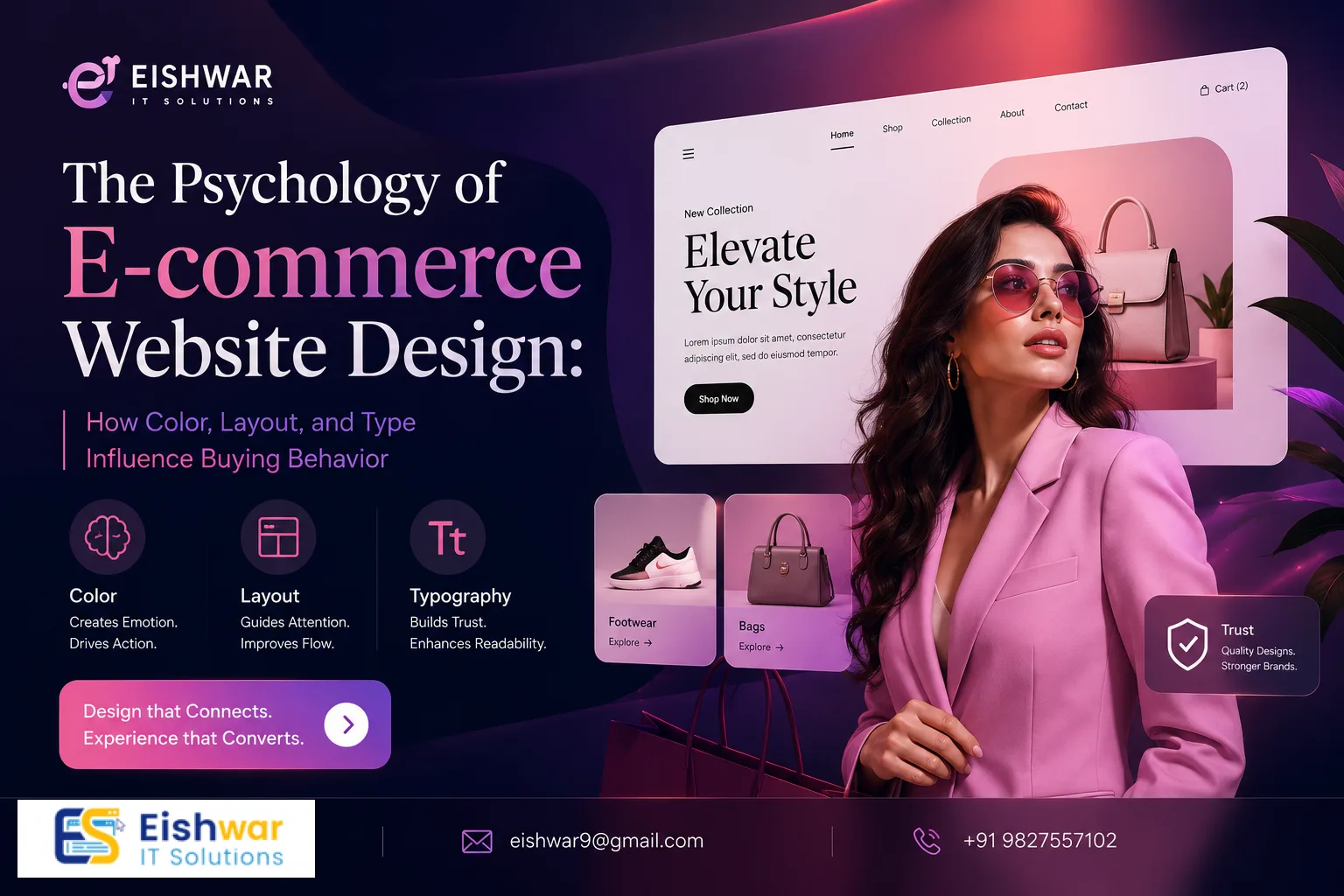
The Psychology of E-commerce Website Design: How Color, Layout, and Ty
Published on: 11 Jun 2026
The Psychology of E-commerce Website Design: How Color, Layout, and Ty
\nIntroduction
When you land on an e-commerce website, what makes you stay? Is it the vibrant colors, the clean layout, or the easy-to-read text? The truth is, every design element on your store works together to create a psychological experience that can either nudge a visitor toward purchase or send them clicking away. At EishwarITSolution, we understand that great e-commerce website design is not just about aesthetics—it's about understanding human behavior.
Learn more about our Website services
In this article, we'll dive deep into the psychology behind color, layout, and typography, and how you can use these principles to design an e-commerce site that converts. Whether you're a business owner or a marketer, these insights will help you make informed design decisions that resonate with your Indian audience and beyond. We'll explore real-world examples, actionable tips, and common pitfalls to avoid, ensuring your online store becomes a conversion powerhouse.
Main Section 1: The Power of Color Psychology in E-commerce
Color is one of the most powerful tools in your design arsenal. It can evoke emotions, convey trust, and even influence purchase decisions. Studies show that up to 90% of snap judgments about products are based on color alone. This section will break down how specific colors impact buyer behavior and how you can strategically use them in your e-commerce store.
How Different Colors Affect Buyers
Red is associated with urgency, excitement, and passion. It's often used for clearance sales or call-to-action buttons. For example, Amazon uses orange-red for its 'Buy Now' buttons to create a sense of urgency. In India, red is also considered auspicious, making it effective for festive sales like Diwali or wedding season promotions.
Blue evokes trust, security, and calmness. It's popular among financial and tech brands like PayPal and Dell. If you're selling high-ticket items like electronics or jewelry, blue can help reassure customers about their purchase. Indian e-commerce giant Flipkart uses blue in its logo and interface to build credibility.
Green is linked to nature, health, and wealth. It works well for organic products, wellness brands, and financial services. Flipkart uses green for its 'Add to Cart' button to signify positive action. In India, green is also associated with prosperity, making it ideal for stores selling agricultural products or eco-friendly goods.
Yellow is optimistic and attention-grabbing. Use it sparingly for highlights or discounts. Too much yellow can cause anxiety, so pair it with neutral tones. For instance, a yellow 'Sale' badge on a white background can draw the eye without overwhelming the user.
Black represents luxury, sophistication, and exclusivity. High-end brands like Chanel and Nike use black to convey premium quality. If you're selling luxury watches or designer clothing, a black background with gold accents can create a sense of opulence.
White symbolizes simplicity, cleanliness, and minimalism. It's excellent for creating a spacious, clutter-free layout that lets products shine. Apple's e-commerce site is a prime example of using white space to highlight product features.
Actionable Tips for Indian E-commerce Stores
- Test your primary CTA button color against your brand palette. For example, if your brand is blue, an orange or red button can stand out. Use tools like Google Optimize to run A/B tests.
- Use contrasting colors for important elements like 'Add to Cart' and 'Checkout' buttons. A green button on a white background is highly visible.
- Consider cultural color meanings: In India, red is auspicious and used in weddings, while green is associated with fertility and prosperity. Avoid using white in contexts where it might be seen as mourning.
- Use A/B testing to see which color combinations drive higher conversions for your specific audience. For example, test a red vs. blue 'Buy Now' button to see which performs better.
- Incorporate color gradients for a modern look, but ensure they don't distract from the primary CTA. Tools like Coolors can help you create harmonious palettes.
Main Section 2: Layout Design and Its Impact on User Behavior
The layout of your e-commerce website determines how easily users can find what they're looking for. A well-structured layout guides the eye naturally and reduces cognitive load, making the shopping experience seamless. Let's explore key layout principles that can boost conversions.
👉 Don't wait for the perfect moment; turn your vision into reality today.
Free ConsultationThe F-Pattern and Z-Pattern
Research shows that users scan web pages in an F-shaped pattern—first horizontally across the top, then down the left side, and then across again. For e-commerce, this means placing your logo, navigation, and key offers in the top left and top right corners. For example, Amazon places its search bar at the top center, followed by categories on the left, and the shopping cart on the top right.
The Z-pattern is common on pages with less text, like landing pages. It starts top left, moves to top right, then diagonally down to bottom left, and finally to bottom right (where the CTA should be). This pattern works well for product launch pages where you want to guide the user's eye from the headline to the product image and then to the 'Buy Now' button.
Visual Hierarchy and White Space
Visual hierarchy ensures that the most important elements (like product images, prices, and CTAs) are noticed first. Use size, color, and placement to establish hierarchy. For example, product images should be large and centered, with price and 'Add to Cart' immediately below. Use bold fonts for prices and subtle colors for secondary information like shipping details.
White space (or negative space) is not wasted space. It gives the eyes a break and makes content more digestible. Cluttered layouts overwhelm users and increase bounce rates. Keep product pages clean with ample white space around images and text. For instance, Apple's product pages use generous white space to make the product the hero.
Mobile-First Layout Considerations
With over 70% of e-commerce traffic in India coming from mobile devices, your layout must be responsive. Use thumb-friendly navigation, stack elements vertically, and ensure buttons are large enough to tap easily (at least 48x48 pixels). Consider using a hamburger menu for navigation to save space, and place the search bar prominently at the top.
👉 Free Website Audit
Get Free AuditAlso, optimize images for mobile to reduce load times. Compress images using tools like TinyPNG and use lazy loading to improve performance. Test your layout on multiple devices to ensure a consistent experience.
Main Section 3: Typography and Readability
Typography is the art of arranging type to make text legible, readable, and visually appealing. The right font choice can enhance brand perception and improve user experience, while poor typography can drive users away. Let's dive into the key aspects of typography for e-commerce.
Serif vs. Sans Serif
Serif fonts (like Times New Roman) feel traditional, formal, and trustworthy. They're best for long-form content like blog posts or product descriptions that require authority. However, they can appear outdated on modern e-commerce sites.
Sans serif fonts (like Arial, Helvetica, or Open Sans) are modern, clean, and easy to read on screens. Most e-commerce sites use sans serif for body text and headings because of their legibility at various sizes. For example, Amazon uses a sans serif font for product descriptions and prices.
Font Size and Line Spacing
Body text should be at least 16px for readability on mobile. Line spacing (leading) of 1.5 to 1.8 times the font size improves readability. Avoid using more than two font families on a single page—it creates visual chaos. Use a consistent font hierarchy: H1 for page titles (e.g., 32px), H2 for section headings (e.g., 24px), H3 for subheadings (e.g., 20px), and body text (e.g., 16px).
Actionable Typography Tips
- Use a consistent font hierarchy: H1 for page titles, H2 for section headings, H3 for subheadings, and body text for product descriptions. This helps users scan content quickly.
- Ensure high contrast between text and background. Black text on white is the most readable. Avoid light gray text on white backgrounds, as it strains the eyes.
- Limit line length to 50-75 characters per line for optimal reading speed. Longer lines cause readers to lose their place.
- Use bold or italic sparingly to emphasize key points, not entire paragraphs. Overuse reduces impact.
- Consider using web-safe fonts or Google Fonts for faster loading. Popular choices include Roboto, Open Sans, and Lato.
Expert Tips
Here are some pro-level insights from our team at EishwarITSolution:
- Leverage color for trust signals: Use blue for payment icons, security badges, and trust seals to subconsciously reassure customers. For example, place a blue 'Secure Checkout' badge near the payment form.
- Use directional cues: Place arrows, images of people looking toward your CTA, or visual paths that guide the eye to the 'Buy Now' button. For instance, a product image with a model looking at the CTA can increase clicks.
- Keep CTAs above the fold: On product pages, ensure the 'Add to Cart' button is visible without scrolling, especially on mobile. Use sticky CTAs that follow the user as they scroll.
- Test your typography: Run a readability test using tools like Hemingway or Readable to ensure your copy is easy to understand. Aim for a grade 8 reading level for product descriptions.
- Use social proof strategically: Place customer reviews and ratings near the CTA to build trust. Highlight positive reviews with star ratings in a contrasting color.
Common Mistakes
Avoid these psychological design pitfalls:
👉 Free Homepage Demo
Book Demo- Using too many colors: A palette of 3-4 colors is ideal. More than that can distract and confuse users. Stick to a primary color, a secondary color, and an accent color.
- Ignoring mobile layout: If your site isn't optimized for mobile, you're losing up to 70% of potential customers. Use responsive design and test on real devices.
- Poor font legibility: Fancy script fonts might look artistic but are hard to read, especially for product descriptions. Reserve them for logos or headings only.
- Cluttered product pages: Too many images, text blocks, and buttons can overwhelm the user and reduce conversions. Use tabs or accordions to organize information like size guides and reviews.
- Neglecting loading speed: Slow-loading pages increase bounce rates. Optimize images, use a CDN, and minimize JavaScript to improve performance.
Future Trends
Stay ahead of the curve with these emerging trends in e-commerce website design psychology:
- Personalized color schemes: AI-driven tools will soon allow sites to adapt colors based on user preferences or past behavior. For example, a returning customer might see a color scheme that matches their previous purchases.
- Dark mode optimization: More users prefer dark mode; ensure your design looks great in both light and dark themes. Use high-contrast text and avoid color shifts that reduce readability.
- Micro-interactions: Subtle animations on buttons or hover effects can create delight and reinforce positive feelings. For instance, a 'Add to Cart' button that bounces slightly when clicked can make the experience more engaging.
- Voice-activated navigation: As voice search grows, design layouts that support voice commands for browsing and purchasing. Use clear labels and structured data to improve voice search accuracy.
- Augmented reality (AR) previews: Allow users to visualize products in their space using AR. This reduces return rates and increases confidence in purchase decisions.
FAQs
How does color psychology affect conversion rates in e-commerce?
Color can influence emotions and actions. For example, red creates urgency (good for clearance sales), blue builds trust, and green suggests eco-friendliness. A/B testing different button colors can improve conversion rates by up to 21%. In India, cultural associations also play a role—red is auspicious, while green symbolizes prosperity.
What is the best layout for an e-commerce website?
The best layout is one that follows the F- or Z-pattern of user scanning. It should have clear visual hierarchy, ample white space, and a responsive design for mobile. Product pages should be clean with large images and prominent CTAs. For Indian audiences, consider adding regional language support and localized payment options.
How many fonts should I use on my e-commerce site?
Stick to one or two font families—one for headings and one for body text. Using more than two can make your site look unprofessional and harm readability. Sans serif fonts are generally recommended for e-commerce due to their clarity on screens. Ensure font sizes are at least 16px for body text to improve mobile readability.
Why is white space important in design?
White space improves readability, focuses attention on key elements, and reduces cognitive load. It makes the site feel more premium and easier to navigate, leading to higher engagement and conversions. For example, Apple uses generous white space to highlight product features and create a sense of luxury.
How can I test if my design is psychologically effective?
Use A/B testing for different color schemes, layouts, and fonts. Tools like Google Optimize or VWO can help. Also, conduct user testing with real customers to gather qualitative feedback on their experience. Track metrics like bounce rate, time on page, and conversion rate to measure effectiveness.
What are the most common psychological design mistakes in e-commerce?
Common mistakes include using too many colors, ignoring mobile optimization, poor font legibility, cluttered product pages, and neglecting loading speed. These errors increase cognitive load and reduce trust, leading to higher bounce rates and lower conversions.
How can I use typography to improve trust in my e-commerce store?
Use clean, readable fonts like sans serif for body text and headings. Maintain high contrast between text and background, and limit line length to 50-75 characters. Consistent font hierarchy (H1, H2, H3) helps users scan content quickly, building trust through professionalism.
Conclusion
Your e-commerce website design is more than just a digital storefront—it's a psychological tool that can make or break a sale. By understanding how color, layout, and typography influence buyer behavior, you can create a site that not only looks great but also converts visitors into loyal customers. From leveraging color psychology to optimizing layout for mobile, every detail matters in crafting a seamless shopping experience.
At EishwarITSolution, we specialize in designing e-commerce websites that leverage these psychological principles for maximum impact. Whether you're launching a new store or revamping an existing one, our team can help you build a site that speaks to your target audience and drives results.
CTA
Ready to transform your e-commerce store with psychology-driven design? Contact EishwarITSolution today for a free consultation. Let's create a website that not only attracts visitors but turns them into buyers. Call us now or fill out our online form to get started!