
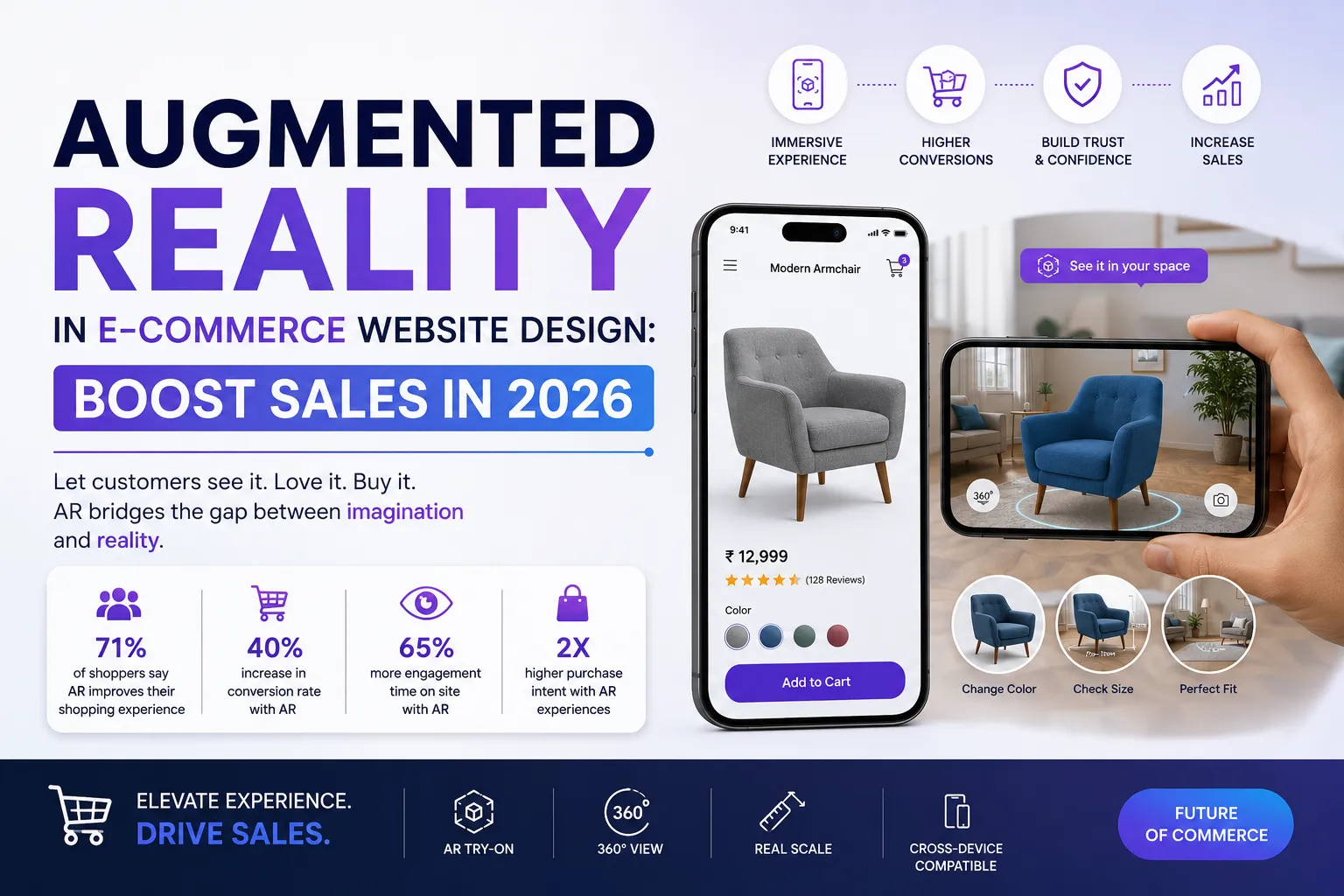
Augmented Reality in E-commerce Website Design: Boost Sales in 2026
Published on: 18 Jun 2026
Augmented Reality in E-commerce Website Design: Boost Sales in 2026
Introduction
Imagine your customers trying on a pair of sunglasses or placing a sofa in their living room without leaving your website. That’s the power of augmented reality (AR) in e-commerce website design. In 2026, AR is no longer a futuristic gimmick—it’s a practical tool that Indian businesses can use to build trust, reduce return rates, and skyrocket conversions. At EishwarITSolution, we’ve seen firsthand how AR transforms static product pages into immersive experiences. In this guide, we’ll explore how you can integrate AR into your e-commerce website design to stay ahead of the competition.
Learn more about our Website services
Consider this: a customer browsing a furniture site can use their smartphone camera to see how a bookshelf fits in their corner, adjusting for lighting and scale. Or a shopper trying on virtual lipstick shades can match their skin tone without stepping into a store. These aren’t just cool features—they’re proven drivers of revenue. According to a 2025 report by Gartner, e-commerce sites with AR features see an average 30% increase in conversion rates, and return rates drop by 25% because customers make more informed decisions. For Indian businesses, where trust in online shopping is still growing, AR bridges the gap between online and offline retail. It answers the biggest question: “Will this product look good on me or in my home?”
Take the case of a small Jaipur-based handicraft store. After adding a simple AR viewer for their home decor items, they reported a 40% increase in time spent on product pages and a 15% drop in returns within two months. That’s a win-win for both customer satisfaction and your bottom line. In this expanded guide, we’ll dive deeper into practical steps, real-world examples, and actionable tips to help you implement AR effectively.
Main Section 1: What is Augmented Reality and Why It Matters for E-commerce?
Augmented reality overlays digital content onto the real world through a smartphone camera or AR glasses. For e-commerce, this means customers can visualize products in their own environment before buying. Think virtual try-ons for apparel, furniture placement in a room, or seeing how a watch looks on your wrist. Unlike virtual reality (VR), which creates a fully simulated environment, AR enhances the real world—making it more accessible and practical for everyday shopping.
Why does this matter? According to recent studies, AR experiences increase conversion rates by up to 40% and reduce returns by 25%. In a market like India, where trust in online shopping is still growing, AR bridges the gap between online and offline retail. It answers the biggest question: “Will this product look good on me or in my home?” But the benefits go beyond trust. AR also boosts average order value (AOV). When customers can see how a product fits into their life, they’re more likely to add complementary items—like a rug to match that virtual sofa or a belt to go with those AR-tried-on jeans.
For example, an Indian furniture store using AR on its e-commerce website design saw a 35% increase in time spent on product pages and a 20% drop in returns. That’s a win-win for both customer satisfaction and your bottom line. Moreover, AR helps reduce cognitive load. Instead of imagining how a product looks, customers see it in context, which speeds up decision-making. A study by Shopify found that products with AR content had a 94% higher conversion rate than those without. For Indian businesses, where mobile-first shopping is dominant, AR is a natural fit—most smartphones support AR through platforms like ARCore or ARKit.
👉 Don't wait for the perfect moment; turn your vision into reality today.
Free ConsultationMain Section 2: How to Integrate AR into Your E-commerce Website Design
Integrating AR might sound complex, but it’s more accessible than you think. Here’s a step-by-step approach for Indian businesses:
1. Choose the Right AR Platform: Options like Google’s ARCore, Apple’s ARKit, or third-party plugins like 8th Wall work well. For Shopify or WooCommerce stores, plugins like “AR for E-commerce” simplify integration. Evaluate based on your target audience—if most users are on Android, prioritize ARCore compatibility. For a seamless experience, consider platforms that support WebAR (browser-based AR) to avoid app downloads.
2. Start with High-Return Products: Focus on categories where visualization matters most—furniture, eyewear, jewelry, apparel, or electronics. For instance, a Delhi-based jewelry brand added virtual try-on for rings and saw a 50% increase in add-to-cart rates. Similarly, a Pune-based electronics store used AR to show how a TV would look on a wall, leading to a 20% boost in sales for large-screen models. Prioritize products with high return rates or those where size/color accuracy is critical.
3. Optimize for Mobile: Since most Indian users shop on mobile, ensure your AR features work seamlessly on smartphones. Use lightweight 3D models to avoid slow load times. Compress textures and use formats like glTF (GL Transmission Format) for efficiency. Test on popular budget devices like the Redmi Note series or Samsung Galaxy M series, which are common in India. Also, consider offline fallbacks—if AR fails to load, show a high-quality 360-degree view instead.
4. Test and Iterate: Launch a beta version for a few products, gather feedback, and refine. Tools like UserTesting can help you understand how customers interact with AR. For example, you might discover that users prefer a “snap a photo” feature over live AR for certain products. Use heatmaps and session recordings to identify friction points. A/B test AR-enabled pages against standard ones to measure impact on metrics like bounce rate and time on page.
5. Educate Your Customers: Add a simple “Try AR” button and a short video tutorial. Many users are new to AR, so clear instructions reduce friction. For instance, include a tooltip that says “Point your camera at the floor to place the sofa” or “Hold your hand steady to try on the watch.” Use micro-animations to guide the user through the first interaction. Consider adding a FAQ section near the AR button to address common concerns like privacy (e.g., “We don’t store your camera data”).
👉 Free Website Audit
Get Free Audit6. Leverage Existing Infrastructure: If you use platforms like Magento or BigCommerce, check for native AR integrations. For custom-built sites, APIs from Vuforia or Zappar can be embedded. Budget-conscious businesses can start with free tools like Google’s Scene Viewer for simple 3D models. Remember, the goal is to provide value, not to over-engineer.
At EishwarITSolution, we helped a Mumbai-based fashion retailer integrate AR for virtual try-ons. Within three months, their average order value increased by 15% because customers felt more confident in their purchases. We also saw a 30% reduction in support queries related to sizing, as AR provided accurate fit visualization.
Main Section 3: Real-World Examples and Results
Let’s look at some Indian brands that have successfully used AR in their e-commerce website design:
Example 1: Lenskart – This Indian eyewear giant lets customers try on glasses virtually using their smartphone camera. The result? A 30% reduction in returns and a 20% boost in conversion rates. Their AR feature is a core part of their e-commerce strategy. Lenskart also uses AI to recommend frame shapes based on face geometry, further personalizing the experience. They report that AR users are 2.5 times more likely to make a purchase than non-AR users.
Example 2: IKEA Place – While global, IKEA’s AR app inspired Indian furniture brands. By allowing customers to place furniture in their rooms, IKEA increased online sales by 25% in markets where AR was available. Indian furniture brands like Urban Ladder and Pepperfry have adopted similar approaches, with Urban Ladder reporting a 20% increase in conversion for AR-enabled products. The key is accurate scaling—IKEA’s AR uses room dimensions to ensure the virtual sofa fits perfectly.
Example 3: Myntra – The Indian fashion platform introduced AR for makeup try-ons. Users could see how lipstick shades looked on their skin tone. Myntra reported a 40% higher engagement on AR-enabled product pages compared to standard ones. They also saw a 15% increase in add-to-cart rates for cosmetics. Myntra expanded AR to apparel, allowing users to see how a dress drapes on a virtual model with similar body measurements. This reduced size-related returns by 18%.
Example 4: Titan Watches – Titan’s e-commerce site uses AR to let customers try on watches virtually. By integrating with Google’s ARCore, they achieved a 25% increase in conversion for high-end models. Customers could see how the watch looked on their wrist from different angles, leading to fewer returns and higher customer satisfaction.
These examples prove that AR isn’t just for big budgets. Small and medium businesses can start with affordable AR solutions and scale as they see results. For instance, a local jewelry store in Surat used a simple WebAR plugin for ₹30,000 and saw a 50% increase in online sales within a quarter.
Expert Tips
Based on our experience at EishwarITSolution, here are actionable tips for integrating AR:
- Focus on User Experience: AR should be intuitive. Avoid cluttering the interface—keep the “Try AR” button prominent but not intrusive. Use a contrasting color like orange or blue to draw attention. Ensure the AR experience loads within 2 seconds; otherwise, users may abandon it.
- Use High-Quality 3D Models: Poor visuals ruin the experience. Invest in professional 3D modeling or use tools like Vectary to create realistic models. For products with complex textures (e.g., wood grain or fabric), use photogrammetry to capture real-world details. Test models on different lighting conditions to ensure they look natural.
- Optimize for Speed: AR can be heavy. Compress assets and use CDN delivery to ensure fast loading, especially on slower connections common in parts of India. Use progressive loading—show a low-resolution model first, then upgrade. Also, consider adaptive streaming based on network speed.
- Track Metrics: Monitor engagement time, conversion rate, and return rate for AR-enabled products. Use this data to refine your strategy. For example, if engagement time is high but conversion is low, the AR experience might be confusing—consider simplifying the UI. Use tools like Hotjar to record AR sessions.
- Combine with Social Proof: Show user-generated content (UGC) of customers using AR. This builds trust and encourages others to try it. For instance, add a gallery of customer photos with the product placed in their homes. Run campaigns like “Share your AR look” to generate buzz.
- Integrate with Reviews: Allow customers to leave reviews with AR-enhanced photos. This provides authentic visual proof for future buyers. A study by Yotpo found that reviews with AR images increase conversion by 35%.
- Personalize the Experience: Use customer data (e.g., past purchases, browsing history) to suggest AR try-ons for relevant products. For example, if a user previously viewed a red sofa, show them how it looks in their room using AR.
Common Mistakes
Avoid these pitfalls when adding AR to your e-commerce website design:
👉 Free Homepage Demo
Book Demo- Overcomplicating the Onboarding: If users need to download a separate app or follow too many steps, they’ll abandon it. Keep it simple—browser-based AR is ideal. Avoid requiring account creation for AR access. A single tap should launch the experience.
- Ignoring Mobile Optimization: AR that works poorly on mobile devices will frustrate users. Test on various devices, especially budget Android phones popular in India. Ensure touch gestures (pinch to zoom, rotate) are responsive. Also, handle low-light conditions gracefully—some AR systems fail in dim environments.
- Not Updating Content: AR models that are outdated or inaccurate (e.g., wrong color or size) damage credibility. Regularly refresh your AR assets. For seasonal products, update models to reflect current inventory. Use a version control system for 3D files.
- Forgetting Analytics: Without tracking, you won’t know if AR is working. Use tools like Google Analytics with event tracking for AR interactions. Set up goals for AR engagement (e.g., “AR session > 10 seconds”) and measure downstream metrics like add-to-cart rate.
- Neglecting Accessibility: Ensure AR features are usable for people with disabilities. Provide text alternatives or voice commands where possible. For example, allow users to describe the product placement verbally. Use high-contrast UI elements for visibility.
- Overlooking Privacy: AR often requires camera access. Be transparent about data usage. Display a clear privacy notice before activating the camera. Avoid storing or sharing camera data without explicit consent.
- Not Testing in Real Conditions: Test AR in various environments—bright sunlight, dim rooms, cluttered spaces. What works in a studio may fail in a user’s home. Use beta testers from different regions to gather diverse feedback.
Future Trends
Looking ahead, AR in e-commerce will evolve rapidly. Here are trends to watch in 2026 and beyond:
- WebAR Dominance: Browser-based AR (WebAR) will become the norm, eliminating the need for app downloads. This is crucial for Indian users with limited storage. WebAR frameworks like Three.js and A-Frame are making it easier to create immersive experiences without native code.
- AI-Powered Personalization: AR combined with AI will recommend products based on user preferences and past behavior. Imagine a virtual stylist that suggests outfits based on your body type. AI can also adjust AR lighting to match the user’s environment for more realistic previews.
- Social Commerce Integration: Platforms like Instagram and Facebook will enhance AR shopping features, allowing users to try products directly in social feeds. For example, a user can see how a pair of sneakers looks on their feet while scrolling through a friend’s post. This will drive impulse purchases.
- AR for B2B: Industrial and wholesale e-commerce will use AR for product demonstrations, such as showing how machinery fits in a factory layout. B2B buyers can visualize equipment in their warehouse, reducing sales cycle time.
- Voice-Activated AR: Voice commands will make AR hands-free, improving accessibility and convenience. Users can say “Show me this table in my dining room” to activate AR. This is especially useful for users with disabilities or when multitasking.
- Haptic Feedback Integration: Future AR systems may include haptic gloves or controllers to simulate touch, allowing users to “feel” fabric textures or product weight. While still emerging, this could revolutionize categories like apparel and home decor.
- Blockchain for AR Authentication: For luxury goods, blockchain can verify the authenticity of AR product models, ensuring customers see accurate representations. This builds trust for high-value items.
Indian businesses that adopt these trends early will gain a significant competitive advantage. For example, a small electronics retailer using WebAR with AI recommendations could outpace competitors who rely on static images.
FAQs
- Is AR expensive to implement for a small e-commerce business? Not necessarily. Basic WebAR solutions can start as low as ₹50,000 annually. Plugins for platforms like Shopify cost a fraction of that. Start small and scale. For example, a single product AR experience can be built for under ₹10,000 using free tools like Google’s Scene Viewer. As you see ROI, invest in more sophisticated solutions.
- Do I need a separate app for AR? No. Browser-based AR (WebAR) works directly on your website without requiring an app download. This is more user-friendly and cost-effective. WebAR uses standard web technologies like WebXR, so it works on any modern browser. For example, a user on Chrome can tap “Try AR” and instantly see the product in their space.
- Will AR slow down my website? It can if not optimized. Use lightweight 3D models, compress assets, and leverage CDN. Many AR plugins are designed to minimize impact on load times. For instance, use glTF format which is optimized for web delivery. Also, lazy-load AR content so it only loads when the user interacts with the AR button. Test on 4G networks to ensure acceptable performance.
- Which products benefit most from AR? Furniture, home decor, eyewear, jewelry, apparel, and cosmetics see the highest ROI. However, any product where visualization aids decision-making can benefit. For example, automotive parts (e.g., showing how a tire fits a car) or electronics (e.g., placing a speaker in a room) also work well. Conduct a pilot with your top 10 SKUs to identify best performers.
- How do I measure AR’s success? Track metrics like engagement time on AR-enabled pages, conversion rate, return rate, and customer feedback. A/B test AR vs. non-AR versions to see the impact. Use tools like Google Analytics to set up events for AR interactions (e.g., “AR session started,” “AR session completed”). Also, survey customers post-purchase to gauge satisfaction with AR features. A simple Net Promoter Score (NPS) question can reveal if AR improves loyalty.
- Can AR work on low-end smartphones? Yes, but with limitations. Most modern budget Android phones support ARCore, but older models may not. Use fallback options like 360-degree views or image overlays for unsupported devices. Test on devices like the Redmi 9 or Samsung Galaxy A series to ensure a baseline experience. Also, provide clear messaging if AR is unavailable (e.g., “Your device doesn’t support AR, but here’s a video demo”).
- How do I handle privacy concerns with AR? Be transparent about camera usage. Display a clear privacy notice before activating AR. Avoid storing or sharing camera data. Use on-device processing where possible—many AR SDKs process images locally without sending them to servers. Comply with India’s Digital Personal Data Protection Act (DPDP) 2023 by obtaining explicit consent.
Conclusion
Augmented reality is no longer a luxury—it’s a necessity for e-commerce websites that want to thrive in 2026. By letting customers visualize products in their own space, AR builds trust, reduces uncertainty, and drives sales. For Indian businesses, where smartphone penetration is high and trust in online shopping is still developing, AR is a game-changer. Start small, focus on user experience, and track your results. At EishwarITSolution, we’re here to help you design an e-commerce website that leverages AR to its fullest potential. The future of shopping is immersive, and with AR, you can bring that future to your customers today.
CTA
Ready to transform your e-commerce website with augmented reality? Contact EishwarITSolution today for a free consultation. Let’s build a shopping experience that your customers will love. Get in touch now.