
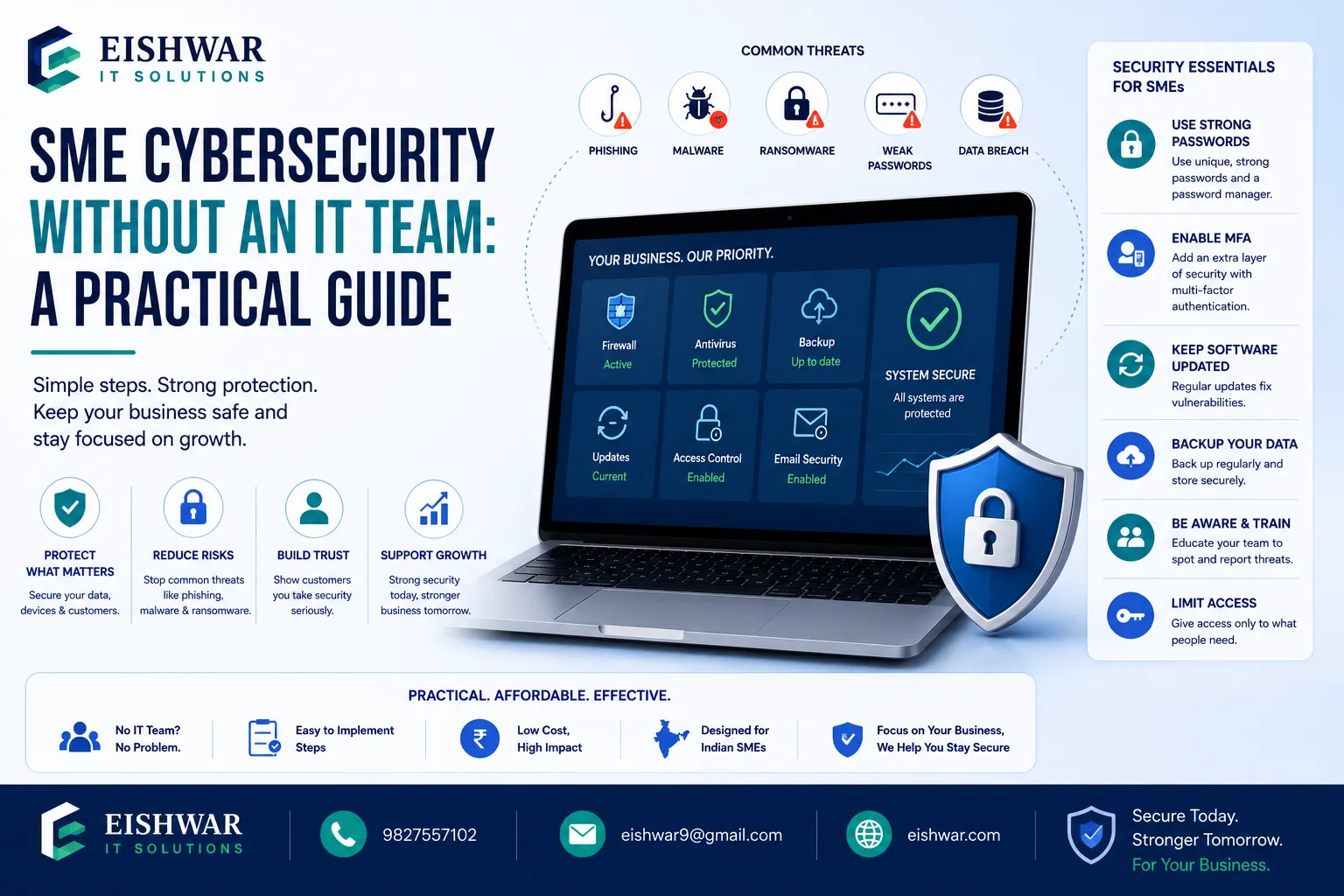
SME Cybersecurity Without an IT Team: A Practical Guide
Published on: 14 Jun 2026
SME Cybersecurity Without an IT Team: A Practical Guide
Introduction
In today's digital landscape, cybersecurity is not just a concern for large corporations with dedicated IT departments. Small and medium enterprises (SMEs) are increasingly targeted by cybercriminals precisely because they often lack robust defenses. According to the 2023 Verizon Data Breach Investigations Report, 43% of cyber attacks target small businesses, and many of these breaches could have been prevented with basic security measures. The good news is that you don't need a full-time IT team or a massive budget to protect your business effectively. With the right strategies, affordable tools, and a security-conscious mindset, you can build a strong defense against common threats. This guide will walk you through practical, actionable steps to implement cybersecurity without breaking the bank or hiring expensive consultants. At EishwarITSolution, we specialize in helping SMEs navigate digital transformation securely, offering tailored solutions that fit your unique needs and resources.
Learn more about our Website services
Main Section 1: Understanding the Threat Landscape for SMEs
Cyber threats are real, growing, and increasingly sophisticated. While large corporations often make headlines, SMEs are the preferred target for many attackers because they are perceived as low-hanging fruit. According to the National Cyber Security Centre (NCSC), the average cost of a cyber attack for a small business in the UK is £10,000, which can be devastating for a company with limited cash flow. The impact goes beyond financial loss—reputational damage, loss of customer trust, and even business closure are real possibilities. Understanding the specific threats you face is the first step to defending against them.
Phishing: This is the most common attack vector for SMEs. Attackers send deceptive emails or messages that appear to come from trusted sources (like a bank, a supplier, or even a colleague) to trick employees into revealing sensitive information such as login credentials or financial details. For example, a fake email from 'Microsoft Support' asking you to verify your account password by clicking a link. Tip: Always hover over links to see the actual URL before clicking, and never share passwords via email.
Ransomware: This malicious software encrypts your files and demands a ransom payment for the decryption key. The WannaCry attack in 2017 affected over 200,000 computers across 150 countries, including many SMEs that had not applied critical security updates. More recently, ransomware-as-a-service (RaaS) has made it easier for even low-skilled criminals to launch attacks. Example: A local accounting firm in Ohio lost access to all client financial records for three weeks after a ransomware attack, costing them $50,000 in recovery and lost business.
Data Breaches: Unauthorized access to customer or company data can occur through weak passwords, unpatched software, or insecure cloud storage. For instance, a small e-commerce business might leave a database exposed on the internet without a password, allowing attackers to steal thousands of customer credit card numbers. The average cost of a data breach for a small business is $120,000, according to IBM's Cost of a Data Breach Report 2023.
Insider Threats: These can be malicious (a disgruntled employee stealing data) or accidental (an employee clicking a malicious link or losing a laptop). A study by the Ponemon Institute found that 60% of data breaches involve insider threats, and the average cost is $15 million per incident. For SMEs, even a single accidental leak can be catastrophic.
👉 Don't wait for the perfect moment; turn your vision into reality today.
Free ConsultationBy being aware of these threats, you can take proactive steps to mitigate them. Remember, cybersecurity is not just about technology—it's about people and processes too. A well-trained employee is your best defense.
Main Section 2: Building a Cybersecurity Framework Without an IT Team
You don't need a large IT department to build a strong cybersecurity posture. Here’s a practical, step-by-step framework that any SME owner or manager can implement:
1. Assess Your Risks
Start with a simple risk assessment. Identify what data you hold (customer personal information, financial records, intellectual property, employee details) and how it's stored (on-premises servers, cloud services, employee laptops). Use free tools like the Cyber Essentials Self-Assessment from the UK's NCSC or the CIS Controls Self-Assessment Tool (CSAT). For example, a small dental clinic might discover that patient records are stored on an unencrypted laptop that is taken home by the receptionist. This is a high-risk scenario that needs immediate attention.
2. Implement Basic Hygiene
These are the fundamentals that every SME should follow, often called 'cyber hygiene.' They are low-cost but highly effective:
- Use strong passwords and enable multi-factor authentication (MFA): MFA adds a second layer of security (like a code sent to your phone) even if a password is compromised. According to Microsoft, MFA can block 99.9% of automated attacks. Enable it on email, banking, cloud services, and any other critical accounts.
- Keep software updated: Regularly update operating systems (Windows, macOS, Linux), applications, and antivirus software. Cybercriminals exploit known vulnerabilities that have already been patched. Set updates to automatic whenever possible. For example, the Equifax breach in 2017 was caused by a failure to patch a known vulnerability in Apache Struts.
- Backup data regularly: Follow the 3-2-1 rule—three copies of your data, on two different media (e.g., external hard drive and cloud), with one copy stored off-site (or offline). Test your backups at least once a quarter to ensure they can be restored. A local bakery in Manchester avoided paying a £5,000 ransomware demand because they had a recent backup stored on an offline drive.
- Limit access: Give employees only the access they need to do their jobs (the principle of least privilege). For example, a junior accountant doesn't need access to the CEO's email or the HR payroll database. Use role-based access controls (RBAC) in your systems.
3. Leverage Affordable Tools
Many cybersecurity tools are affordable, easy to use, and designed for non-technical users. Here are some examples:
- Antivirus and Endpoint Protection: Bitdefender GravityZone Business Security (starts at $15/device/year), Kaspersky Small Office Security (covers up to 25 devices for $150/year). These tools protect against malware, ransomware, and phishing.
- Password Manager: LastPass Business ($4/user/month), 1Password Business ($7.99/user/month). These store and generate strong, unique passwords for every account, reducing the risk of password reuse.
- VPN (Virtual Private Network): NordVPN Teams (now NordLayer, starts at $8/user/month), ExpressVPN (for small teams). A VPN encrypts internet traffic, especially important for remote workers accessing company resources from coffee shops or home networks.
- Email Security: Mimecast Essentials (starts at $3/user/month), Proofpoint Essentials (starts at $2.50/user/month). These filter out phishing emails, malicious attachments, and spam before they reach your inbox.
- Cloud Backup: Backblaze Business Backup ($6/computer/month), Acronis Cyber Protect ($49/year for 5 devices). These provide automated, encrypted backups to the cloud.
4. Train Your Team
Your employees are your first line of defense. Conduct regular training sessions on recognizing phishing attempts, safe internet practices, and incident reporting. Use free resources like Google's Phishing Quiz (phishingquiz.withgoogle.com) or KnowBe4's free tools (including a phishing simulation test for up to 10 users). For example, a small real estate agency in Sydney reduced successful phishing attempts by 80% after implementing monthly 15-minute training sessions and using simulated phishing emails. Make training engaging and practical—show real examples of phishing emails that have targeted your industry.
👉 Free Website Audit
Get Free AuditMain Section 3: Creating a Cybersecurity Culture in Your SME
Cybersecurity is not a one-time project—it's a continuous effort that requires a cultural shift. To make it sustainable, you need to build a culture of security within your organization where every employee feels responsible and empowered.
Lead from the top: Business owners and managers should model good security behavior. If leaders use strong passwords, enable MFA, and follow protocols, employees will follow suit. For instance, a CEO who publicly acknowledges a phishing attempt they almost fell for (and how they avoided it) can make security feel relatable and important.
Make it easy: Provide simple, clear guidelines and checklists. Avoid overwhelming employees with technical jargon. Create a one-page 'Security Quick Guide' that covers: how to spot a phishing email, how to report an incident, and how to create a strong password. Place it near workstations or include it in the employee handbook.
Celebrate wins: Recognize employees who report suspicious activities or follow security protocols. For example, a small marketing agency in London gives a 'Security Champion' award each quarter to the employee who reported the most phishing attempts. This reinforces positive behavior and encourages vigilance.
Regularly review and update: Cyber threats evolve rapidly, so should your defenses. Schedule quarterly reviews of your security measures—check that software is up to date, review access permissions, and test backups. Use a simple checklist to track progress. For example, every quarter, ask: 'Have we updated all passwords for critical accounts? Have we run a phishing simulation? Have we reviewed who has access to sensitive data?'
Expert Tips
Here are actionable tips from cybersecurity experts tailored for SMEs without an IT team:
- Start with the basics: Focus on the top five controls from the Center for Internet Security (CIS): inventory of hardware (know every device on your network), inventory of software (know every application installed), secure configurations (disable unnecessary services), continuous vulnerability management (patch regularly), and controlled use of administrative privileges (limit admin accounts). These five controls alone can prevent 85% of common attacks.
- Use managed security services: Consider partnering with a Managed Security Service Provider (MSSP) like EishwarITSolution for affordable 24/7 monitoring and support. Many MSSPs offer packages starting at $100/month for small businesses, which includes firewall management, antivirus monitoring, and incident response. This can be more cost-effective than hiring a full-time IT person.
- Implement a zero-trust model: Assume no one inside or outside your network is trustworthy. Verify every access request, even from within your office. For example, require MFA for all logins, segment your network (guest Wi-Fi separate from business systems), and monitor for unusual activity (like a user logging in from a different country).
- Have an incident response plan: Even with the best defenses, breaches can happen. Have a simple, written plan outlining steps to contain, eradicate, and recover from an incident. Include contact information for your MSSP, legal counsel, and cyber insurance provider. Practice the plan with a tabletop exercise once a year. For example, a small law firm in Toronto had a plan that helped them contain a ransomware attack within two hours, minimizing data loss and downtime.
Common Mistakes
Avoid these common pitfalls that SMEs often make:
👉 Free Homepage Demo
Book Demo- Thinking you're too small to be a target: Cybercriminals often target small businesses because they are easier prey. A 2022 report by Accenture found that 43% of cyber attacks target small businesses, and only 14% are prepared to defend themselves. Don't assume you're invisible.
- Ignoring updates: Delaying software updates leaves vulnerabilities open for exploitation. The WannaCry attack exploited a vulnerability that Microsoft had patched two months earlier. Set updates to automatic, and if you must delay, do so for no more than 48 hours.
- Using the same password everywhere: This is a recipe for disaster. If one account is compromised, all accounts are at risk. Use a password manager to generate and store unique, complex passwords for each account.
- Not backing up data: Ransomware attacks can be mitigated with regular backups. However, many SMEs back up to the same network or device, which can also be encrypted. Follow the 3-2-1 rule and test your backups regularly.
- Overlooking physical security: Ensure devices are locked when not in use, sensitive documents are stored in locked cabinets, and visitor access is controlled. A stolen laptop with unencrypted data can lead to a data breach. Use full-disk encryption (like BitLocker on Windows or FileVault on macOS) on all devices.
Future Trends
Stay ahead of the curve by understanding emerging trends in cybersecurity for SMEs:
- AI-driven security: Artificial intelligence is being used to detect and respond to threats in real time, even for small businesses. Tools like Darktrace (starts at $5/user/month for small businesses) use machine learning to learn normal network behavior and flag anomalies. For example, if an employee's account suddenly starts downloading large amounts of data at 3 AM, AI can automatically block the activity and alert you.
- Cloud security: As more SMEs move to the cloud (using Microsoft 365, Google Workspace, AWS, etc.), securing cloud environments becomes critical. Use built-in security features like Microsoft 365 Defender, Google Workspace Security Center, and AWS Security Hub. Enable MFA, monitor for suspicious logins, and regularly review permissions.
- Regulatory compliance: New data protection laws (like India's Personal Data Protection Bill, expected to be enacted in 2024, and the EU's GDPR) will require SMEs to comply with stricter security standards. Start preparing now by documenting your data flows, implementing basic controls, and appointing a data protection officer (even if part-time). Non-compliance can result in fines of up to 4% of annual turnover.
- Cyber insurance: More SMEs are purchasing cyber insurance to mitigate financial risks. However, insurers are increasingly requiring proof of basic security measures (like MFA, backups, and employee training) before issuing policies. Some insurers now offer discounts for using specific security tools. For example, a small manufacturing company in Germany saved 15% on their premium by implementing MFA and using a password manager.
FAQs
- Q: Can I really protect my SME without an IT team?
A: Yes, by focusing on basic hygiene, using affordable tools, and training your team. Many SMEs successfully implement cybersecurity with minimal resources. The key is to start with the most impactful measures—MFA, backups, and updates—and build from there. You can also partner with a managed service provider for ongoing support. - Q: How much does cybersecurity cost for a small business?
A: It can range from free (using built-in tools like Windows Defender, Google Workspace security features) to a few hundred dollars per month for managed services. For example, a 10-person company might spend $50/month on a password manager, $30/month on email security, and $100/month on an MSSP. The cost is far less than the potential loss from a breach, which averages $120,000 for small businesses. - Q: What is the most important cybersecurity measure for an SME?
A: Enabling multi-factor authentication (MFA) on all accounts is one of the most effective and low-cost measures. According to Microsoft, MFA can block 99.9% of automated attacks. Start with email, banking, and cloud services. If you can only do one thing, do this. - Q: How often should I update my security software?
A: Set updates to automatic whenever possible. For manual updates, check at least once a week. Operating system updates (like Windows or macOS) should be applied within 48 hours of release, especially for critical security patches. Antivirus definitions should update daily. - Q: Should I consider cyber insurance?
A: Yes, cyber insurance can provide financial protection against costs like ransom payments, legal fees, and customer notification. However, it should complement, not replace, your security efforts. Most insurers require basic security measures (like MFA and backups) before issuing a policy. Shop around and compare policies, as coverage varies widely. - Q: What should I do if I suspect a breach?
A: Immediately disconnect affected devices from the network (unplug Ethernet cables or disconnect from Wi-Fi), change passwords for all accounts (starting with email and banking), and contact a cybersecurity professional (like your MSSP or a local expert). Have an incident response plan ready that includes steps for containment, eradication, and recovery. Do not pay a ransom without consulting law enforcement or a cybersecurity expert. - Q: How can I train my employees without a budget?
A: Use free resources like Google's Phishing Quiz, the NCSC's 'Cyber Aware' campaign materials, and short videos from YouTube channels like 'Security Awareness for Everyone.' Conduct a 15-minute session during a team meeting each month. Encourage employees to share suspicious emails they receive. You can also run free phishing simulations using tools like Gophish (open-source).
Conclusion
Cybersecurity for SMEs without an IT team is not only possible but essential. By understanding the threats, building a practical framework, fostering a security culture, and avoiding common mistakes, you can protect your business effectively. Start small, stay consistent, and leverage available resources. Remember, every step you take strengthens your defense against cybercriminals. The journey may seem daunting, but with the right mindset and tools, you can secure your SME and focus on what matters most—growing your business.
CTA
Ready to secure your SME but need expert guidance? Contact EishwarITSolution today for a free cybersecurity assessment. Let us help you navigate digital transformation safely and confidently. Our team of experts will work with you to identify vulnerabilities, implement cost-effective solutions, and build a security culture that protects your business for the long term.