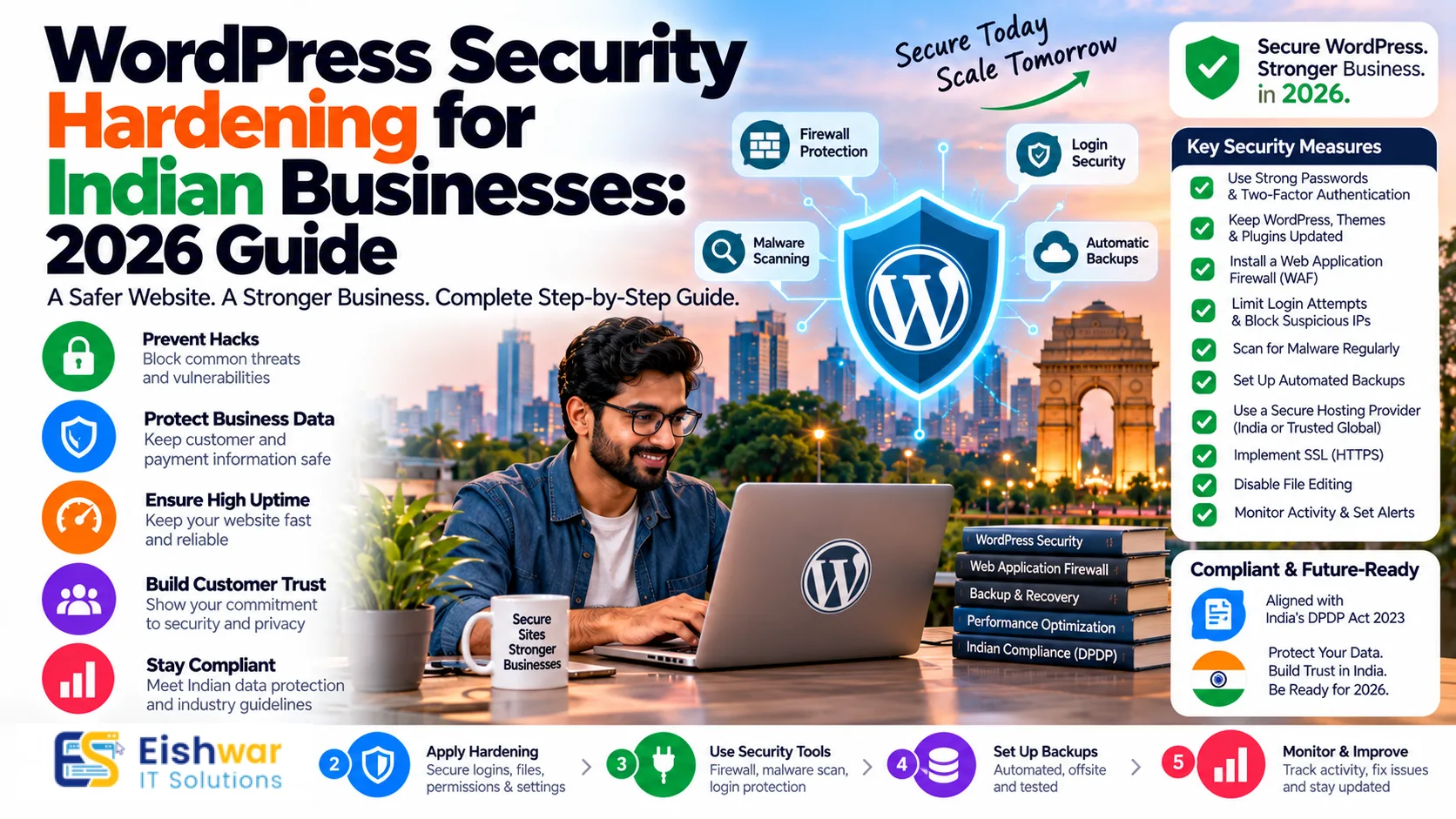
WordPress Security Hardening for Indian Businesses: 2026 Guide
Introduction
If your business website runs on WordPress, you are part of a huge digital ecosystem. WordPress powers around 40% of the web, and in India, it is the default choice for many SMBs, e-commerce stores, SaaS startups, and professional service firms. It is affordable, flexible, and easy to manage. But that popularity also makes it a prime target for hackers.
In 2026, cyber attacks are no longer rare, sophisticated events. They are automated, cheap, and constant. Bots scan thousands of websites every hour looking for outdated plugins, weak passwords, exposed files, and misconfigured servers. For an Indian business owner, the question is not whether your website will be targeted. It is whether your WordPress site is hardened enough to resist the attack and recover quickly.
This guide is a practical WordPress security hardening roadmap for Indian businesses. You will learn why hardening matters, a step-by-step checklist, specific considerations for Indian e-commerce and service websites, expert tips, common mistakes, future trends, and answers to frequently asked questions. The advice is designed for business owners, marketers, and professionals who want security without drowning in technical jargon.
Main Section 1: Why WordPress Security Hardening Matters for Indian Businesses in 2026
WordPress security hardening is the process of reducing your website's attack surface. Instead of only reacting after a hack, hardening means closing obvious doors, enforcing strong access controls, monitoring activity, and building layers of protection. It is proactive maintenance for your digital storefront.
For Indian businesses, the stakes are higher than ever. Consider what happens when a WordPress site is compromised:
- Customer data such as names, phone numbers, email addresses, and payment details may be exposed.
- Google may flag your site as unsafe, killing organic traffic and ad performance.
- E-commerce checkout pages can be injected with malware that steals payment information.
- Your hosting provider may suspend your account, causing downtime during peak sales.
- Regulatory exposure increases under India's Digital Personal Data Protection Act, 2023.
- CERT-In incident reporting timelines require quick action for certain cyber incidents.
India's digital economy is growing fast. UPI payments, WhatsApp business flows, D2C brands, and online service bookings have made websites the center of revenue. A security incident is not just an IT problem. It is a business continuity problem. According to various industry estimates, many small businesses that suffer a serious cyber incident struggle to recover within a year. Hardening your WordPress site is one of the most cost-effective insurance policies you can buy.
There is also the trust factor. Indian consumers are becoming more aware of data privacy. They check for HTTPS, read reviews, and hesitate when a website looks insecure. A single breach can damage a brand that took years to build. Hardening protects your customers, your reputation, and your revenue.
Main Section 2: Step-by-Step WordPress Security Hardening Checklist
Use this checklist as a practical action plan. You do not need to do everything in one day. Prioritize the high-impact items first, then work through the rest.
1. Start with secure hosting and server configuration
Your hosting environment is the foundation. Choose a reputable WordPress hosting provider that offers isolated accounts, regular backups, malware scanning, and a web application firewall. Avoid ultra-cheap shared hosting that packs thousands of sites on one server without proper isolation. If you serve customers across India, look for data centers in Mumbai, Chennai, or Delhi NCR for better latency. Also ensure PHP versions are current and unsupported versions are removed.
2. Keep WordPress core, themes, and plugins updated
Outdated software is the number one cause of WordPress hacks. Enable automatic updates for core minor releases and security patches. For plugins and themes, test updates on a staging site before pushing to production. Delete plugins and themes you do not use. Every inactive plugin is a potential vulnerability. In 2026, many attacks target abandoned plugins that have not been updated in years.
3. Enforce strong authentication and least privilege
Use strong, unique passwords for every admin account. Never use 'admin' as a username. Enable two-factor authentication for all users with publishing or administrative access. Follow the principle of least privilege: editors do not need administrator rights, and your developer does not need permanent access. Create separate accounts and remove access immediately when a team member or vendor leaves.
4. Limit login attempts and secure wp-login.php
Brute-force attacks are relentless. Use a security plugin or server rule to limit login attempts, block suspicious IP addresses, and add CAPTCHA or a custom login URL. If you do not need public registration, disable it. Protect the WordPress login page with rate limiting and consider restricting admin access by IP address where practical.
5. Deploy a web application firewall (WAF)
A WAF filters malicious traffic before it reaches your site. It can block SQL injection, cross-site scripting, and known exploit patterns. Cloud-based WAFs also provide DDoS mitigation and bot protection. For Indian businesses with seasonal traffic spikes, a WAF helps keep the site available during sales and festive campaigns.
6. Use SSL/TLS and security headers
Install an SSL certificate and force HTTPS across your entire site. Then add security headers such as Content-Security-Policy, X-Frame-Options, X-Content-Type-Options, Strict-Transport-Security, and Referrer-Policy. These headers tell browsers how to behave and reduce the risk of clickjacking, MIME sniffing, and cross-site scripting.
7. Harden wp-config.php and file permissions
Set strong database credentials and unique WordPress salts. Move wp-config.php if your host allows it. Use correct file permissions: directories 755, files 644, and wp-config.php 600 or 440 where supported. Disable file editing from the WordPress dashboard by adding define('DISALLOW_FILE_EDIT', true); in wp-config.php. This prevents an attacker who gains admin access from editing theme or plugin code directly.
8. Disable XML-RPC and directory listing
XML-RPC is used by some old apps and pingback services, but it is also a common attack vector. If you do not need it, disable it. Also turn off directory listing on your server so outsiders cannot browse your file structure. These small configuration changes remove easy targets.
9. Schedule automated backups and test restores
Backups are your safety net. Store backups offsite, not just on the same server. Encrypt them and keep multiple versions. A backup is only useful if it can be restored. Test a restore at least once a quarter. For Indian businesses, consider data residency requirements when choosing backup locations.
10. Monitor activity, logs, and file changes
Install activity logging to track logins, plugin changes, and user actions. Use file integrity monitoring to alert you when core files are modified. Review logs weekly. If you see unknown admin users, sudden traffic spikes, or unexpected outbound connections, investigate immediately. Early detection dramatically reduces cleanup costs.
11. Create an incident response plan
Know what you will do if your site is hacked. Who will you call? How will you take the site offline? How will you notify customers? How will you report to CERT-In if required? Document the process and keep emergency contacts handy. A calm, rehearsed response protects your brand during a crisis.
Main Section 3: WordPress Security Hardening for Indian E-Commerce and Service Websites
Not all WordPress sites are the same. An Indian D2C store selling fashion products has different risks than a consultant's portfolio site. Here is how to tailor hardening to your business model.
For e-commerce and WooCommerce stores
WooCommerce stores handle payments, customer addresses, and order data. If you accept payments through Razorpay, PayU, Cashfree, or Stripe, most sensitive card data is handled by the gateway. However, your site still processes personal data and order information. Harden these areas:
- Keep WooCommerce, payment gateway plugins, and shipping plugins updated.
- Use strong checkout page security and avoid storing unnecessary customer data.
- Enable fraud prevention rules and monitor suspicious orders.
- Follow PCI DSS principles even if you use hosted payment pages.
- Add a privacy policy and consent notices that align with the DPDP Act, 2023.
- Limit admin access and use role-based permissions for order managers.
During festive sales like Diwali or Big Billion Days, traffic spikes can hide malicious activity. A WAF and real-time monitoring are essential. Also prepare a rollback plan if a plugin update breaks checkout.
For service websites, agencies, and professional firms
Service websites collect leads through contact forms, consultation bookings, and downloadable resources. The main risks are spam, form injection, and unauthorized access to CRM integrations. Harden these areas:
- Use spam protection and CAPTCHA on all forms.
- Validate and sanitize form inputs to prevent SQL injection and cross-site scripting.
- Secure API keys for CRM, email marketing, and WhatsApp Business integrations.
- Limit access to form submissions to authorized team members only.
- Regularly export and archive lead data, then delete what you no longer need.
For both types of websites, security hardening should be part of your monthly maintenance routine. It is not a one-time project. Set calendar reminders, assign responsibility, and track completion.
Expert Tips
- Use a password manager: Store all admin credentials in a secure vault. Share access through the vault, not over WhatsApp or email.
- Enable two-factor authentication everywhere: Not just WordPress. Your hosting panel, domain registrar, and email accounts are also entry points.
- Remove unused plugins and themes: If you have not used a plugin in six months, delete it. Inactive code still poses a risk.
- Monitor plugin abandonment: Check the last updated date and active installations. If a plugin is abandoned, find a maintained alternative.
- Use a staging environment: Test all updates on a staging copy before production. This prevents security patches from breaking your site.
- Limit login attempts aggressively: Block IPs after a few failed attempts. Most attacks are automated and will move on.
- Review user accounts quarterly: Remove former employees, old freelancers, and unused accounts.
- Keep an offline copy of your incident response plan: If your site is down, you need access to contacts and procedures.
- Train your team: Phishing emails often target website administrators. Regular awareness training reduces human error.
- Schedule quarterly security reviews: Use a checklist and document what was checked, fixed, and changed.
Common Mistakes
Even well-meaning businesses make these mistakes. Avoid them to stay ahead of attackers.
- Using nulled or pirated plugins: These often contain backdoors. Always download from official sources.
- Sharing one admin account: When everyone uses the same login, you cannot trace actions or revoke individual access.
- Ignoring update notifications: Delaying updates for weeks leaves known vulnerabilities open.
- Not changing default database prefixes: While not a silver bullet, it adds a small layer of difficulty for automated attacks.
- Forgetting to remove sample content and default users: Fresh WordPress installs include sample posts and sometimes default users. Clean them up.
- Skipping backups before updates: A failed update without a backup can cause hours of downtime.
- Assuming small businesses are not targeted: Automated bots do not discriminate. They scan every reachable site.
- Not monitoring logs: Without monitoring, attackers can stay inside your site for months.
- Using weak passwords for hosting and FTP: Your website is only as secure as its weakest access point.
- No incident response plan: Panic leads to mistakes. Prepare before something happens.
Future Trends
WordPress security is evolving quickly. Here are trends Indian businesses should watch in 2026 and beyond.
AI-powered attacks and defenses
Attackers are using AI to find vulnerabilities faster and craft convincing phishing emails. Defenders are using AI to detect anomalous behavior, block zero-day exploits, and automate patch management. Expect security plugins to include more intelligent threat detection.
Zero trust for small business websites
Zero trust means never assuming that a user or device is safe, even inside your network. For WordPress, this translates to stricter access controls, continuous verification, and least privilege. More Indian SMBs will adopt zero-trust principles for their web assets.
Passwordless authentication
Passkeys and biometric login are becoming mainstream. WordPress is gradually moving toward passwordless options. This reduces the risk of credential stuffing and weak passwords.
Privacy-first compliance
India's DPDP Act will drive more businesses to minimize data collection, obtain clear consent, and secure personal information. Website hardening will be a key part of compliance evidence.
Automated patching and virtual patching
Manual updates are not scalable. Expect more hosting providers and security tools to offer automated patching and virtual patching, which blocks exploits even before you update a plugin.
Edge security and CDN integration
Security is moving closer to the user through CDNs and edge platforms. Indian businesses will benefit from faster performance and stronger DDoS protection at the edge.
FAQs
What is WordPress security hardening?
WordPress security hardening is the process of configuring your website, server, plugins, and user accounts to reduce the risk of attacks. It includes updates, strong authentication, firewalls, file permissions, monitoring, and backups.
How often should I harden my WordPress site?
Treat hardening as ongoing maintenance. Perform daily automated checks, weekly manual reviews, and a full security review every quarter. Update plugins and themes as soon as safe updates are available.
Do Indian small businesses really need a WAF?
Yes. A WAF blocks many automated attacks before they reach your site. For Indian SMBs with limited IT staff, a cloud-based WAF is one of the easiest and most cost-effective security layers.
Is WordPress secure enough for e-commerce in India?
WordPress and WooCommerce can be secure if properly hardened and maintained. Use reputable payment gateways, keep everything updated, follow PCI DSS principles, and comply with the DPDP Act. Security depends on configuration and maintenance, not the platform alone.
What should I do if my WordPress site gets hacked?
Immediately change all passwords, take the site offline if needed, scan for malware, restore from a clean backup, and identify the entry point. Notify your hosting provider and, if required, report to CERT-In. Then harden the site to prevent repeat incidents.
Can I harden WordPress myself or should I hire a professional?
You can handle basic hardening such as updates, strong passwords, and backups. For advanced configuration, incident response, and compliance, hiring a professional website security and maintenance partner is safer and often more cost-effective.
How does website security affect SEO?
Google flags hacked sites and may remove them from search results. Malware can redirect visitors, slow down your site, and destroy trust. Strong security protects your SEO rankings and organic traffic.
Conclusion
WordPress security hardening is not a luxury for Indian businesses in 2026. It is a core part of running a trustworthy, resilient online presence. From secure hosting and regular updates to two-factor authentication, WAF, backups, monitoring, and incident response, each layer reduces risk and protects your revenue.
You do not need to be a cybersecurity expert to start. Use the checklist in this guide, prioritize the highest-risk items, and make security a recurring habit. As threats evolve, your defenses should evolve too. A hardened WordPress site protects your customers, your brand, and your business continuity.
CTA
Need help hardening your WordPress website? EishwarITSolution provides website security and maintenance services for Indian businesses. We audit your site, fix vulnerabilities, set up monitoring, and keep WordPress secure while you focus on growth.
Visit EishwarITSolution to request a WordPress security hardening consultation today.