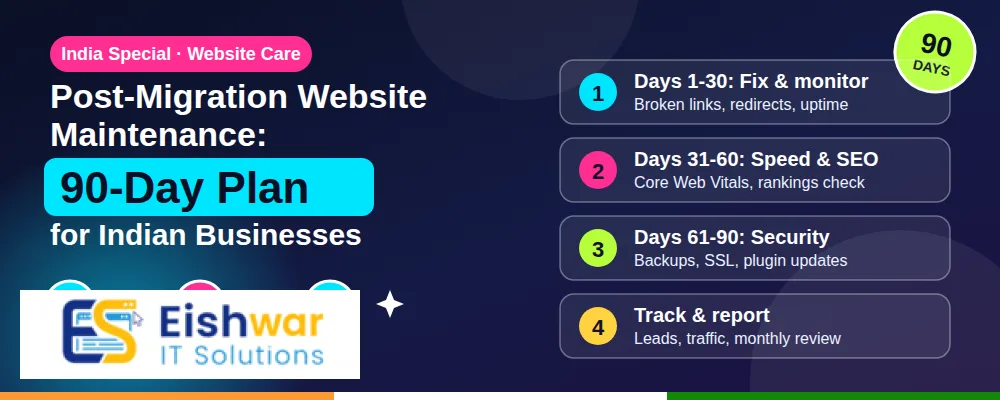
Post-Migration Website Maintenance: 90-Day Plan for Indian Businesses
\n# Post-Migration Website Maintenance: 90-Day Plan for Indian Businesses
## Introduction
Website migration feels like a finish line. In reality, it is the starting line of a new phase. The moment your new site goes live, a different set of risks and opportunities appears. Redirects may break. Rankings may wobble. Forms may stop sending leads. Page speed may drop because a plugin or server setting was missed. For Indian businesses competing in crowded digital markets, the first 90 days after migration decide whether the move protects revenue or quietly damages it.
Many business owners and marketers focus all energy on the launch date. They test the new design, move content, and celebrate go-live. Then they move on to other projects. That is exactly when small technical issues turn into expensive problems. A missing 301 redirect can erase years of SEO authority. An outdated plugin can open a security hole. A slow checkout page can reduce conversions from mobile users in Mumbai, Delhi, Bengaluru, and beyond.
This 90-day post-migration website maintenance plan is built for Indian SMEs, e-commerce stores, service businesses, and professional firms. It covers the first 72 hours, the first month, and the full quarter after migration. You will learn what to monitor, what to fix, and how to turn a one-time migration into a stable, secure, and high-performing digital asset.
## Main Section 1
The First 72 Hours: Stabilize, Verify, and Communicate
The first 72 hours after go-live are not for major redesigns. They are for stabilization. Your goal is simple: make sure the new website works for real users, real search engines, and real business processes. Assign one person to coordinate checks and another to handle communication. If you work with an agency like EishwarITSolution, agree on a clear escalation channel before launch.
Start with a technical smoke test. Open the site on desktop, Android, and iPhone. Use different networks, including mobile data. Check the most important user journeys: home page to product page, product to cart, cart to payment, contact form, quote request, login, and password reset. If your business depends on calls, click-to-call buttons, or WhatsApp, test those too.
- DNS and SSL: Confirm the domain resolves correctly and the SSL certificate is valid without mixed-content warnings.
- Redirects: Test at least 20 high-value old URLs. They should land on the closest matching new page, not the home page.
- Forms and payments: Submit test enquiries, orders, and payment gateways. Check that emails and CRM entries arrive.
- XML sitemap and robots.txt: Make sure the sitemap is accessible and robots.txt does not block important pages.
- Google Search Console: Verify the new property, submit the sitemap, and use the URL inspection tool for key pages.
- Uptime: Set up uptime monitoring with alerts by email, SMS, or WhatsApp.
Communication matters as much as code. Tell your sales team, customer support team, and key clients that the website has moved. Ask them to report anything unusual. If you run paid ads, pause or closely monitor them for the first 48 hours. A broken landing page can waste thousands of rupees in ad spend before anyone notices.
Week 1: Build a Post-Migration Monitoring Dashboard
You cannot manage what you do not measure. During week one, create a simple dashboard that gives you a daily health check. You do not need expensive tools. Google Search Console, Google Analytics 4, PageSpeed Insights, and a free uptime monitor will cover most needs.
Track these metrics every day for the first week:
- Indexing: Pages discovered, indexed, and excluded in Google Search Console.
- Crawl errors: 404s, server errors, soft 404s, and redirect chains.
- Organic traffic: Compare the same days before and after migration.
- Conversions: Form submissions, calls, WhatsApp clicks, purchases, and quote requests.
- Core Web Vitals: LCP, INP, and CLS from real-user data where available.
- Server response: Time to first byte, uptime, and error rates.
- Security: Malware scan results, failed login attempts, and plugin or CMS update alerts.
Set alerts for downtime, sudden traffic drops, and spikes in 404 errors. A same-day alert can save you weeks of recovery work. Also document the baseline. Take screenshots of your analytics, rankings, and conversion rates. Without a baseline, you cannot prove whether the migration helped or hurt.
Quick Verification Checklist for Indian Businesses
- Does the website load in under three seconds on 4G mobile data?
- Are all India-specific pages, such as city landing pages and GST or pricing pages, working?
- Do Hindi or regional language pages display correctly without broken fonts?
- Are phone numbers, addresses, and Google Maps embeds accurate?
- Is the payment gateway compatible with UPI, net banking, and popular Indian cards?
- Are invoices, order confirmations, and transactional emails reaching customers?
## Main Section 2
Weeks 2-4: Recover and Improve SEO Performance
SEO recovery is the biggest concern after migration. Even a well-planned move can cause temporary ranking fluctuations. In most cases, small drops are normal. The danger is when rankings keep falling because of technical issues. During weeks two to four, focus on crawling, indexing, and content alignment.
Start with Google Search Console. Review the Pages report for excluded URLs. Common problems include redirect errors, noindex tags left on important pages, canonical mismatches, and duplicate content. Fix these before you publish new content. Then compare your top 50 keywords before and after migration. If a page lost rankings, check whether the old URL redirects correctly and whether the new page matches the original search intent.
Internal linking is another area that often breaks during migration. Old blog posts may still link to outdated URLs. Update them so link equity flows to the right pages. Also update your navigation, footer links, and XML sitemap. If you migrated from a legacy CMS, you may have hundreds of thin or outdated pages. Use this period to audit content. Keep, improve, merge, or remove pages based on traffic, conversions, and business value.
For local visibility in India, update your Google Business Profile with the new website URL if it changed. Check local citations on Justdial, IndiaMART, Sulekha, and industry directories. Make sure your name, address, phone number, and website link are consistent. If you serve multiple cities, review city-specific landing pages for accuracy and internal links.
Month 2: Harden Security and Optimize Speed
Security and speed are not separate projects. They are part of daily website maintenance. A slow, vulnerable site loses trust, rankings, and revenue. In month two, shift from emergency mode to proactive care.
Security maintenance tasks
- Update your CMS core, themes, plugins, and server software. Test updates on staging first.
- Remove unused plugins, themes, and admin accounts.
- Enforce strong passwords and two-factor authentication for admin users.
- Set up a web application firewall and malware scanning.
- Review file permissions and database access rules.
- Schedule automated backups and test a restore at least once.
- Monitor for suspicious login attempts and unusual file changes.
- Ensure compliance with Indian data protection expectations and your privacy policy.
Speed optimization tasks
- Compress and convert images to WebP or AVIF where supported.
- Enable browser caching and server-side caching.
- Use a CDN with points of presence near India for faster delivery.
- Minify CSS, JavaScript, and HTML where it does not break functionality.
- Defer non-critical JavaScript and remove unused third-party scripts.
- Optimize database tables and clean up post revisions or logs.
- Upgrade hosting if your traffic has outgrown shared resources.
Legacy systems may still feed data into your new website. For example, an old CRM, ERP, or inventory system might sync product prices or customer records. During month two, document these dependencies. Check whether data flows are accurate and secure. You do not need to modernize every legacy system immediately, but you must know what your website relies on. If a legacy system fails, your website should degrade gracefully rather than crash.
Month 3: Measure ROI, Train Teams, and Plan Continuous Improvement
By month three, you have enough data to judge the migration. Compare key performance indicators with your pre-migration baseline. Look beyond traffic. Measure leads, sales, average order value, cost per acquisition, bounce rate, and return on ad spend. A migration that increases traffic but reduces leads is not a success. A migration that improves speed but breaks tracking is also incomplete.
Talk to real users. Add a short feedback survey, review customer support tickets, and watch session recordings or heatmaps if available. Look for friction: confusing navigation, slow checkout, missing information, or broken mobile layouts. Fix high-impact issues first.
Training is often overlooked. Your marketing team needs to know how to update content in the new CMS. Your IT or operations team needs to know how to handle backups, updates, and security alerts. Create simple documentation with screenshots and video walkthroughs. Record who owns each task. A website without an owner will slowly decay.
Finally, build a 12-month maintenance calendar. Include weekly backups, monthly updates, quarterly security audits, SEO reviews, and annual performance checks. Budget for ongoing maintenance just as you budget for marketing. In India, a predictable maintenance plan is far cheaper than emergency recovery after a hack, outage, or ranking collapse.
90-Day Post-Migration Maintenance Calendar
| Phase | Primary Focus | Key Tasks | Success Metric |
|---|
| First 72 hours | Stabilization | DNS, SSL, redirects, forms, payments, uptime alerts | Zero critical errors |
| Week 1 | Monitoring | Search Console, Analytics 4, uptime, Core Web Vitals, security scans | Dashboard live with daily checks |
| Weeks 2-4 | SEO recovery | Indexing fixes, redirect audit, internal links, local citations | Stable or improving rankings |
| Month 2 | Security and speed | Updates, WAF, backups, CDN, caching, database cleanup | Faster load times, no vulnerabilities |
| Month 3 | ROI and process | Analytics review, user feedback, training, maintenance calendar | Clear ROI and documented ownership |
## Expert Tips
- Keep the old site accessible for 30 to 90 days. Do not delete it immediately. You may need to compare content, recover assets, or fix redirects.
- Test from Indian networks. A site that loads quickly in a data centre may still be slow on Jio, Airtel, or BSNL mobile connections. Test real devices.
- Document every change. Keep a migration log with dates, owners, and actions. When something breaks, you will know what changed.
- Monitor third-party scripts. Chat widgets, analytics, ads, and payment scripts can slow your site or break after migration.
- Use staging for updates. Never test plugin or theme updates on a live business website.
- Check structured data. Product, FAQ, local business, and review schema help search engines understand your pages.
- Keep a rollback plan. Even after go-live, know how you would revert critical changes if something fails.
- Review invoices and renewals. Domain, hosting, SSL, CDN, and plugin subscriptions may have changed during migration.
## Common Mistakes
- Treating go-live as the end. The first 90 days are when most migration problems appear.
- Deleting the old website too soon. This makes recovery harder and can break redirects.
- Ignoring 404 errors. Small crawl errors can grow into thousands of dead ends for users and search engines.
- Forgetting internal links. Old internal links dilute link equity and confuse visitors.
- Skipping backups. A migration changes files and databases. Always back up before and after.
- Not updating DNS TTL in advance. A long TTL can slow propagation and extend downtime.
- Overlooking mobile speed. Most Indian users browse on mobile. A desktop-only speed test is not enough.
- Leaving no owner. Without a responsible person, maintenance stops after the project ends.
## Future Trends
- AI-powered monitoring: Tools will detect anomalies in traffic, conversions, and server behaviour before humans notice.
- Privacy-first analytics: Indian businesses will adopt analytics that respect user consent and data protection rules.
- Core Web Vitals evolution: Google will continue refining speed and user experience signals.
- Headless and composable websites: More businesses will separate content from presentation for faster upgrades.
- Automated security patching: Maintenance platforms will apply safe patches with less manual work.
- Green hosting: Energy-efficient hosting may become a brand and procurement consideration.
- AI search optimisation: Content will be optimised for AI assistants and answer engines, not only traditional search.
## FAQs
1. What is post-migration website maintenance?
Post-migration website maintenance is the ongoing work of monitoring, fixing, securing, and improving a website after it has moved to a new host, CMS, domain, or platform. It includes SEO checks, uptime monitoring, backups, security updates, speed optimisation, and analytics review.
2. How long should I monitor a website after migration?
Closely monitor daily for the first week, weekly for the first month, and then monthly. A 90-day plan is ideal because search engines and users need time to adapt. Some SEO fluctuations can continue for several months.
3. Will my SEO rankings drop after website migration?
Small fluctuations are normal. Significant drops usually point to redirect errors, indexing blocks, broken internal links, or content changes. Fixing technical issues quickly usually helps rankings recover.
4. How often should I back up my website after migration?
Take a full backup immediately after migration. Then schedule daily or weekly backups depending on how often you update content. Always store backups outside your hosting server and test a restore.
5. Do Indian businesses need a CDN after migration?
A CDN is useful if you serve customers across India or globally. It reduces load times by serving files from locations closer to users. If most of your traffic is local and your hosting is fast, a CDN may still help during traffic spikes.
6. What should I do if traffic drops suddenly after migration?
Check Search Console for indexing and crawl errors, verify redirects, review robots.txt, and confirm analytics tracking is working. Also check whether any noindex tags were left on important pages. Fix critical issues first, then request indexing.
7. Can I stop maintaining legacy systems after migration?
Not immediately. Legacy systems may still support billing, inventory, CRM, or reporting. Document dependencies, secure access, and plan modernization in phases. Do not shut down a legacy system until you are sure no critical process depends on it.
## Conclusion
A website migration is a major business project, but the real value is created after go-live. The first 90 days determine whether your new website becomes a stable growth engine or a source of hidden losses. By stabilising in the first 72 hours, monitoring in week one, fixing SEO in the first month, hardening security and speed in month two, and measuring ROI in month three, you protect your investment.
For Indian businesses, the competition is fast and mobile-first. Customers expect speed, security, and a smooth experience. Search engines expect clean crawling, indexing, and performance. A structured post-migration maintenance plan helps you meet both expectations. It also gives your team clarity, your leaders confidence, and your customers a better digital experience.
## CTA
Need help keeping your website healthy after a migration? EishwarITSolution offers post-migration website maintenance audits, SEO recovery, security hardening, and performance optimisation for Indian businesses. Book a free consultation and get a 90-day action plan tailored to your website.
CTA
Need help keeping your website healthy after a migration? EishwarITSolution offers post-migration website maintenance audits, SEO recovery, security hardening, and performance optimisation for Indian businesses. Book a free consultation and get a 90-day action plan tailored to your website.