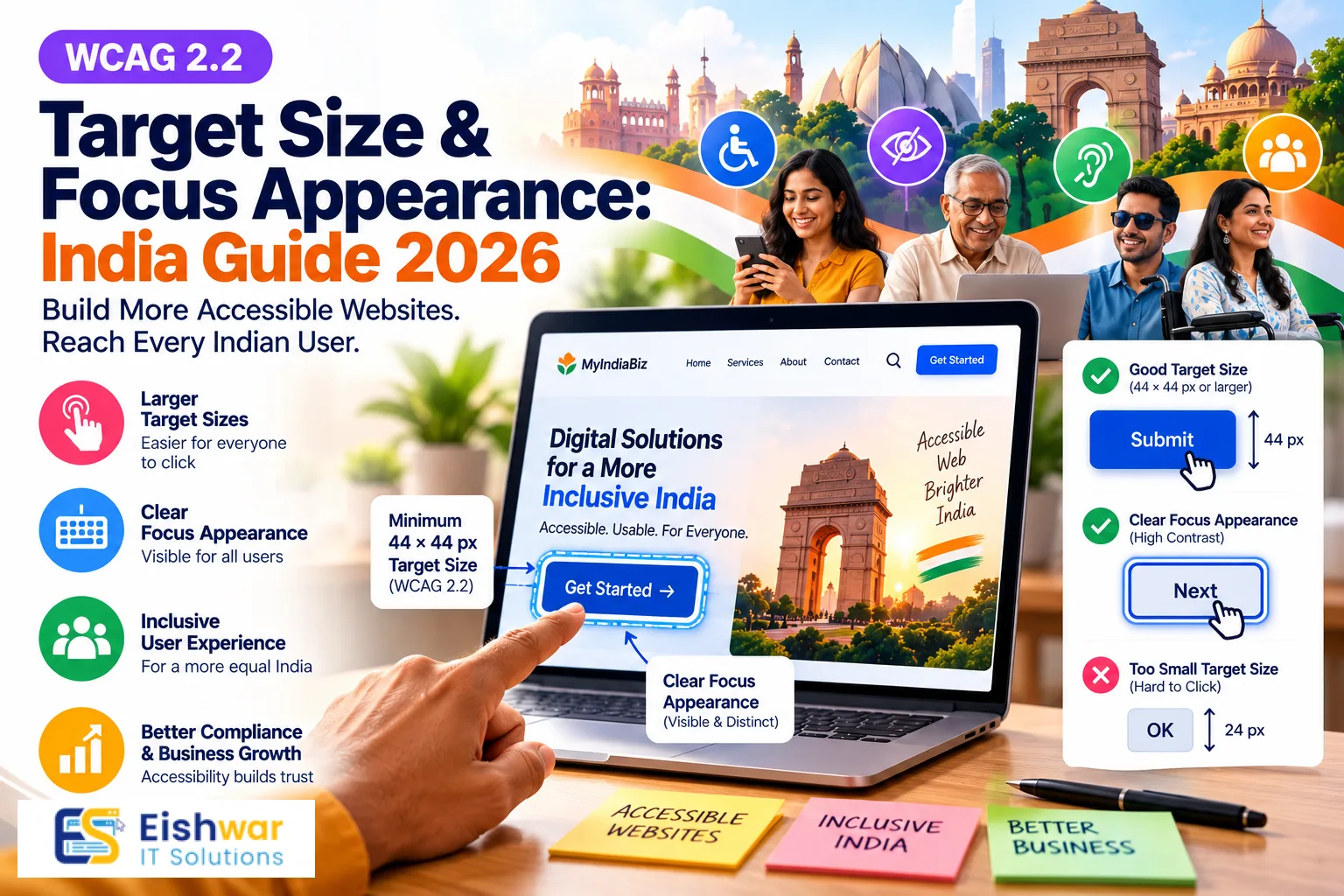
WCAG 2.2 Target Size & Focus Appearance: India Guide 2026
Introduction
Indian businesses are investing more than ever in websites, apps, and digital storefronts. Customers now expect to pay bills, book services, buy products, and contact support from a smartphone. But while companies pour money into performance, SEO, and paid ads, two WCAG 2.2 details often get ignored: target size and focus appearance. These are not designer vanity metrics. They decide whether a customer can comfortably tap your button, whether a keyboard user can complete a form, and whether your digital experience feels inclusive to every Indian user.
WCAG 2.2 arrived with practical success criteria that affect real interfaces. Target Size (Minimum) is now a Level AA requirement. Focus Appearance is a Level AAA criterion, but the related Focus Not Obscured (Minimum) sits at Level AA. For Indian businesses that want to reduce friction, improve conversions, and prepare for accessibility expectations in 2026 and beyond, understanding both is smart business.
This guide breaks down WCAG 2.2 target size and focus appearance in plain English. You will learn what the rules mean, where Indian websites commonly fail, and how to fix issues without rebuilding your entire website.
Main Section 1: What WCAG 2.2 Target Size Really Means for Indian Websites
Target Size (Minimum), Success Criterion 2.5.8, requires interactive targets to be at least 24 by 24 CSS pixels. That includes buttons, links, form fields, icons, checkboxes, close buttons, and menu items. There are exceptions for inline links in text, targets controlled by the user agent, essential targets, and cases where an equivalent larger target exists on the same page.
Twenty-four pixels may sound small, but it is a minimum, not a goal. For most Indian websites, especially mobile-first e-commerce, fintech, healthcare, and education platforms, the practical target should be 44 by 44 CSS pixels. That is closer to the comfortable thumb size recommended by Apple and Google. When you design for thumbs on budget Android phones, everyone benefits.
Why target size matters more in India
India is a mobile-first market. Many users access the internet on entry-level smartphones, often with one hand, while travelling, in bright sunlight, or on slower connections. Small tap targets create frustration. A user trying to apply a coupon, close a pop-up, or select a delivery slot may tap the wrong element and abandon the purchase.
Target size also affects older users, people with tremors, users with motor disabilities, and anyone wearing gloves or using a cracked screen. In a country where digital payments and online government services are expanding, accessible tap targets are not a premium feature. They are basic usability.
Where Indian websites fail target size most often
- Header icons for search, cart, and menu that are visually 18px but have no padding.
- Carousel dots and slider arrows that are tiny on mobile.
- Social media icons in footers placed too close together.
- Close buttons on discount pop-ups, cookie banners, and chat widgets.
- Pagination links in blogs and listing pages.
- Checkboxes and radio buttons in checkout, KYC, and insurance forms.
- Date pickers and OTP input boxes with small navigation arrows.
- Table action icons in SaaS dashboards, admin panels, and banking portals.
How to fix target size without redesigning your site
Start with spacing and padding. You can often meet the 24px requirement by adding invisible padding around an icon. For example, a 16px close icon can sit inside a 44px button. That button looks clean but gives users a larger tap zone.
.icon-button {
  display: inline-flex;
  align-items: center;
  justify-content: center;
  min-width: 44px;
  min-height: 44px;
  padding: 10px;
}
For inline text links, keep the link text readable and do not reduce line height. For icon-only buttons, always add an accessible label with aria-label. For form controls, increase the clickable label area so users can tap the label text as well as the checkbox.
If your design uses a grid, define spacing tokens. For example, small controls get 8px gap, medium controls get 12px gap, and primary actions get 16px gap. This prevents accidental taps and creates a more reliable experience on small screens.
Test on real devices, not only in a desktop browser. Use Chrome DevTools device mode, but also check on a mid-range Android phone. What looks spacious on a 27-inch monitor may feel cramped on a 5-inch screen.
Main Section 2: Focus Appearance and Why Keyboard Users Depend on It
Focus appearance is about what happens when a user navigates your website with a keyboard. When they press Tab, the currently focused link, button, or form field should be clearly visible. If focus disappears, keyboard users get lost. If focus is hidden behind a sticky header or chat widget, they cannot complete the task.
WCAG 2.2 includes Focus Appearance at Level AAA, Success Criterion 2.4.13. It sets a higher bar for focus indicator contrast and size. More importantly for most businesses, WCAG 2.2 also includes Focus Not Obscured (Minimum) at Level AA, Success Criterion 2.4.11. That means if you are targeting AA compliance, you must ensure a focused component is not entirely hidden by other content.
Even if you are not chasing AAA, strong focus indicators are an easy win. They help screen reader users, switch device users, people with motor disabilities, and power users who prefer the keyboard. In Indian BFSI, accounting, healthcare, and enterprise software, many professionals work with keyboards all day. Clear focus states reduce errors and speed up data entry.
What a good focus indicator looks like
- Visible on both light and dark backgrounds.
- Contrasts at least 3:1 against adjacent colors.
- Has a clear shape, usually an outline or ring.
- Does not rely on color alone.
- Appears on links, buttons, inputs, checkboxes, radio buttons, tabs, and custom controls.
- Remains visible when the keyboard focus moves to sticky headers, modals, and menus.
A simple CSS approach is to use :focus-visible. Unlike :focus, it often avoids showing focus rings on mouse clicks while keeping them for keyboard navigation.
:focus-visible {
  outline: 3px solid #0b5fff;
  outline-offset: 2px;
  border-radius: 4px;
}
For dark sections, use a light focus color. For brand-heavy designs, do not remove the outline just because it clashes. Instead, design a focus style that matches your brand and passes contrast. A double ring, a solid outline plus a subtle shadow, or a high-contrast background change can all work.
Focus not obscured: the sticky header problem
Indian e-commerce and SaaS websites love sticky headers, floating carts, cookie consent bars, and chat widgets. These can cover the element that currently has keyboard focus. A user tabs to a link near the top of the page, and the sticky header hides it. They press Enter on the wrong item or lose their place entirely.
Fix this by adding scroll padding, using CSS scroll-margin-top, or moving focus to a visible area when a modal opens. For sticky elements, ensure they do not overlap the focused component. Test by tabbing through the entire page with the sticky header active.
Testing focus on Indian payment and form flows
Run a keyboard-only test on the highest-value journeys: product search, add to cart, checkout, UPI payment selection, OTP entry, address form, and order confirmation. Also test account opening, insurance quote, appointment booking, and support ticket forms.
Check that focus order matches the visual order. Check that custom dropdowns, date pickers, and modals trap focus correctly and return focus when closed. Check that error messages are announced and that the focused field is not hidden behind a virtual keyboard on mobile.
Main Section 3: How Indian Businesses Can Implement Both Without a Full Redesign
You do not need a complete rebrand to improve target size and focus appearance. A focused accessibility sprint can fix the biggest issues in weeks, not months. The key is to work from high-traffic templates and reusable components.
Step 1: Audit your highest-traffic templates
List your top 10 pages by traffic and revenue. Usually this includes home, category, product, cart, checkout, contact, login, and dashboard. For each template, check tap targets and keyboard focus. Use browser extensions and manual testing. Record issues in a simple spreadsheet with columns for page, element, issue, severity, and owner.
Step 2: Add accessible states to your design system
If you use Figma, Adobe XD, or a component library, add default, hover, focus, active, and disabled states. Define focus ring color, thickness, and offset. Define minimum target sizes for buttons, icons, and form controls. This prevents designers and developers from reinventing accessibility on every page.
Step 3: Fix the code, not just the screenshots
Accessibility bugs often live in code. A button may look large but have no padding. A modal may look fine but lose focus. A custom dropdown may work with a mouse but not a keyboard. Review HTML semantics first. Use native buttons, links, and form elements wherever possible. Add ARIA only when native semantics are not enough.
Step 4: Train teams and add QA checks
Accessibility is not a one-person job. Content teams should write descriptive link text. Designers should check contrast and target size. Developers should test with keyboard and screen readers. QA should include accessibility checks in release cycles. Add a short checklist to your pull request template and design review.
Step 5: Measure business impact
Track metrics before and after. Look at mobile conversion rate, form abandonment, support tickets about buttons not working, and page speed. Accessibility improvements often reduce friction for all users. A larger tap target on checkout can improve completion. A visible focus ring can reduce errors in complex forms.
For Indian businesses, accessibility also supports legal and reputational goals. The Rights of Persons with Disabilities Act, 2016, and government guidelines such as GIGW encourage accessible digital services. Even if your business is not legally required today, accessible design signals trust and inclusion to customers, partners, and investors.
Expert Tips
- Aim for 44 by 44 CSS pixels for primary mobile actions, even though WCAG 2.2 minimum is 24 by 24.
- Use padding instead of making icons visually huge. You get a larger tap area without a clumsy design.
- Never remove focus outlines without replacing them with a visible, high-contrast focus style.
- Use :focus-visible for keyboard focus and keep :focus for browsers that need it.
- Test with keyboard only: unplug your mouse or use Tab, Shift+Tab, Enter, Space, and arrow keys.
- Check focus on sticky headers, cookie banners, chat widgets, and modal dialogs.
- Use accessible labels for icon-only buttons. A screen reader user should know what the button does.
- Test on a real Android phone, not just an iPhone or desktop emulator.
- Include target size and focus states in your design system documentation.
- Run quick audits with axe DevTools, WAVE, Lighthouse, and manual keyboard checks.
Common Mistakes
- Removing outlines because they look ugly. This is one of the most common accessibility failures.
- Making clickable areas only as large as the icon. The tap target is the clickable area, not the visible graphic.
- Assuming accessibility is only for screen readers. Keyboard, motor, cognitive, and mobile users all benefit.
- Using color alone to show focus or error states. Add shape, text, or icons.
- Ignoring focus order in custom components. Tab order should follow reading order.
- Letting sticky elements hide the focused item. Test with real content and browser zoom.
- Treating an accessibility overlay as a complete fix. Overlays cannot solve poor semantics or keyboard traps.
- Testing only on desktop. Most Indian traffic is mobile, and touch target issues are more visible there.
- Forgetting inline links, pagination, and footer icons. These small targets add up.
Future Trends
Accessibility expectations are rising. WCAG 2.2 is becoming a baseline for procurement, vendor selection, and enterprise contracts. Indian businesses selling to global clients or government departments will feel this first.
- AI-assisted accessibility testing will speed up audits, but human testing will remain essential.
- Design systems will include accessibility tokens for target size, focus rings, and contrast by default.
- Mobile-first inclusive design will focus on thumb reach, voice input, and switch control.
- WCAG 3.0 discussions will push toward outcomes and user testing rather than checklist-only compliance.
- Accessibility statements and public commitments will become trust signals for Indian brands.
- Regulatory and procurement guidelines in India will increasingly reference WCAG and GIGW.
- Personalization will help users adjust text size, contrast, motion, and focus visibility.
FAQs
What is WCAG 2.2 Target Size (Minimum)?
It is Success Criterion 2.5.8 at Level AA. It requires interactive targets to be at least 24 by 24 CSS pixels, with exceptions for inline links, essential targets, user agent controls, and equivalent larger targets.
Is Focus Appearance required for WCAG 2.2 AA?
Focus Appearance is Level AAA, so it is not required for AA. However, Focus Not Obscured (Minimum) is Level AA, and visible focus indicators are best practice for all websites. Most businesses should implement clear focus styles regardless of conformance level.
How do I test target size on my Indian website?
Use browser DevTools to inspect the clickable area, not just the icon size. Test on a real Android phone with one hand. Check buttons, links, form fields, pagination, sliders, and close icons. Aim for 44 by 44 pixels for important mobile actions.
Can I use CSS outline for focus indicators?
Yes. Outline is a reliable, high-contrast focus indicator. Use outline-offset to separate it from the element. Custom focus rings with box-shadow or border can also work if they pass contrast and are clearly visible.
Do Indian businesses legally need WCAG 2.2 compliance?
Legal requirements depend on your sector and clients. Government and public sector websites often follow accessibility guidelines. Private businesses may face contractual accessibility requirements from enterprise customers or global partners. Beyond law, accessibility improves usability and market reach.
How does target size affect mobile e-commerce conversion?
Small tap targets cause mis-taps, frustration, and abandoned carts. Larger targets make it easier to select sizes, apply coupons, choose payment methods, and complete checkout. This can directly improve conversion and reduce support requests.
What tools can help with WCAG 2.2 target size and focus testing?
Use axe DevTools, WAVE, Lighthouse, and Accessibility Insights for automated checks. Then test manually with keyboard navigation, browser zoom, and real mobile devices. Automated tools catch some issues, but manual testing finds focus order and obscured focus problems.
Conclusion
WCAG 2.2 target size and focus appearance are not abstract compliance boxes. They are practical design decisions that affect how Indian customers tap, type, navigate, and buy. Target size makes mobile interactions forgiving. Focus appearance makes keyboard navigation clear. Together, they create a more inclusive experience for users with disabilities and a smoother experience for everyone.
Start with your highest-traffic templates. Increase tap areas, add visible focus states, and test on real devices. You do not need a full redesign. Small, consistent improvements across your design system can deliver measurable business value and prepare your brand for the accessibility expectations of 2026 and beyond.
CTA
Ready to make your Indian website WCAG 2.2 ready? EishwarITSolution can audit your target sizes, keyboard focus, and inclusive design gaps, then help your team fix them without disrupting your roadmap. Contact us for a practical accessibility review and a prioritized action plan.