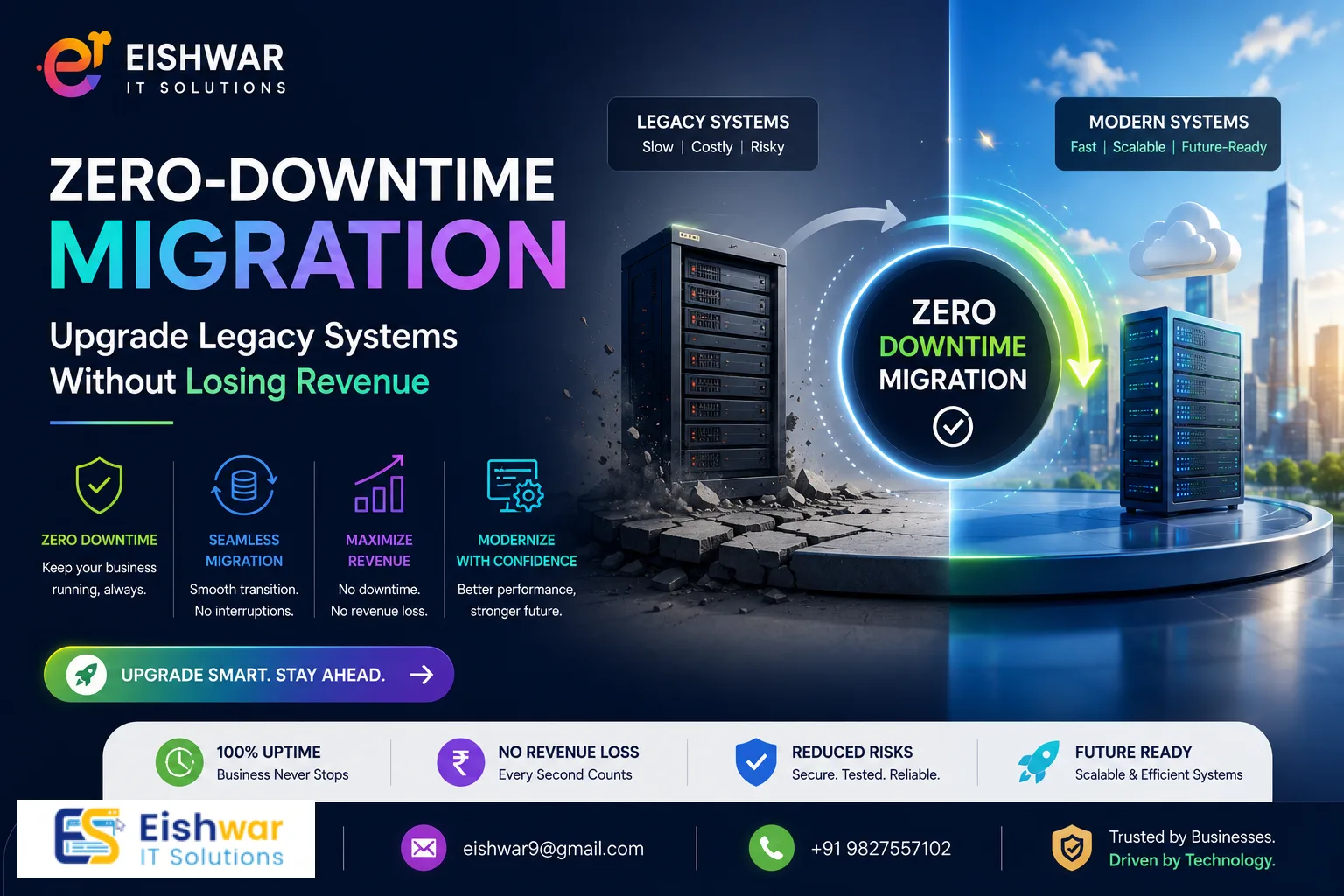
Zero-Downtime Migration: Upgrade Legacy Systems Without Losing Revenue or SEO
Introduction
Imagine this: Your business relies on a legacy system that's been running for years. It's stable but outdated. You know you need to upgrade, but the thought of downtime — lost sales, frustrated customers, and a potential SEO crash — keeps you stuck. You're not alone. For many Indian business owners and marketers, migrating legacy systems feels like walking a tightrope without a net.
But what if you could modernize your systems with zero downtime? What if your website, applications, and databases could transition seamlessly, without a single second of interruption? That's not a pipe dream — it's a proven strategy called zero-downtime migration. In this guide, we'll walk you through exactly how to upgrade your legacy systems while protecting your revenue, SEO, and user experience. Whether you're a small business in Mumbai or a growing enterprise in Bengaluru, these actionable steps will help you migrate with confidence.
Consider the stakes: A 2023 NASSCOM report highlighted that Indian enterprises lose an average of ₹5 crore per hour during unplanned downtime. For small and medium businesses, even a few hours of downtime can mean lost customers, damaged reputation, and a significant hit to search engine rankings. Zero-downtime migration eliminates that risk, allowing you to modernize without pausing your operations. This isn't just about technology—it's about business continuity.
Main Section 1: Understanding Zero-Downtime Migration
Zero-downtime migration is a method of moving your digital infrastructure — websites, databases, applications — from one environment to another without causing any service interruption. Unlike traditional migrations that require scheduled maintenance windows and often result in hours or days of downtime, zero-downtime strategies keep everything live throughout the process.
How does it work? The key is parallel run. You set up the new system alongside the old one, sync data in real time, and then switch traffic gradually. Users never notice the transition because the system remains operational. For SEO, this means your URLs, meta tags, and server responses stay consistent, preventing ranking drops.
Why is this critical for Indian businesses? India's digital economy is booming. With over 900 million internet users and a rapidly growing e-commerce sector, any interruption can have a cascading effect. For example, a travel booking site in Delhi that goes down for two hours during peak booking time could lose thousands of reservations. Zero-downtime migration ensures that your customers always have access, and your search engine rankings remain intact. It's not just about avoiding loss—it's about building trust and reliability.
There are several technical approaches to achieve this. Blue-green deployment involves maintaining two identical environments: one live (blue) and one staging (green). Once the green environment is fully tested and synced, you switch traffic. Canary releases route a small percentage of users to the new system first, allowing you to monitor performance before a full switch. Database replication ensures that data changes on the old system are mirrored in real time to the new one. Each method has its strengths, and the best choice depends on your specific infrastructure and business needs.
Main Section 2: Step-by-Step Plan for a Zero-Downtime Legacy Upgrade
Ready to modernize your legacy systems? Follow this practical roadmap designed for Indian businesses.
Step 1: Audit Your Current Infrastructure
Before you move anything, you need a complete map of your current setup. Document every server, database, application, and dependency. Identify which components are critical for daily operations. For example, if you run an e-commerce site, your payment gateway and product database are non-negotiable. Use tools like Lucidchart or Draw.io to create a visual architecture. Don't forget to include third-party integrations like CRMs, email marketing platforms, and analytics tools. A thorough audit helps you spot potential bottlenecks and ensures nothing is overlooked.
Practical tip: Create a dependency matrix that lists all systems and their interconnections. For instance, if your legacy CRM feeds data into your email marketing tool, that link must be preserved during migration. Documenting these relationships early saves hours of troubleshooting later.
Step 2: Choose the Right Migration Strategy
There are several zero-downtime approaches. The most common for websites is the blue-green deployment model. You maintain two identical environments: 'blue' (current live) and 'green' (new). Once green is fully tested and synced, you switch traffic. For databases, use database replication with tools like AWS Database Migration Service or native replication features. For applications, containerization with Docker and Kubernetes allows rolling updates without downtime.
Example: A fintech startup in Bengaluru used blue-green deployment to migrate from a monolithic PHP application to a microservices architecture. They ran both environments for a week, syncing data via Kafka, and then gradually shifted traffic. The result was a seamless transition with zero user impact.
Step 3: Set Up Real-Time Data Synchronization
Data consistency is the backbone of zero-downtime migration. Configure your legacy system to replicate data to the new environment in real time. For example, if you're moving from an on-premise SQL Server to cloud-based PostgreSQL, use change data capture (CDC) tools like Debezium. Test the sync repeatedly to ensure no data loss. For high-volume systems, consider using message queues like RabbitMQ or Apache Kafka to handle data streams efficiently.
Tip: Set up monitoring alerts for data sync lag. If the replication falls behind by more than a few seconds, you'll know to investigate before switching traffic. Tools like Prometheus and Grafana can provide real-time dashboards.
Step 4: Implement Gradual Traffic Switching
Don't flip the switch all at once. Use a load balancer to route a small percentage of traffic — say 5% — to the new system. Monitor performance, error rates, and user feedback. Gradually increase the percentage over hours or days. This approach, called canary release, lets you catch issues early. For instance, if you notice a spike in 404 errors on the new system, you can pause and fix the problem before it affects all users.
Practical example: A retail chain in Mumbai used AWS Elastic Load Balancer to route traffic incrementally. They started with 5% during off-peak hours, monitored for two hours, then increased to 25%, 50%, and finally 100% over a weekend. The gradual switch allowed them to identify a caching issue that only appeared under load, which they resolved without any user-facing downtime.
Step 5: Validate SEO Elements Continuously
During migration, your SEO is vulnerable. Use tools like Screaming Frog or Ahrefs to crawl both environments. Check that all URLs, meta titles, descriptions, canonical tags, and redirects are identical. Set up 301 redirects from old URLs to new ones if structures change. Monitor Google Search Console for crawl errors or ranking drops. Also, verify that your XML sitemaps are updated and submitted to search engines.
Tip: Create a pre- and post-migration SEO checklist. Include items like verifying robots.txt, checking for broken links, and ensuring that structured data (schema markup) is preserved. A single missing canonical tag can cause duplicate content issues, so be thorough.
Step 6: Rollback Plan
Even with the best planning, things can go wrong. Have a rollback plan ready. Keep the legacy system operational for at least 30 days post-migration. If you encounter critical issues, you can revert traffic instantly. Document the rollback procedure and test it before the actual migration. For example, if your new system experiences a database corruption, you should be able to switch back to the old system within minutes.
Best practice: Conduct a dry run of the rollback during a maintenance window. Simulate a failure scenario—like a network outage or data sync failure—and practice the revert process. This builds muscle memory and ensures your team can act quickly under pressure.
Main Section 3: Real-World Example from an Indian Business
Let's look at a hypothetical but realistic scenario. Priya's Boutique, a popular online saree store based in Chennai, was running on a legacy PHP-based CMS. The site was slow, and security patches were no longer available. Priya knew she needed to upgrade to a modern platform like Shopify Plus or a custom React-based solution, but she couldn't afford even an hour of downtime — her Diwali sale was approaching.
Her team followed a zero-downtime approach:
- They audited the existing site, listing all product pages, customer accounts, and order history. They discovered that the site had over 10,000 product SKUs and 50,000 registered users.
- They built the new site on a staging server with the same database structure, using a headless CMS for flexibility.
- They used a database replication tool (AWS DMS) to sync inventory and orders in real time, with a lag of less than 2 seconds.
- During a low-traffic Tuesday night, they switched 10% of traffic to the new site. No issues were detected.
- Over the next 48 hours, they increased traffic to 100%, monitoring Google Analytics and Search Console at each step.
- They kept the old site running for 30 days as a fallback, but no rollback was needed.
The result? Priya's Boutique saw a 30% increase in page speed, a 15% boost in conversions, and zero revenue loss during migration. The Diwali sale went off without a hitch, and the new platform allowed for better mobile optimization and faster checkout. That's the power of zero-downtime.
Expert Tips
Here are insider tips from migration specialists at EishwarITSolution:
- Start small: Test your zero-downtime process on a non-critical subsystem first. For example, migrate your blog or support portal before touching your main e-commerce engine. This builds confidence and reveals process flaws.
- Automate everything: Manual steps introduce human error. Use configuration management tools like Ansible or Terraform to automate environment setup and data sync. Automation ensures consistency and repeatability.
- Monitor user experience: Use real user monitoring (RUM) tools like Google Analytics or New Relic to track page load times and error rates from actual visitors during migration. Set up alerts for any degradation.
- Communicate with stakeholders: Inform your team, customers, and partners about the migration timeline. Transparency builds trust, even if there's no visible downtime. Send a brief email to your customer base explaining that you're upgrading for better performance.
- Hire experts if needed: Zero-downtime migration requires specialized skills. Consider partnering with an experienced IT solutions provider like EishwarITSolution to ensure a smooth transition. The cost of expertise is often less than the cost of a failed migration.
Common Mistakes
Even seasoned IT teams make errors. Avoid these pitfalls:
- Skipping the audit: Moving without a full inventory of dependencies leads to broken integrations. For example, a payment API that's not documented can fail after migration, causing transaction errors. Always create a comprehensive dependency map.
- Ignoring SEO red flags: Failing to set up proper 301 redirects or update sitemaps can tank your rankings. Always run a crawl comparison before and after. Use tools like Screaming Frog to compare the old and new site's URL structures.
- Not testing rollback: A rollback plan that's never tested is worthless. Simulate a failure scenario and practice the revert process. For instance, intentionally introduce a data sync error and see how quickly you can switch back.
- Overlooking third-party services: Your legacy system may integrate with external tools like email marketing platforms or CRMs. Ensure those integrations are re-established in the new environment. Test API endpoints thoroughly.
- Rushing the switch: Switching 100% traffic immediately defeats the purpose of zero-downtime. Gradual switching gives you a safety net. Even if everything looks perfect, start with 5% traffic and increase slowly.
Future Trends
The world of migration is evolving. Here's what's coming next for Indian businesses:
- AI-driven migration: Artificial intelligence will soon automate code conversion and data mapping, reducing manual effort. Tools like Google's Migrate for Anthos already use AI for workload analysis, predicting potential issues before they occur.
- Serverless and edge computing: More businesses are moving to serverless architectures (AWS Lambda, Azure Functions) that inherently support zero-downtime updates. Edge computing will further reduce latency for Indian users, especially in tier-2 and tier-3 cities.
- Composable architecture: Instead of monolithic legacy systems, businesses will adopt modular, API-first platforms. This makes upgrades painless — you can replace one component at a time without affecting the whole system. For example, you could upgrade your payment module independently from your product catalog.
- Regulatory compliance: With India's Digital Personal Data Protection Act, migrations must ensure data privacy. Zero-downtime strategies that keep data in India (data localization) will become standard. Cloud providers like AWS and Azure now offer India-specific regions to comply with these regulations.
FAQs
- Q: What is zero-downtime migration?
A: Zero-downtime migration is a process of moving digital systems (websites, databases, apps) from one environment to another without any service interruption. Users experience no downtime, and SEO remains intact. It relies on parallel environments and real-time data synchronization.
- Q: Is zero-downtime migration expensive?
A: It can be more costly upfront due to the need for parallel environments and real-time sync tools. However, the cost is often lower than the revenue lost during traditional downtime. For Indian SMEs, cloud-based solutions like AWS or Azure make it affordable, with pay-as-you-go pricing. For example, a small e-commerce site might spend ₹50,000-1,00,000 extra on infrastructure during migration, but avoid losing ₹5 lakh in sales from a few hours of downtime.
- Q: How long does a zero-downtime migration take?
A: Planning can take 2-4 weeks, depending on the complexity of your systems. The actual migration (data sync and traffic switch) can be completed in a few days to a week. For simple websites, it might be done in a weekend. For large enterprises with multiple databases and microservices, it could take several weeks of gradual switching.
- Q: Will my SEO be affected?
A: If done correctly, no. By keeping URLs, meta tags, and server responses consistent, and using 301 redirects where needed, your rankings should remain stable. Monitor Google Search Console closely for any crawl errors or ranking fluctuations. In most cases, SEO performance actually improves due to faster page load times.
- Q: Can I migrate a legacy on-premise system to the cloud with zero downtime?
A: Yes. Many Indian businesses are moving from on-premise servers to cloud platforms like AWS India or Azure India using database replication and blue-green deployment. For example, a manufacturing company in Pune migrated its ERP system to the cloud over a month, with zero downtime, by using a VPN tunnel for real-time data sync.
- Q: What tools do I need for zero-downtime migration?
A: Common tools include AWS Database Migration Service, Azure Migrate, Docker/Kubernetes for containerization, Terraform for infrastructure automation, and monitoring tools like New Relic or Datadog. For SEO validation, use Screaming Frog or Ahrefs. The specific tools depend on your stack—for example, if you're using WordPress, plugins like WP Migrate DB Pro can help.
- Q: What if my legacy system is very old and doesn't support modern replication?
A: In such cases, you may need to use custom scripts or middleware to extract and sync data. For instance, you can write a script that periodically exports data from the old system and imports it into the new one, with a short lag. Alternatively, consider a phased migration where you move non-critical components first, giving you time to build custom connectors.
Conclusion
Zero-downtime migration is no longer a luxury — it's a necessity for businesses that can't afford to pause. By upgrading your legacy systems without interrupting service, you protect your revenue, SEO, and customer trust. The steps outlined here — audit, choose strategy, sync data, switch gradually, monitor — are your roadmap to a seamless transition.
The Indian digital landscape is competitive. Don't let outdated systems hold you back. With careful planning and the right expertise, you can modernize confidently. Remember, the goal isn't just to survive the migration — it's to thrive afterward with faster, more secure, and scalable systems. The investment in zero-downtime migration pays for itself through avoided losses and improved performance.
CTA
Ready to upgrade your legacy systems without a second of downtime? EishwarITSolution specializes in zero-downtime migrations for Indian businesses. Contact us today for a free consultation and migration audit. Let's modernize your infrastructure — safely and seamlessly.