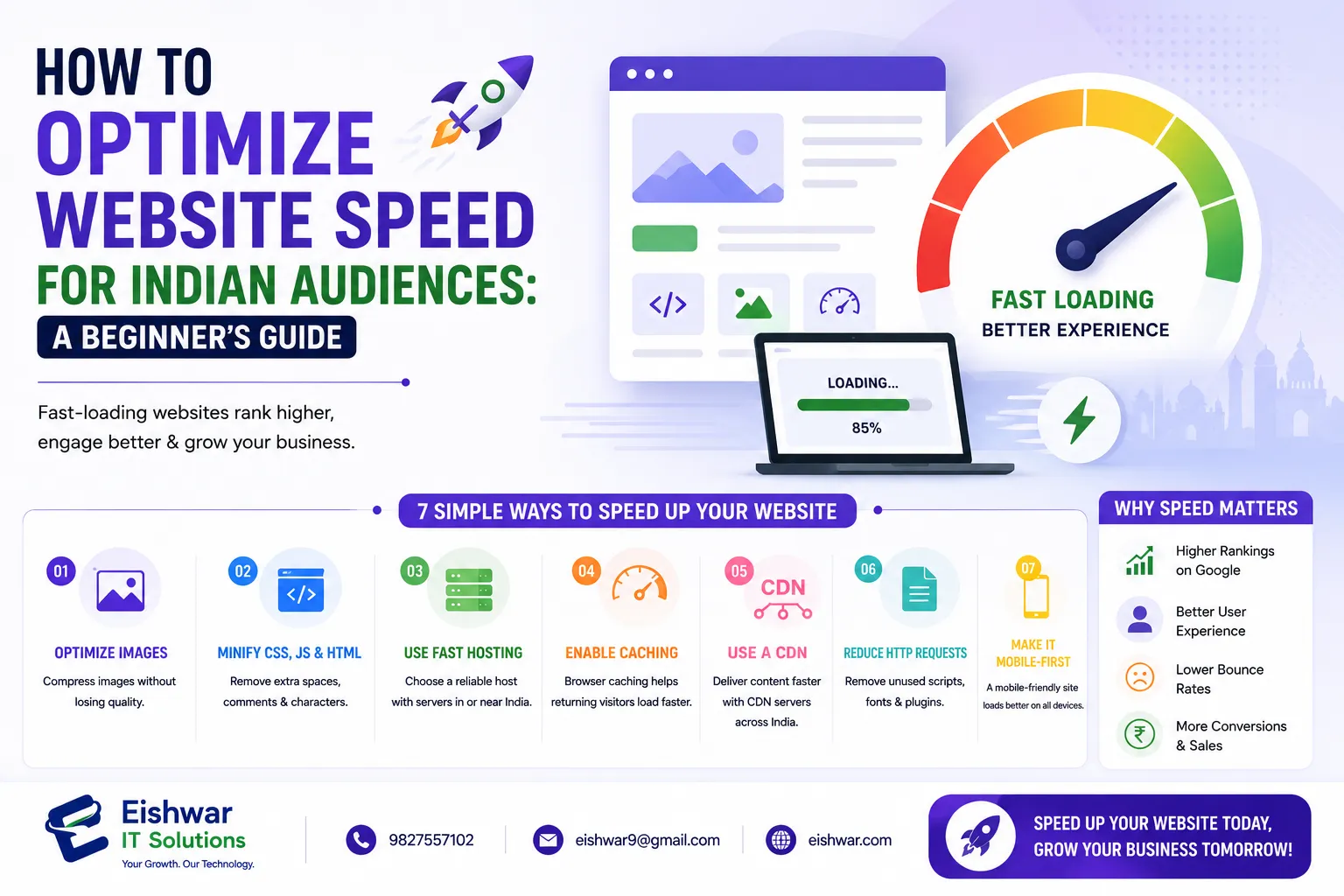
How to Optimize Website Speed for Indian Audiences: A Beginner’s Guide
Introduction
In today's fast-paced digital world, website speed is not just a luxury—it's a necessity. For businesses targeting Indian audiences, page load time can make or break user experience. Studies show that 53% of mobile users abandon a site if it takes longer than 3 seconds to load. In India, where internet connectivity varies widely—from high-speed fiber in metro cities to slower 3G/4G networks in tier-2 and tier-3 cities—slow websites lose customers fast. This guide will walk you through practical, beginner-friendly steps to optimize your website speed specifically for Indian users. Whether you're a business owner, marketer, or aspiring web developer, these tips will help you improve performance, boost engagement, and drive conversions. We'll cover everything from understanding why speed matters to implementing actionable techniques, testing your results, and avoiding common pitfalls. By the end, you'll have a clear roadmap to make your site lightning-fast for the diverse Indian audience.
Main Section 1: Why Website Speed Matters for Indian Audiences
India has over 700 million internet users, and the number is growing rapidly. However, network infrastructure is not uniform. While metro cities like Mumbai, Delhi, and Bangalore enjoy high-speed broadband and 4G/5G connectivity, many users in tier-2 and tier-3 cities rely on slower mobile networks (3G/4G) with inconsistent speeds. This means your website must load quickly even on low bandwidth. A fast website improves user satisfaction, reduces bounce rate, and positively impacts SEO. Google's Core Web Vitals now consider loading speed, interactivity, and visual stability as ranking factors. For Indian audiences, speed is critical for retaining visitors and building trust. For example, an e-commerce site that loads in 2 seconds can see conversion rates up to 2.5% higher than one that takes 5 seconds. Moreover, in a market where mobile-first usage dominates—over 70% of web traffic in India comes from mobile devices—optimizing for speed on smaller screens and slower connections is non-negotiable. Slow load times can also hurt your brand reputation; users may perceive a slow site as unprofessional or insecure. Therefore, investing in speed optimization is an investment in user experience and business growth.
Main Section 2: Top Techniques to Speed Up Your Website for Indian Users
Here are proven methods to boost website speed for your Indian audience:
1. Use a Content Delivery Network (CDN)
A CDN stores your website's static files on multiple servers around the world. When a user visits your site from India, the CDN delivers content from the nearest server. Services like Cloudflare, Akamai, or Amazon CloudFront have edge locations in India (Mumbai, Chennai, and soon in Hyderabad and Delhi), drastically reducing load times. For example, a Mumbai-based user will get content from a Mumbai server instead of one in the US, cutting latency from 200ms to 20ms. Cloudflare offers a free tier that includes basic CDN and DDoS protection, making it accessible for beginners. For advanced needs, consider a paid plan with more Indian PoPs. Tip: Ensure your CDN is configured to cache static assets like images, CSS, and JavaScript, and use a CDN plugin if you're on WordPress (e.g., Cloudflare's official plugin).
2. Optimize Images
Images often account for most of a page's size—sometimes up to 60% of total page weight. Compress images using tools like TinyPNG or ShortPixel, which reduce file size by 50-80% without noticeable quality loss. Use modern formats like WebP, which offer 25-35% smaller file sizes compared to JPEG or PNG. Many CMS platforms now support WebP automatically; for WordPress, plugins like WebP Express can convert images on the fly. Also, implement lazy loading—images load only when they come into the user's viewport. This saves bandwidth for users on slow connections and speeds up initial page load. For example, a blog with 10 high-res images can see a 40% reduction in load time with lazy loading. Tip: Always specify image dimensions in HTML to prevent layout shifts (a Core Web Vital metric).
3. Minimize HTTP Requests
Each element on your page (scripts, stylesheets, images, fonts) requires an HTTP request. Reduce these by combining CSS and JavaScript files into single files (concatenation), using CSS sprites for icons, and removing unnecessary plugins or third-party scripts. For instance, if you have five CSS files, combine them into one; similarly for JavaScript. Fewer requests mean faster loading, especially on high-latency networks. Aim for under 50 requests per page. Tools like GTmetrix can show you your request count. Tip: Use a browser extension like WebPageTest to see waterfall charts of requests and identify bottlenecks.
4. Enable Browser Caching
When a user visits your site, caching stores certain files locally on their device. On repeat visits, the browser loads these files from cache instead of downloading them again. Set cache expiration headers for static resources (e.g., images, CSS, JS) to a week or more. For example, you can set a cache time of 30 days for images and 7 days for CSS/JS. This is especially useful for returning visitors, who will experience near-instant load times. On Apache servers, you can enable caching via .htaccess; on Nginx, add cache-control headers in the config. For WordPress, plugins like W3 Total Cache or WP Super Cache handle this automatically. Tip: Use cache-busting techniques (e.g., adding version numbers to filenames) to ensure users get updated files when you make changes.
5. Use a Lightweight Theme and Plugins
If you're using a CMS like WordPress, choose a lightweight theme (e.g., Astra, GeneratePress, or Neve). These themes are coded efficiently and load under 50KB. Avoid bloated page builders like Elementor or Divi if possible; if you must use one, optimize its output by disabling unused features. Each plugin adds code that can slow down your site. Audit your plugins regularly and disable or delete unused ones. For example, a site with 20 plugins might have 10 that are unnecessary. Use tools like Plugin Performance Profiler to measure impact. Tip: Stick to essential plugins: SEO, caching, security, and analytics. Avoid heavy sliders, video backgrounds, and complex animations.
6. Implement Gzip Compression
Gzip compresses your website files before sending them to the browser. This reduces file size by up to 70%. Most web servers support Gzip, and you can enable it easily via .htaccess or your hosting control panel. For example, a 100KB HTML file can become 30KB, cutting download time significantly. Check if Gzip is enabled using online tools like GiftOfSpeed. If not, add the following to your .htaccess: AddOutputFilterByType DEFLATE text/html text/css text/javascript. For Nginx, add gzip on; in the config. Tip: Combine Gzip with Brotli compression if your server supports it—Brotli offers even better compression ratios.
7. Optimize Code (HTML, CSS, JavaScript)
Minify your code by removing unnecessary spaces, comments, and line breaks. Tools like UglifyJS for JavaScript and CSSNano for CSS can help. Also, defer non-critical JavaScript to load after the main content. This prevents render-blocking and speeds up initial page display. For example, use the defer or async attribute on script tags. Additionally, inline critical CSS (above-the-fold styles) directly in the HTML head to avoid extra requests. For WordPress, plugins like Autoptimize can handle minification and deferral automatically. Tip: Use Google PageSpeed Insights to identify render-blocking resources and fix them.
Main Section 3: Testing and Monitoring Website Speed
Once you've implemented optimizations, you need to test your website's speed. Use tools like Google PageSpeed Insights, GTmetrix, or Pingdom. These tools provide detailed reports and suggestions. For Indian audiences, test from different locations (e.g., Mumbai, Delhi, Bangalore) using tools like WebPageTest that allow custom server locations. Aim for a PageSpeed score of 90+ on both mobile and desktop. Also, monitor your site's Core Web Vitals via Google Search Console. Key metrics to track: Largest Contentful Paint (LCP) under 2.5 seconds, First Input Delay (FID) under 100ms, and Cumulative Layout Shift (CLS) under 0.1. Regular testing ensures your optimizations are effective and helps you catch new issues. For example, after adding a new plugin, test immediately to see if it degrades performance. Tip: Set up automated weekly tests using tools like GTmetrix's monitoring feature to get alerts when speed drops.
Expert Tips
- Choose the right hosting: Invest in a reputable hosting provider with servers in India or nearby (e.g., Singapore). Shared hosting may be cheap but can be slow. Consider VPS or cloud hosting for better performance. Providers like Hostinger, Bluehost, or DigitalOcean offer Indian data centers.
- Use a lightweight content delivery network: If you can't afford a premium CDN, free options like Cloudflare offer good coverage in India with multiple PoPs.
- Prioritize above-the-fold content: Load critical CSS and content first so users see something quickly while the rest loads. This improves perceived performance.
- Reduce server response time: Optimize your database, use caching plugins (e.g., W3 Total Cache), and consider using a PHP opcode cache like OPcache. Aim for Time to First Byte (TTFB) under 200ms.
- Use a performance monitoring tool: Tools like New Relic or Datadog can help identify server-side bottlenecks.
Common Mistakes
- Ignoring mobile optimization: A huge portion of Indian users access the web via mobile. Ensure your site is fully responsive and mobile-friendly. Test on real devices or emulators.
- Overusing plugins: Each plugin adds extra code. Stick to essential ones and avoid heavy sliders or video backgrounds. Audit plugins quarterly.
- Not compressing images: Uploading high-resolution images without compression is a common speed killer. Always compress before uploading.
- Forgetting to test regularly: Speed optimization is not a one-time task. Regularly test and update your site, especially after adding new content or features.
- Neglecting third-party scripts: Analytics, ads, and social media widgets can slow down your site. Load them asynchronously or defer them.
Future Trends
As internet infrastructure in India improves, user expectations will rise. Technologies like 5G and edge computing will enable even faster experiences. Progressive Web Apps (PWAs) will become more popular, offering app-like speed and offline capabilities. Voice search and AI-driven personalization will also demand faster load times. Staying ahead means continuously optimizing and adopting modern web technologies. For example, using HTTP/2 or HTTP/3 can further reduce latency. Also, consider implementing server-side rendering (SSR) for dynamic content to improve initial load. The future of web speed in India is bright, but only for those who prioritize performance.
FAQs
What is a good website speed for Indian users?
Aim for a load time of under 3 seconds, ideally 2 seconds or less. Use tools like Google PageSpeed Insights to measure. For mobile users on slower networks, even 1-2 seconds can make a big difference in bounce rates.
Does website speed affect SEO in India?
Yes, Google uses page speed as a ranking factor, especially for mobile searches. Faster sites rank higher in search results, leading to more organic traffic. Core Web Vitals are now part of Google's ranking algorithm.
Is a CDN necessary for Indian audiences?
Highly recommended. A CDN reduces latency by serving content from local servers, improving speed for users across India. Even a free CDN like Cloudflare can cut load times by 30-50% for users far from your origin server.
Can I optimize website speed for free?
Yes, many tools and plugins are free. Use free CDN like Cloudflare, compress images with TinyPNG, minify code with plugins like Autoptimize, and enable caching with W3 Total Cache (free version). These can significantly improve speed without cost.
How often should I test my website speed?
Test at least once a month and after making major changes (e.g., adding new features, plugins, or redesigning). For critical sites, consider weekly automated tests using tools like GTmetrix monitoring.
What is the biggest speed killer for Indian websites?
Unoptimized images and excessive HTTP requests are the top culprits. Many Indian websites use high-resolution images without compression and load multiple scripts, leading to slow load times on slower networks.
Should I use a dedicated server for better speed?
Not necessarily for beginners. Start with a good shared hosting plan with SSD storage and a CDN. If traffic grows or you need more control, upgrade to VPS or cloud hosting. Dedicated servers are overkill for most small to medium sites.
Conclusion
Optimizing website speed for Indian audiences is not just about technical tweaks—it's about delivering a seamless user experience that builds trust and drives business growth. By implementing the strategies outlined in this guide—using a CDN, compressing images, enabling caching, and testing regularly—you can significantly improve your site's performance. Remember, speed is an ongoing effort. Start with one or two changes, measure the impact, and iterate. Your Indian audience will thank you with lower bounce rates and higher conversions. In a competitive digital landscape, a fast website can be your competitive advantage, especially when targeting a diverse and growing market like India.
CTA
Ready to supercharge your website speed? Contact EishwarITSolution today for a free performance audit and tailored optimization plan. Let's make your site lightning-fast for Indian users! Our team of experts will analyze your current setup, identify bottlenecks, and implement proven strategies to boost speed and user experience. Don't let slow load times cost you customers—get in touch now!