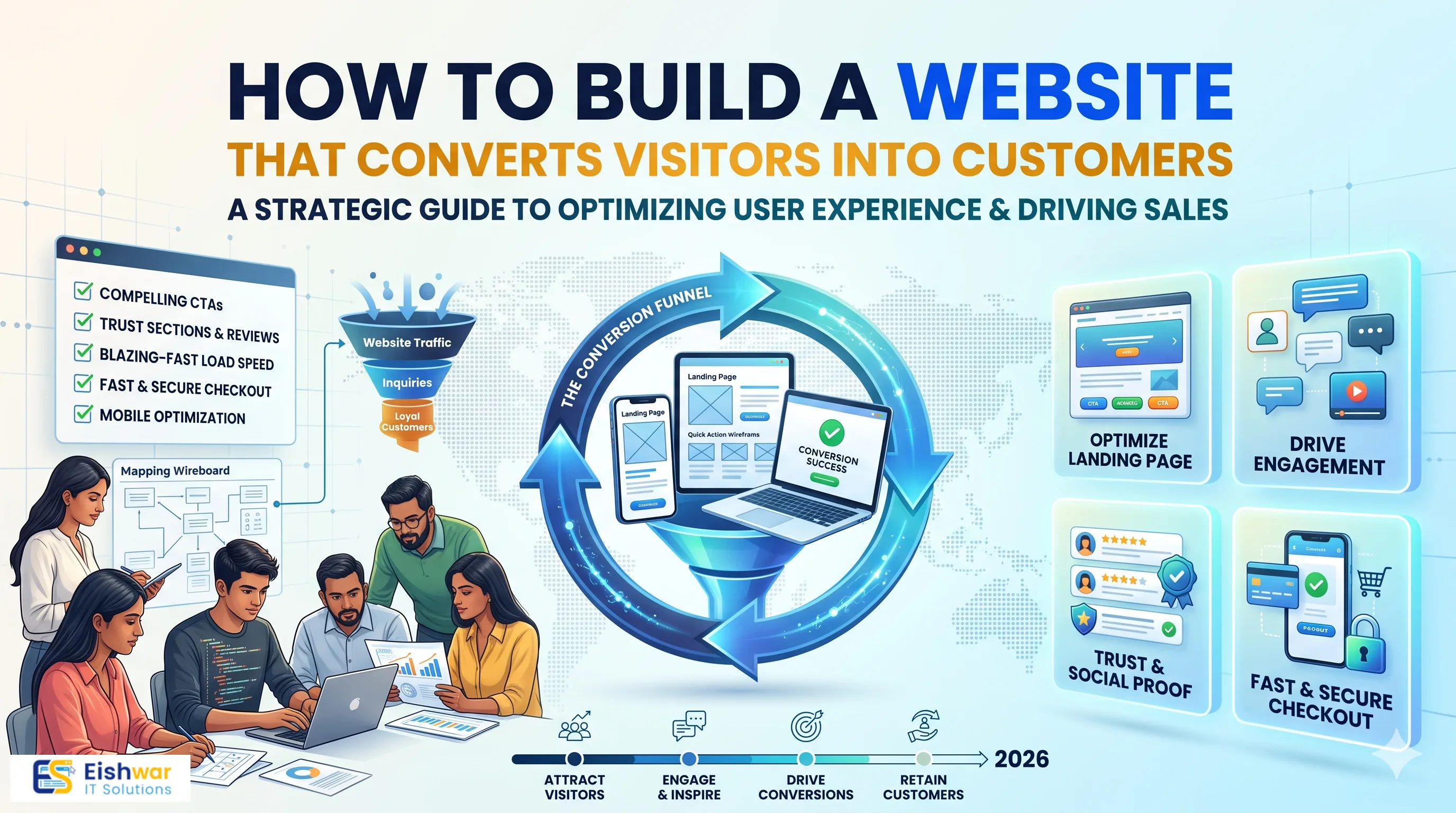
How to Build a Website That Converts Visitors into Customers
Introduction
Your website is often the first impression a potential customer has of your business. But did you know that most websites fail to convert? In India, where internet users are growing rapidly, having a website that simply looks good is not enough. It must be built to guide visitors toward taking action—whether that's making a purchase, filling out a contact form, or calling your business.
In this beginner's guide, we'll walk you through the essential elements of a high-converting website. From understanding your audience to optimizing for mobile and speed, you'll learn practical steps to turn your website into a powerful sales tool. Whether you're a business owner, marketer, or professional, these insights will help you make smarter decisions in your website development journey.
Understanding What Makes a Website Convert
Conversion is the action you want visitors to take on your website. It could be buying a product, subscribing to a newsletter, or requesting a quote. A converting website is designed with that goal in mind at every stage.
Key principles of conversion-focused design include:
- Clear value proposition: Within seconds, visitors should know what you offer and why it's valuable. For example, a fitness trainer in Bengaluru might say, "Transform your body in 90 days with personalized online coaching" instead of "We offer fitness services."
- Intuitive navigation: Users should find what they need without confusion. A simple menu structure with clear labels like "Services," "Pricing," and "Contact" helps users move through your site effortlessly.
- Trust signals: Testimonials, certifications, and secure payment icons build credibility. Displaying a "Verified by Google" badge or a "100% Secure Checkout" icon can significantly reduce hesitation.
- Strong calls-to-action (CTAs): Every page should guide the visitor toward the next step. Whether it's "Book a Free Demo," "Download the Guide," or "Get a Quote," your CTA should be impossible to miss.
For example, a local bakery in Mumbai might have a beautiful website, but if the "Order Now" button is hidden, they'll lose sales. Conversion is about making the path to action as easy as possible. Think of your website as a salesperson who never sleeps—it should always be ready to guide visitors toward a decision.
Essential Elements of a High-Converting Website
Clear and Compelling Headlines
Your headline is the first thing visitors see. It should immediately communicate what you do and why it matters to them. Instead of "Welcome to Our Website," use something like "Premium Handmade Furniture Delivered Across India." A strong headline addresses the visitor's pain point or desire. For instance, if you run a digital marketing agency, your headline could be "Double Your Leads in 30 Days—Guaranteed." Use subheadlines to provide additional context, such as "Trusted by 500+ businesses across India."
User-Friendly Navigation
Keep your menu simple. Limit it to five to seven items. Use descriptive labels like "Services," "About Us," and "Contact." Avoid jargon that confuses visitors. For example, instead of "Solutions," use "Our Services." Ensure your navigation is consistent across all pages. A sticky header with your logo and menu can help users navigate without scrolling back to the top. Also, include a search bar for larger sites to help users find specific products or information quickly.
Fast Loading Speed
In India, many users are on slower connections. A one-second delay can reduce conversions by 7%. Optimize images by compressing them without losing quality, use a reliable hosting provider that offers CDN (Content Delivery Network) services, and leverage browser caching to speed up your site. Tools like Google PageSpeed Insights can help you identify areas for improvement. For example, if your site takes 5 seconds to load on a 3G connection, consider using lazy loading for images and minifying CSS/JavaScript files. A fast site not only improves conversions but also boosts your search engine rankings.
Mobile Responsiveness
Over 70% of Indian internet users access the web via mobile. Your website must look and function perfectly on smartphones. Use responsive design, ensure buttons are tappable (at least 44x44 pixels), and text is readable without zooming. Test your site on various devices, including budget Android phones, to ensure compatibility. For example, if your checkout form has small input fields, users might struggle to fill it out on mobile, leading to abandoned carts. Consider implementing a mobile-first design approach, where you design for the smallest screen first and then scale up.
Strong Calls-to-Action (CTAs)
Use action-oriented language like "Get a Free Quote," "Call Now," or "Buy Now." Place CTAs above the fold and repeat them strategically throughout the page. Make them stand out with contrasting colors, such as a bright orange button on a blue background. For example, if you're a real estate agent, your primary CTA might be "Schedule a Site Visit," and you can place it in the hero section, after the property details, and again at the footer. Ensure your CTAs are specific and create a sense of urgency, like "Limited Time Offer—Book Now."
Designing for Trust and Credibility
Indian consumers are becoming more discerning. They want to buy from brands they trust. Here's how to build that trust through your website:
- Show genuine testimonials: Include reviews from real customers, ideally with photos and locations. For instance, "Rahul from Pune says, 'The product quality is outstanding and delivery was on time.'" Video testimonials can be even more powerful.
- Display trust badges: Payment security logos, SSL certificates, and industry certifications reassure visitors. If you're an e-commerce site, show icons like Visa, Mastercard, and RuPay. If you're a service provider, display certifications from recognized bodies.
- Provide clear contact information: A physical address, phone number, and email make your business seem more legitimate. Add a contact form and a map to your location. For example, a dental clinic in Chennai could embed a Google Map showing its exact location and include a "Call Now" button for instant appointments.
- Include an About Us page: Share your story and team to humanize your brand. Include photos of your team, your mission, and your values. This helps visitors connect with you on a personal level. For instance, a startup founder might share their journey of why they started the company, which builds authenticity.
For instance, an online clothing store in Delhi that displays customer photos and detailed size guides will likely see higher conversions than one with generic stock photos. Real customer photos act as social proof and help potential buyers visualize the product on real people.
Optimizing for User Experience (UX) and Conversion
User experience is not just about aesthetics; it's about making it easy for visitors to achieve their goals. Poor UX leads to frustration and abandonment. According to a study, 88% of online consumers are less likely to return to a site after a bad experience.
Here are some conversion-focused UX tips:
- Simplify forms: Only ask for essential information. Long forms scare away potential leads. For example, if you're collecting leads for a free consultation, just ask for name, phone number, and email. Avoid asking for unnecessary details like company size or industry unless absolutely necessary.
- Use visual hierarchy: Guide attention with headings, bullet points, and white space. Use larger fonts for key messages and smaller for secondary information. For instance, your headline should be the largest text on the page, followed by subheadings, then body text.
- Make your CTA obvious: Don't make users hunt for buttons. Place your primary CTA in the hero section, and repeat it at the end of each section. Use directional cues like arrows or images of people looking toward the CTA to draw attention.
- Reduce distractions: Avoid pop-ups that annoy users; if you use them, make them easy to close. For example, a pop-up offering a discount code should appear only after the user has been on the page for at least 10 seconds and should have a clear "No thanks" button. Also, avoid auto-playing videos with sound, as they can be intrusive.
A/B testing is crucial. For example, you might test two different CTA button colors or headline texts to see which performs better. Tools like Google Optimize (now part of GA4) can help. For instance, you could test a red "Buy Now" button against a green one, or "Get Started" versus "Sign Up." Even small changes can lead to significant improvements in conversion rates.
Expert Tips
- Use video content: A short explainer video can increase conversions by up to 80%. It helps visitors understand your product quickly. For example, a software company could create a 2-minute video demonstrating how their tool works, highlighting key features and benefits. Place the video on your homepage or product pages.
- Leverage social proof: Show real-time stats like "1,000+ happy customers" or "Rated 4.8/5 by 500+ users." You can also display logos of well-known clients or partners. For instance, if you've worked with brands like Tata or Reliance, showcase their logos to build instant credibility.
- Implement live chat: Indian users appreciate instant support. A chatbot can answer common queries and lead visitors to the right page. For example, a chatbot on an e-commerce site can help users track orders, find product recommendations, or resolve issues. Make sure the chatbot is available 24/7 and can escalate to a human agent if needed.
- Optimize for local search: If you're a local business, use location-specific keywords and embed a Google Map on your contact page. For example, a restaurant in Jaipur should target keywords like "best restaurant in Jaipur" or "Jaipur rooftop dining." This helps you attract nearby customers who are ready to visit.
Common Mistakes to Avoid
- Ignoring mobile users: If your site isn't mobile-friendly, you're losing a huge chunk of potential customers. In India, mobile-first is the norm, so ensure your site is fully responsive. Test on multiple devices and browsers to ensure a seamless experience.
- Too many choices: Analysis paralysis sets in when users are overwhelmed. Focus on one primary action per page. For example, if you have multiple products, don't list all of them on the homepage; instead, highlight your bestseller and guide users to a category page.
- Slow loading times: Heavy images and unoptimized code can kill conversions. Use tools like TinyPNG to compress images and consider using a content delivery network (CDN) to serve files faster. Aim for a load time of under 3 seconds.
- Hidden contact info: If visitors can't find how to reach you, they'll leave. Place your phone number and email in the header or footer of every page. Add a prominent "Contact Us" link in the navigation.
- No clear value proposition: If visitors can't figure out what you do, they won't stick around. Make your value proposition the first thing they see. For example, "We deliver organic groceries to your doorstep in 2 hours" is clear and compelling.
Future Trends in Website Conversion
As technology evolves, so do user expectations. Here are some trends to watch:
- AI-powered personalization: Websites will tailor content and offers based on user behavior. For example, an e-commerce site might show different products to a first-time visitor versus a returning customer. AI can analyze browsing history and purchase patterns to recommend relevant items, increasing the likelihood of conversion.
- Voice search optimization: With the rise of voice assistants like Alexa and Google Assistant, websites need to be optimized for voice queries. This means using natural language keywords and structuring content to answer questions directly. For instance, a user might ask, "Where can I buy affordable sarees in Mumbai?" Your site should have content that answers this query.
- Augmented reality (AR): In e-commerce, AR allows customers to "try on" products virtually, boosting confidence and conversions. For example, a furniture store could let customers see how a sofa looks in their living room using their smartphone camera. This reduces the uncertainty of buying online.
- Privacy-focused features: With data regulations tightening, transparent data practices will build trust. Implement clear cookie consent banners, provide privacy policies, and offer options for users to control their data. This not only complies with laws but also reassures customers that their information is safe.
FAQs
1. What is a good conversion rate for a business website?
The average conversion rate is around 2-3%, but it varies by industry. For example, e-commerce sites might see 1-2%, while B2B service providers might see 3-5%. Focus on improving your own rate over time rather than comparing to others. Use tools like Google Analytics to track your conversion rate and identify areas for improvement.
2. How long does it take to build a conversion-focused website?
It depends on complexity. A simple business website can take 4-6 weeks, while a custom e-commerce site might take 3-6 months. Factors affecting timeline include the number of pages, features, and content creation. For beginners, using a website builder can speed up the process, but for advanced customization, professional development is recommended.
3. Do I need a professional web developer or can I use a website builder?
For beginners, website builders like Wix or Shopify are easy and affordable. They offer templates and drag-and-drop functionality. However, for custom functionality and advanced conversion features like A/B testing, personalized content, or complex integrations, hiring a professional is better. A developer can also optimize your site for speed and SEO more effectively.
4. How can I test my website's conversion rate?
Use tools like Google Analytics to track conversions. Set up goals for actions like form submissions, purchases, or phone calls. Run A/B tests on headlines, CTAs, and layouts to see what works best. Tools like Optimizely or VWO can help you run experiments without needing extensive coding knowledge.
5. What are the most important pages for conversions?
Homepage, product/service pages, pricing page, and contact page are critical. Each should have a clear CTA. For example, your homepage should introduce your value proposition and guide visitors to a specific action. Product pages should include detailed descriptions, high-quality images, and customer reviews. The pricing page should be transparent and include a CTA like "Get Started" or "Contact Sales." The contact page should make it easy to reach you with forms, phone numbers, and maps.
Conclusion
Building a website that converts is not a one-time task; it's an ongoing process of testing, learning, and improving. Start with the basics: clear messaging, intuitive design, and fast performance. Then, use data to refine your approach.
Remember, your website is your 24/7 salesperson. Make sure it's working as hard as you do. If you need expert help, EishwarITSolution is here to guide you.
CTA
Ready to build a website that actually brings you customers? Contact EishwarITSolution today for a free consultation. Let's turn your online presence into a lead-generating machine.