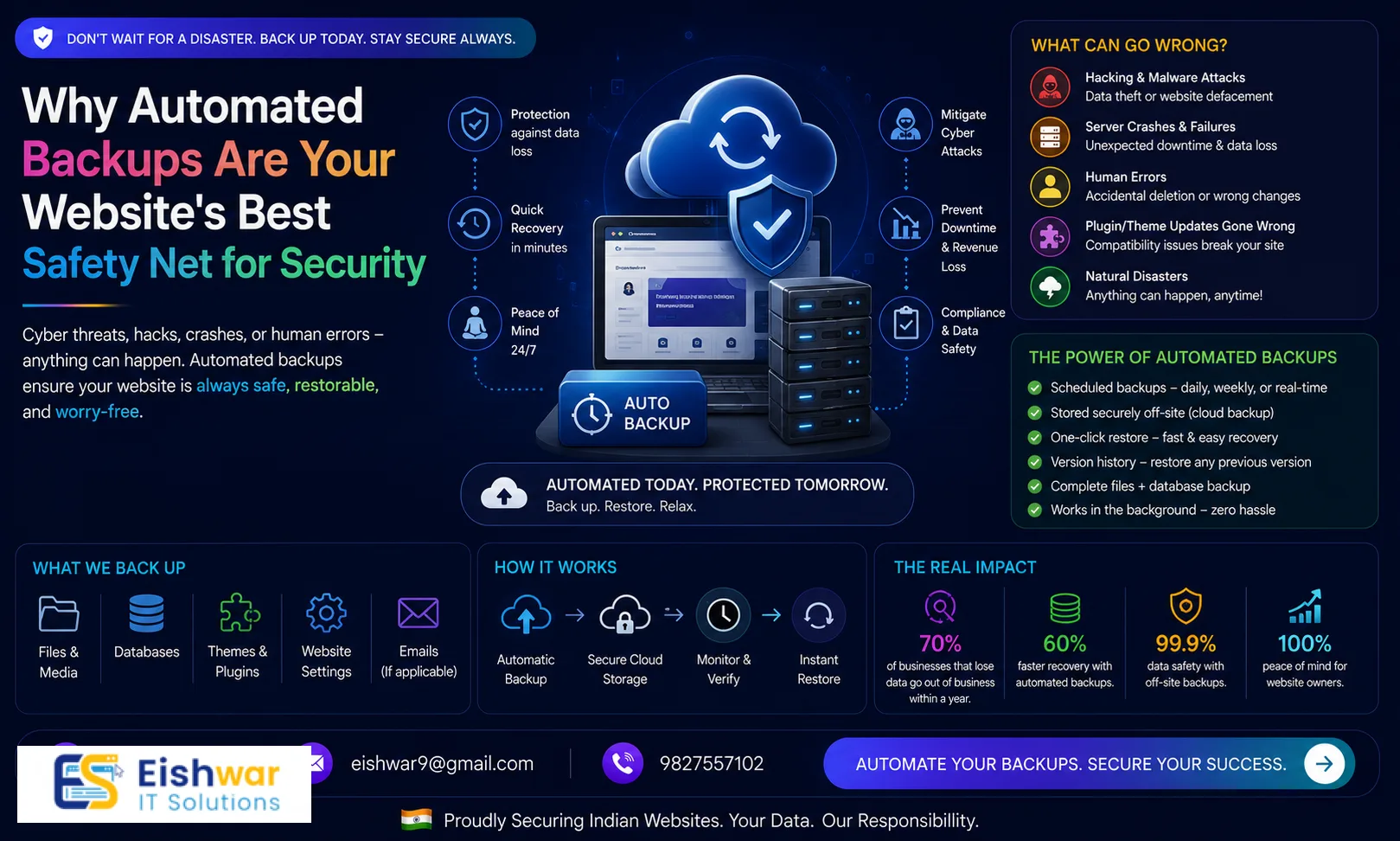
Why Automated Backups Are Your Website's Best Safety Net for Security & Maintenance
Introduction
Imagine waking up to find your business website completely wiped out—no products, no customer data, no blog posts. For many Indian business owners, this nightmare becomes reality due to hacks, server failures, or accidental deletions. Yet, a simple, automated backup system could have restored everything in minutes.
At EishwarITSolution, we have seen too many small and medium businesses lose months of work simply because they relied on manual backups—or worse, no backups at all. In this guide, we will explore why automated backups are a non-negotiable part of any modern website security and maintenance strategy. You will learn practical steps to set them up, avoid common pitfalls, and future-proof your business.
Consider this: a local e-commerce store in Mumbai lost all its product data after a ransomware attack. They had no backups and had to rebuild from scratch, losing over ₹5 lakh in revenue and three months of work. With automated backups, they could have restored everything in under an hour. This is not just about convenience—it's about survival in a digital-first economy.
Main Section 1: What Are Automated Backups and Why They Matter
An automated backup is a scheduled, system-driven copy of your website files and database, stored securely off-site. Unlike manual backups that require human intervention, automated backups run at set intervals—daily, hourly, or even in real-time—without you lifting a finger.
For business owners in India, where internet disruptions and power cuts can still occur, automation removes the risk of forgetting to backup. It ensures your data is always current, reducing potential loss to minutes rather than days. For example, a Delhi-based travel agency that updates its inventory daily can rely on automated backups to capture every new package and customer inquiry, ensuring no data is lost even if a server crashes at 3 AM.
Key benefits include:
- Rapid disaster recovery: Restore your site within hours after a hack or crash. For instance, a WordPress site hit by a plugin vulnerability can be restored to its pre-attack state in under 30 minutes.
- Protection against ransomware: Paying ransom becomes unnecessary when you have clean backup copies. A 2023 report by Sophos found that 66% of Indian businesses hit by ransomware paid the ransom, but those with backups recovered without paying.
- Peace of mind: Focus on growing your business, not worrying about data loss. One of our clients, a Pune-based SaaS startup, sleeps better knowing their customer database is backed up hourly.
- Compliance: Many Indian regulations (e.g., IT Act, upcoming data protection laws) require data backup and recovery plans. Non-compliance can lead to fines up to ₹5 crore under the Digital Personal Data Protection Act, 2023.
According to a 2023 survey by Statista, 37% of small businesses experienced a data loss incident. Without automated backups, recovery costs can run into lakhs of rupees. With them, you simply restore and move on. Think of automated backups as an insurance policy—low monthly cost, high payoff when disaster strikes.
Main Section 2: How to Implement Automated Backups for Your Website
Setting up automated backups does not require a technical degree. Here is a step-by-step approach tailored for Indian business websites hosted on platforms like WordPress, Shopify, or custom CMS.
Step 1: Choose the Right Backup Solution
Your hosting provider may offer built-in backups, but they are often limited. For example, many shared hosting plans only keep weekly backups and delete them after 30 days. Consider third-party services like:
- UpdraftPlus for WordPress (free version with cloud storage options; premium version adds incremental backups and cloning)
- Jetpack VaultPress for real-time backups (ideal for high-traffic blogs and e-commerce sites)
- CodeGuard for daily automated backups and monitoring (includes malware scanning)
- BlogVault with one-click restore (supports staging environments for testing)
For custom sites, use server-level scripts or tools like rsync combined with cron jobs. A Bengaluru-based fintech company we worked with uses a custom script that backs up their MySQL database every six hours to an AWS S3 bucket.
Step 2: Set a Backup Frequency
How often should you backup? It depends on how frequently your content changes:
- Daily backups for e-commerce stores and news sites. For example, a Chennai-based online clothing store backs up daily to capture new orders and inventory changes.
- Weekly backups for static brochure websites. A local restaurant in Jaipur with a simple menu site can get away with weekly backups.
- Real-time or hourly backups for high-traffic sites with user-generated content. A forum or membership site in Mumbai might need hourly backups to preserve user posts and transactions.
A good rule of thumb: backup at least as often as you update your site. If you publish a blog post every day, daily backups are non-negotiable.
Step 3: Store Backups Off-Site
Never store backups on the same server as your website. If the server gets compromised, your backups vanish too. Use cloud storage like:
- Google Drive (15 GB free, affordable for small sites; integrate with UpdraftPlus)
- Amazon S3 (scalable, low cost; use lifecycle policies to move old backups to Glacier for archiving)
- Dropbox (easy integration with many backup plugins)
- Wasabi (hot cloud storage with no egress fees, good for frequent restores)
For Indian businesses, consider storing backups in a local data center (e.g., AWS Mumbai region or DigitalOcean Bangalore) to comply with data localization norms. A Kolkata-based healthcare portal we advised stores backups in AWS Mumbai to meet patient data residency requirements under the IT Act.
Step 4: Test Your Backups Regularly
A backup you never test is a backup you don't have. Schedule a monthly restore test to a staging environment. Verify that all files, databases, and emails are intact. At EishwarITSolution, we recommend setting a calendar reminder for the first Monday of every month. For example, one of our clients, a Delhi-based real estate portal, discovered during a test that their backup plugin was only backing up the database, not the uploaded property images. They fixed this before a real disaster occurred.
Main Section 3: Automated Backups vs. Manual Backups – A Practical Comparison
| Criteria | Automated Backups | Manual Backups |
|---|
| Reliability | High – runs on schedule, even if you forget | Low – depends on human memory and discipline |
| Time Investment | Minimal after setup (15 minutes to configure) | Hours per month (e.g., 2-3 hours for a manual FTP download) |
| Recovery Speed | Fast – often one-click restore via plugin or script | Slow – requires manual file handling, re-uploading, and database import |
| Cost | Low to moderate (₹500–₹2000/month for premium tools; free options available) | Free but high opportunity cost (lost productivity, potential data loss) |
| Security | Encrypted and off-site (e.g., AES-256 encryption in transit and at rest) | Often stored locally on a laptop or USB drive, vulnerable to theft, fire, or corruption |
For a small business in India, the cost of automated backups is negligible compared to the potential revenue loss from a week of downtime. A 2022 study by IBM found the average cost of a data breach for small businesses is ₹2.5 crore. Automated backups dramatically reduce this risk. Consider this: a manual backup might save you ₹500 a month, but if you lose a day of sales worth ₹1 lakh, the math is clear.
Expert Tips
- Use the 3-2-1 rule: Keep at least three copies of your data, on two different media, with one copy off-site. For example, store one copy on your local server, one on an external hard drive, and one on cloud storage like Google Drive.
- Encrypt backups: Always enable encryption for backup files, especially when storing in the cloud. Most backup plugins offer AES-256 encryption—turn it on in the settings.
- Monitor backup logs: Set up email alerts for failed backups so you can fix issues immediately. A failed backup due to full storage can go unnoticed for days without alerts.
- Integrate with your maintenance routine: Pair backups with regular updates and security scans for complete protection. For instance, after updating WordPress plugins, run a manual backup to capture the stable state.
- Consider versioning: Some backup tools let you keep multiple versions, so you can restore to any point in time. This is crucial if you accidentally delete a page and only notice it a week later.
- Use incremental backups: Instead of full backups every time, incremental backups only save changes since the last backup, saving storage space and bandwidth. Tools like UpdraftPlus support this.
Common Mistakes
- Relying solely on your hosting provider's backups: Many hosts only offer weekly backups and may delete them after 30 days. Always have an independent backup. One of our clients lost a week of data because their host's backup was corrupted and they had no other copy.
- Not backing up your database separately: Your content, user data, and settings are often in the database. A file-only backup may be incomplete. For example, a WordPress site's posts and comments are in the database, not in the wp-content folder.
- Using the same location for primary and backup storage: If your office server crashes, a backup on the same machine is useless. Always store backups on a different physical or cloud location.
- Ignoring mobile backups: If your website has a mobile app, ensure its data is also backed up. A restaurant chain in Bangalore lost all their app user data because they only backed up the website.
- Forgetting to update backup configurations after site changes: Adding new plugins or pages may require adjusting backup scope. For instance, if you add a new custom post type, ensure your backup tool includes it.
- Setting and forgetting: Automated backups are not a one-time setup. Review your backup strategy every quarter to account for changes in data volume, compliance requirements, or business needs.
Future Trends
Automated backups are evolving rapidly. Here is what to watch for in the next few years:
- AI-driven backup optimization: Machine learning will predict the best backup schedules based on usage patterns. For example, an AI might notice your site gets most updates on Tuesdays and schedule backups accordingly.
- Immutable backups: Write-once, read-many storage prevents ransomware from encrypting your backups. AWS S3 Object Lock and similar features are becoming standard.
- Integrated disaster recovery as a service (DRaaS): Full site failover to a secondary server within minutes. This is already available for enterprise sites but will become affordable for SMBs.
- Blockchain-based verification: Tamper-proof backup integrity checks for compliance-heavy industries like finance and healthcare. Each backup file gets a hash stored on a blockchain.
- Edge computing backups: For websites using CDNs, backups will be distributed across edge nodes for faster recovery. This reduces restore time from hours to seconds.
Indian businesses should start adopting these technologies now to stay ahead of cyber threats and regulatory requirements. For example, a fintech startup in Mumbai is already testing immutable backups to comply with RBI guidelines on data protection.
FAQs
1. How often should I automate backups for my small business website?
For most small businesses, daily backups are sufficient. If you update content frequently (e.g., e-commerce), consider hourly or real-time backups. For a static brochure site, weekly backups may suffice. The key is to match frequency with update rate.
2. Are free backup plugins reliable?
Free plugins like UpdraftPlus are reliable for basic needs, but they may lack advanced features like real-time backup or priority support. For mission-critical sites, invest in a premium solution starting at ₹500/month. Free plugins also may not offer encryption or off-site storage integration.
3. Can automated backups slow down my website?
Modern backup tools are designed to run in the background with minimal resource usage. Schedule backups during off-peak hours (e.g., 2 AM) to avoid any performance impact. For high-traffic sites, use incremental backups to reduce load.
4. What should I do if a backup fails?
First, check the error log. Common issues include insufficient storage, permission errors, or network timeouts. Fix the root cause and re-run the backup. Set up email alerts to catch failures early. If the issue persists, contact your backup provider's support.
5. Is it necessary to backup my website if I use a managed hosting provider?
Yes. Managed hosts often provide basic backups, but they may not cover all your data or offer granular restore options. Always maintain your own independent backup as a safety net. For example, a managed host might only backup the database, not uploaded files.
6. How do automated backups help with SEO?
Google penalizes sites with frequent downtime. Automated backups enable quick recovery from crashes, keeping your site available and preserving your search rankings. A site that is down for 24 hours can lose up to 30% of its organic traffic.
7. What is the best cloud storage for Indian businesses?
Consider providers with local data centers like AWS Mumbai, Google Cloud's Mumbai region, or DigitalOcean Bangalore. They offer low latency and comply with Indian data residency laws. For cost-effectiveness, start with Google Drive (15 GB free) and upgrade to AWS S3 as your site grows.
8. Can I restore a backup to a different hosting provider?
Yes, most backup tools allow you to download a full site archive that can be restored to any host. This is useful if you want to switch providers or have a disaster recovery plan. Just ensure the new host supports the same CMS (e.g., WordPress).
9. How long should I keep old backups?
Keep at least 30 days of daily backups for quick recovery. For compliance, retain monthly backups for up to a year. Use lifecycle policies to automatically delete old backups and save storage costs.
10. Do automated backups protect against human error?
Absolutely. If you accidentally delete a page, update a plugin that breaks the site, or overwrite a critical file, you can restore to a previous version. This is one of the most common use cases we see at EishwarITSolution.
Conclusion
Automated backups are not just a technical checkbox—they are a business continuity essential. For Indian business owners and marketers, investing in a reliable backup strategy means protecting your brand reputation, customer trust, and revenue. At EishwarITSolution, we help you implement robust backup systems that integrate seamlessly with your website security and maintenance plan.
Don't wait for a disaster to strike. Start automating your backups today. Your future self will thank you.
CTA
Ready to secure your website with automated backups and expert maintenance? Contact EishwarITSolution today for a free consultation. Our team will assess your current setup and design a custom backup strategy that keeps your business safe 24/7. Whether you run a WordPress blog, a Shopify store, or a custom web application, we have the expertise to protect your data.