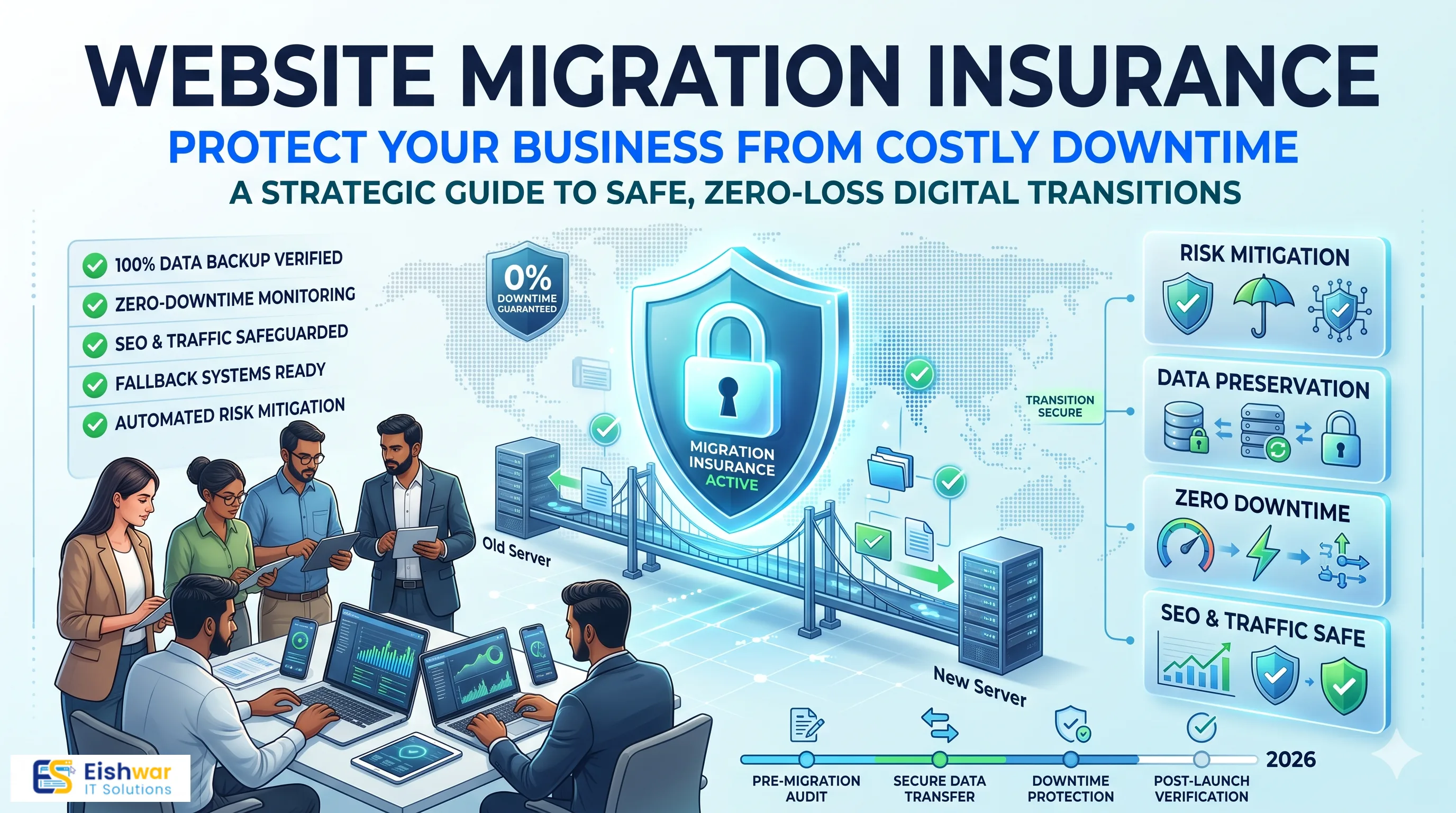
Website Migration Insurance: Protect Your Business from Costly Downtime and Data Loss
Introduction
Website migration is like moving your entire office to a new building—except the building is your online presence, and a single misstep can cost you customers, revenue, and hard-earned SEO rankings. For Indian businesses, the stakes are even higher: with a booming digital economy, even a few hours of downtime can mean significant financial loss and damage to your brand reputation. According to a 2023 report by the National Association of Software and Service Companies (NASSCOM), India's digital economy is projected to reach $1 trillion by 2025, making online presence more critical than ever. A migration gone wrong can set you back months, erode customer trust, and undo years of SEO work.
But what if you could "insure" your migration? Not in the traditional sense, but by creating a strategic safety net that minimizes risks, ensures business continuity, and protects your data. Think of it as a comprehensive risk management plan tailored to your website's unique needs. In this guide, we'll walk you through how to safeguard your business during a website migration, covering everything from risk assessment to recovery plans. Whether you're a small business owner, a marketing manager, or an IT professional, you'll find actionable insights to make your migration smooth, secure, and successful.
Main Section 1: Understanding the Risks of Website Migration
Why Migrations Fail
Website migrations fail for a variety of reasons: poor planning, technical oversights, lack of testing, and inadequate backup. For Indian SMEs, common triggers include moving to a new hosting provider, upgrading to a new CMS, or shifting to an e-commerce platform. Each of these introduces unique risks—from broken links and lost redirects to database corruption and security vulnerabilities. For instance, a simple CMS upgrade might seem routine, but if you're running custom plugins or themes, compatibility issues can arise, leading to functionality loss. Similarly, moving to a new hosting provider can expose you to configuration mismatches, such as different PHP versions or server settings, which can break your site.
Moreover, the human factor cannot be underestimated. A lack of clear communication among team members, unclear roles, and inadequate documentation can lead to mistakes. For example, a developer might forget to update the DNS settings, causing the site to point to the wrong server. Or, a content manager might not realize that the new CMS uses a different URL structure, leading to broken links. Therefore, a successful migration requires meticulous planning, thorough testing, and a culture of collaboration.
The Financial Impact
A study by Gartner suggests that the average cost of IT downtime is $5,600 per minute. For a small business, that could be devastating. Imagine losing your online store for an hour during a festival sale—you'd not only lose immediate sales but also customer trust. Additionally, SEO rankings can plummet if URLs change without proper redirects, leading to long-term organic traffic loss. The financial impact extends beyond immediate sales; it includes the cost of recovery, potential legal liabilities (if customer data is compromised), and the expense of marketing to regain lost customers. For Indian businesses, where word-of-mouth and repeat customers are vital, a single negative experience can have a ripple effect.
To put this into perspective, consider a mid-sized Indian e-commerce site with an average monthly revenue of ₹50 lakh. If the site is down for just 2 hours during peak shopping time, the direct loss could be around ₹1.5 lakh, not counting the long-term impact on customer retention and brand perception. Furthermore, if the migration results in a 20% drop in organic traffic for three months, that could translate to a loss of ₹10 lakh in revenue. These numbers underscore the need for a robust migration insurance plan.
Case Example: An Indian E-commerce Store
Consider a Mumbai-based fashion retailer that migrated to a new platform without a full backup. Mid-migration, the database corrupted, and they lost all customer orders and product data. They had to rebuild from scratch, resulting in 3 weeks of downtime and a 40% drop in repeat customers. This could have been avoided with a proper insurance plan—backups, rollback options, and a tested recovery strategy. The retailer's story is not unique; many businesses underestimate the complexity of data migration, especially when dealing with large databases with thousands of records. In this case, the lack of a rollback plan meant they couldn't revert to the old site, forcing them to start over. The lesson is clear: always have a safety net.
Main Section 2: Building Your Website Migration Insurance Plan
1. Risk Assessment: Know Your Vulnerabilities
Start by identifying what could go wrong. Create a checklist: data loss, downtime, SEO impact, security breaches, and user experience issues. Assess the likelihood and impact of each. For instance, if you're changing domain names, the risk of losing SEO rankings is high. If you're moving hosting, data transfer integrity is critical. Use a risk matrix to prioritize: high-likelihood, high-impact risks should be addressed first. For example, if you're migrating from a shared hosting to a VPS, the risk of IP address changes could affect email deliverability; plan accordingly. Also, consider third-party integrations—if you use payment gateways, CRMs, or marketing automation tools, ensure they are compatible with the new environment.
Practical tip: Conduct a pre-migration audit to document all current assets, including URLs, meta tags, and backlinks. This will serve as a baseline for comparison after migration.
2. Backup Strategy: Your First Line of Defense
Never migrate without a complete backup. This includes files, databases, emails, and any custom configurations. Use multiple backup methods—offsite, cloud, and physical—and test them before you begin. In India, where internet connectivity can be inconsistent, having a local backup is especially important. For example, you could have a backup on an external hard drive, a cloud backup on a service like AWS S3 or Google Cloud Storage, and a backup on a different server in a different geographic location. Test each backup by restoring it to a staging environment to ensure it's viable. Remember, a backup that hasn't been tested is not a backup.
Additionally, consider using automated backup tools that can schedule backups at regular intervals. For dynamic websites with frequent updates, take a backup immediately before the migration to minimize data loss. Also, document the backup and restore procedures so that any team member can execute them in an emergency.
3. Rollback Plan: The Safety Net
A rollback plan is your "undo" button. If something goes wrong, you should be able to revert to the old site quickly. This means keeping the old hosting active until the new site is stable, and having a documented process to switch back. Test the rollback procedure before the actual migration. For instance, if you're using a load balancer, you can redirect traffic to the old server if the new one fails. If you're changing DNS, you can lower the TTL (Time to Live) to 300 seconds a few days before the migration, so that changes propagate faster. Also, have a communication plan in place to inform stakeholders if a rollback is necessary.
A rollback plan should also include a decision matrix: under what conditions will you rollback? For example, if the new site has a critical bug that affects checkout, or if the site is down for more than 30 minutes, you should rollback. Define these criteria in advance to avoid panic decisions.
4. Downtime Minimization: The Zero-Downtime Approach
Ideally, you want zero downtime. This requires careful scheduling (e.g., during off-peak hours), using a staging environment to test everything, and using DNS switching with TTL adjustments. For Indian businesses, consider the time zones of your target audience—if you serve customers across India, choose a time when traffic is lowest, such as between 2 AM and 5 AM IST. Additionally, you can use a technique called "blue-green deployment" where you have two identical environments—one live (blue) and one staging (green). Once the green environment is fully tested, you switch traffic to it. If issues arise, you can instantly switch back to blue.
Another approach is to use a content delivery network (CDN) to serve static content during the migration, reducing the load on the origin server. For dynamic content, you can use database replication to keep the new and old databases in sync until the switchover. This ensures that even if the migration takes longer than expected, users can still access the site with minimal disruption.
5. Data Integrity Checks: Ensure Nothing is Lost
After migration, verify that all data is intact. This includes user accounts, orders, content, and media files. Use automated scripts to compare old and new databases. Also, check for broken links and missing images. A thorough QA process is essential. For example, you can use tools like Screaming Frog to crawl both the old and new sites and compare the results. Check that all pages return the correct status codes (200, 301, etc.) and that no pages are missing. Also, verify that forms, search functionality, and e-commerce features work correctly. Don't forget to test on different devices and browsers to ensure a consistent user experience.
Additionally, check the integrity of your data by running queries to compare row counts in key tables, such as users and orders. If you have a large database, consider using checksums to ensure data consistency. Also, verify that any file uploads (images, PDFs) are present and accessible.
Main Section 3: Protecting Your SEO and Revenue
301 Redirects: The SEO Lifeline
If you're changing URLs, implement 301 redirects from old to new pages. This tells search engines that the page has permanently moved, preserving link equity. Create a redirect map before migration and test it thoroughly. For Indian businesses, this is crucial if you have a strong local SEO presence. For example, if you have a page that ranks for "best sarees in Delhi," you don't want to lose that ranking due to a URL change. A 301 redirect will pass most of the ranking power to the new URL. Use a tool like Redirect Path to test that redirects are working correctly. Also, ensure that you redirect not only the main pages but also any subpages, images, and PDFs that have backlinks.
It's also important to update your XML sitemap and submit it to Google Search Console. This helps search engines discover your new URLs faster. Additionally, monitor your 404 errors and fix any broken links promptly. If you have a large site, consider using wildcard redirects, but be careful—they can sometimes cause issues if not implemented correctly.
Monitoring and Analytics
Set up tracking before the migration to have a baseline. After migration, monitor your organic traffic, rankings, and conversions. Use tools like Google Search Console and Analytics. If you notice a drop, investigate immediately—it could be a redirect issue or a technical error. For example, if you see a sudden decrease in impressions, check if your robots.txt file is blocking crawlers. If you see a drop in conversions, test your checkout process to ensure it's working smoothly. Set up alerts for critical metrics, such as a 20% drop in traffic, so you can respond quickly.
Additionally, use Google Analytics to compare pre- and post-migration data. Look at metrics like bounce rate, average session duration, and pages per session to identify any user experience issues. Also, monitor your server logs for errors, such as 500 errors, which could indicate a misconfiguration.
Revenue Protection: Communication and Contingency
Inform your customers about the migration. Use email newsletters and social media to set expectations. If you anticipate downtime, have a temporary landing page or a backup site. Also, consider offering a discount or promotion post-migration to win back any hesitant customers. For example, you could send an email saying, "We've upgraded our website for a better experience! Enjoy 10% off your next purchase." This not only communicates the change but also incentivizes customers to return. Additionally, have a contingency plan for handling customer inquiries during the migration—ensure your support team is prepared to answer questions about the migration and any issues that arise.
It's also wise to have a communication plan for internal stakeholders, including your team and any external partners. Keep them updated on the migration progress and any issues. This reduces confusion and ensures everyone is aligned.
Expert Tips
- Use a staging site: Always test in a staging environment before going live. This catches issues before they affect real users. For example, if you're using WordPress, you can create a staging site using a plugin like WP Staging. Test all functionalities, including forms, payment gateways, and user logins.
- Hire experts: If your team lacks experience, consider hiring a professional agency like EishwarITSolution to manage the migration. They have the expertise to handle complex migrations and can save you time and money in the long run.
- Schedule during low traffic: Analyze your analytics to find the lowest traffic window and schedule the migration then. For an Indian business, this might be early morning (2 AM to 5 AM) or late night (11 PM to 2 AM).
- Keep a change log: Document every step of the migration. This helps in troubleshooting and future reference. Include dates, times, actions taken, and any issues encountered. This log can also be used for post-migration reviews.
- Post-migration audit: After going live, run a full audit—check speed, security, and functionality. Fix any issues immediately. Use tools like Google PageSpeed Insights to check load times, and run a security scan to ensure no vulnerabilities are present.
Common Mistakes
- Skipping backups: This is the biggest mistake. Always have at least two backups. For example, one backup on the server and one offsite. Test them before migration.
- Ignoring redirects: Failing to set up 301 redirects can destroy your SEO. Even if you're not changing URLs, it's a good practice to have a redirect plan in case of any changes.
- Not testing before going live: Testing on a staging site is non-negotiable. Don't skip this step, even if you're under time pressure.
- Overlooking security: Migrations can expose vulnerabilities. Ensure your new environment is secure. Update all software, change default passwords, and install security plugins.
- Underestimating time: Rushing leads to errors. Give yourself a buffer. If you think the migration will take 2 days, plan for 3. This allows for unexpected issues.
Future Trends
AI-Powered Migration Tools
Artificial intelligence is increasingly being used to automate migration tasks, from data mapping to error detection. This reduces human error and speeds up the process. For example, AI can analyze your current site structure and automatically generate a redirect map, or it can identify potential compatibility issues before they occur. As AI tools become more sophisticated, they will become an integral part of migration strategies.
Cloud-Native Migrations
As more Indian SMEs move to the cloud, migration strategies are becoming more sophisticated, with built-in redundancy and disaster recovery. Cloud providers like AWS, Azure, and Google Cloud offer services that can automatically scale resources during peak traffic, ensuring high availability. Additionally, cloud-based databases offer features like automated backups and point-in-time recovery, making it easier to protect your data.
Predictive Analytics for Risk Management
Using predictive analytics, businesses can forecast potential issues before they occur, allowing proactive mitigation. For example, by analyzing historical data on website performance, you can predict when traffic is likely to spike and schedule your migration accordingly. Predictive analytics can also help you identify which parts of your site are most at risk during migration, allowing you to allocate resources more effectively.
FAQs
- What is website migration insurance? It's a set of strategies and tools to protect your business from risks during a website migration, such as data loss and downtime. It involves backups, rollback plans, and risk assessment.
- How can I minimize downtime during migration? Use a staging site, schedule during off-peak hours, and consider a zero-downtime migration approach using DNS switching and load balancing. Also, use a CDN to serve static content and database replication to keep data in sync.
- What should I back up before migrating? All files, databases, emails, and configurations. Also, back up your entire old site as a complete package. Test your backups to ensure they are restorable.
- How long does a typical website migration take? It varies from a few hours to several days, depending on complexity. Always plan for extra time. For example, a simple CMS upgrade might take a day, while a full e-commerce platform migration could take a week.
- What if I lose data during migration? If you have a backup, you can restore from it. If not, you may need to hire data recovery specialists, which can be costly. To avoid this, always have multiple backups and test them.
- How do I ensure my SEO doesn't suffer? Implement 301 redirects, monitor your rankings, and use Google Search Console to track any issues. Also, update your sitemap and monitor 404 errors.
- Should I hire a professional for my migration? If you lack technical expertise, yes. A professional can help avoid costly mistakes and ensure a smooth transition. They can also provide a fresh perspective and best practices.
Conclusion
Website migration doesn't have to be a nightmare. By treating it like a high-stakes project with an insurance plan, you can protect your business from downtime, data loss, and SEO damage. Remember, the key is preparation: backup, test, monitor, and communicate. With these strategies, you'll be ready to migrate with confidence. The investment in time and resources upfront will pay off in the long run, ensuring that your website continues to serve your business effectively.
CTA
Ready to migrate your website without the stress? At EishwarITSolution, we specialize in seamless website migrations that protect your business. Our team of experts will work with you to create a customized migration plan that minimizes risk and ensures a smooth transition. Contact us today for a free consultation and migration plan tailored to your needs. Don't let a migration derail your business—let us help you migrate with confidence.