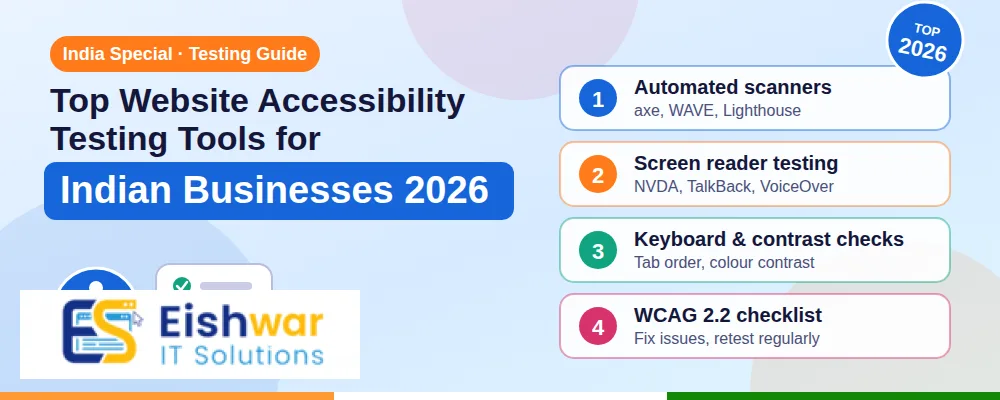
Top Website Accessibility Testing Tools for Indian Businesses 2026
Introduction
Your website may look perfect on your laptop. But can a visually impaired customer using a screen reader complete a purchase? Can a keyboard-only user fill your contact form? In 2026, website accessibility is no longer a nice-to-have. It is a business, legal, and SEO priority for Indian companies.
Website accessibility testing tools help you find and fix barriers before they cost you customers, reputation, or compliance. This guide covers the best website accessibility testing tools and resources for Indian businesses, practical workflows, expert tips, and future trends.
Whether you run an e-commerce store in Mumbai, a SaaS product in Bengaluru, or a coaching institute in Jaipur, accessible design expands your reach. It also aligns with WCAG 2.2, GIGW 3.0, and the Rights of Persons with Disabilities Act, 2016.
Main Section 1: Why Website Accessibility Is a Business Priority in India
India has over 26 million people with disabilities, and millions more face temporary or situational limitations. They use screen readers, voice control, captions, keyboard navigation, and high-contrast modes. If your website ignores them, you are excluding a large market.
Legal and compliance pressure is growing
The RPwD Act 2016 and guidelines like GIGW 3.0 push digital inclusion. Government portals, banks, insurers, hospitals, and educational institutions are expected to comply. Private businesses bidding for government contracts often face accessibility clauses. A single complaint can lead to legal notices, remediation costs, and brand damage.
Accessibility improves SEO and user experience
Many accessibility fixes also help SEO. Descriptive alt text, clear headings, transcripts, and keyboard-friendly navigation make content easier for search engines to understand. Faster, cleaner pages rank better and convert better for all users, not just those with disabilities.
Mobile-first India needs accessible design
Most Indian internet users browse on mobile. Good accessibility means responsive layouts, large tap targets, readable fonts, strong contrast, and forms that work with assistive tech. These are baseline expectations in 2026, not premium features.
Accessibility protects your brand
An inaccessible checkout or booking flow frustrates users. They leave, post negative reviews, and choose competitors. Inclusive design signals maturity, empathy, and professionalism. It builds trust with customers, partners, and employees.
Main Section 2: Best Website Accessibility Testing Tools for Indian Teams
You do not need a huge budget to start. The right mix of automated scanners, manual testing tools, and assistive technologies will uncover most critical issues. Here are the top website accessibility tools worth using in India in 2026.
1. WAVE by WebAIM
WAVE is one of the easiest website accessibility testing tools for beginners. It highlights errors, contrast issues, missing alt text, empty links, and heading structure problems directly on the page. The browser extension is free and works well for quick audits. Use it as a first pass, then verify issues manually.
2. axe DevTools
axe DevTools by Deque is a favourite among Indian web developers. It integrates with Chrome, Firefox, Edge, and CI pipelines. It catches around 30 to 40 percent of accessibility issues automatically and provides clear remediation guidance. The Pro version supports advanced testing, but the free version is strong for most small and mid-sized businesses.
3. Google Lighthouse
Lighthouse is built into Chrome DevTools and PageSpeed Insights. It includes an accessibility audit alongside performance and SEO checks. It is perfect for Indian teams already tracking Core Web Vitals. Run it on key templates such as home, product, checkout, and contact pages.
4. Accessibility Insights for Web
This free Microsoft tool offers automated checks and guided manual tests. The FastPass feature finds common issues, while the Assessment mode walks you through WCAG 2.1 and 2.2 criteria. It is excellent for training junior designers and developers in India.
5. Pa11y
Pa11y is an open-source command-line tool for automated accessibility testing. It is ideal for developers who want to run checks in CI/CD pipelines. You can schedule tests and catch regressions before they reach production. For Indian agencies managing many client sites, Pa11y Dashboards can centralise reporting.
6. Color Contrast Analyzer and WebAIM Contrast Checker
Low contrast is one of the most common issues on Indian websites. Use the WebAIM Contrast Checker or the Colour Contrast Analyser desktop app to test text and UI components against WCAG AA and AAA ratios. Pay special attention to light grey text on white backgrounds and text over images.
7. NVDA, JAWS, and VoiceOver
Automated tools cannot replace real screen reader testing. NVDA is free on Windows, JAWS is widely used in enterprises, and VoiceOver is built into Apple devices. Test your main user journeys with at least one screen reader. Listen for confusing link text, missing form labels, and poor reading order.
8. TalkBack for Android
Since most Indian users are on Android, TalkBack testing is essential. Check if buttons announce correctly, forms can be completed, and carousels or pop-ups trap focus. Test on budget phones and slower networks to reflect real conditions.
9. BrowserStack Accessibility Testing
BrowserStack offers cloud-based accessibility testing on real devices and browsers. Indian teams can test across Windows, macOS, iOS, and Android without maintaining a device lab. It is useful for agencies and product teams that need consistent testing across client environments.
10. Siteimprove and Deque axe Pro
For larger Indian enterprises, Siteimprove and Deque axe Pro provide continuous monitoring, dashboards, and workflow integrations. They help track accessibility across hundreds or thousands of pages. These tools are more expensive, but they reduce long-term risk and manual effort.
11. Stark and Figma plugins
Accessibility starts in design. Stark and similar Figma plugins help designers check contrast, simulate colour blindness, and review focus states before development. Catching issues in design saves significant rework later.
12. Overlay tools: use with caution
Accessibility overlay widgets promise quick compliance. However, they rarely fix underlying code issues and can create new problems for screen reader users. Use overlays only as a supplementary aid, never as a replacement for proper accessible development.
Main Section 3: How to Build an Accessibility Workflow for Your Indian Website
Tools alone do not create accessible websites. You need a repeatable workflow that fits your team, budget, and timeline.
Step 1: Audit your most important pages
Start with high-traffic and high-revenue pages: home, product or service, pricing, cart, checkout, login, and contact. Run WAVE, axe DevTools, and Lighthouse on each. Document issues by severity and page template.
Step 2: Prioritise quick wins
Fix low-hanging fruit first: alt text for meaningful images, form labels, button names, heading order, colour contrast, and keyboard focus styles. These changes often take hours, not weeks, and deliver immediate improvements.
Step 3: Test with keyboard and screen readers
Unplug your mouse. Use Tab, Shift+Tab, Enter, and arrow keys. Can you reach every link, button, and form field? Is focus visible? Then test with NVDA or TalkBack. Record confusing moments and fix them.
Step 4: Add accessibility checks to development
Integrate axe or Pa11y into your CI/CD pipeline. Add an accessibility checklist to your design and QA templates. Train developers on semantic HTML, ARIA basics, and accessible components. Prevention is cheaper than remediation.
Step 5: Create an accessibility statement
Publish an accessibility statement on your website. Explain your commitment, standards followed, known limitations, and contact method for feedback. This builds trust and shows customers you take inclusion seriously.
Step 6: Review regularly
Websites change. New content, plugins, and campaigns can introduce new barriers. Schedule quarterly automated scans and annual manual audits. Assign an accessibility owner or champion in your team.
Expert Tips
- Design with real content: Lorem ipsum hides contrast and length issues. Test with Hindi, English, and regional language content where relevant.
- Do not rely on colour alone: Use labels, icons, and text to communicate status, errors, and required fields.
- Make forms forgiving: Provide clear labels, inline validation, error summaries, and generous tap targets. Many Indian users fill forms on mobile in noisy environments.
- Caption your videos: Add subtitles and transcripts for product demos, webinars, and testimonials. This helps users with hearing impairments and improves video SEO.
- Use semantic HTML first: Buttons should be buttons, links should be links, and headings should follow a logical order. ARIA should be a last resort, not a first fix.
- Test on low-end devices: Accessibility and performance often intersect. A heavy page with poor contrast fails users on slow connections and older phones.
- Involve people with disabilities: Whenever possible, include users with disabilities in usability testing. Their feedback is invaluable and often reveals issues tools miss.
Common Mistakes
- Thinking automated tools catch everything: They catch only a fraction of issues. Manual testing is essential.
- Using overlays as a magic fix: Overlays can mask problems and create new ones. Fix the underlying code.
- Ignoring keyboard navigation: If users cannot tab through your site, they cannot buy, book, or contact you.
- Poor alt text: Writing alt text as keyword stuffing or leaving it empty for important images hurts accessibility and SEO.
- Low contrast text: Light grey text on white may look stylish to designers but is unreadable for many users.
- Missing form labels: Placeholder text is not a label. Screen readers need persistent labels.
- No accessibility ownership: Without a responsible person, accessibility becomes a one-time project that fades away.
Future Trends
Accessibility in India is moving from compliance checkbox to core product quality. Here are trends to watch.
- AI-assisted audits: AI tools will get better at suggesting fixes, but human review will remain critical.
- Accessibility in design systems: Indian agencies and product teams will build accessible components into their design systems from day one.
- Voice and regional language support: As voice search grows in Hindi and regional languages, accessible voice interfaces will become a competitive advantage.
- Stronger procurement rules: Government and enterprise buyers will demand accessibility compliance in vendor contracts.
- Continuous monitoring: More businesses will shift from annual audits to always-on accessibility monitoring.
- Inclusive personalisation: Websites will adapt font sizes, contrast, and motion based on user preferences.
FAQs
1. What are website accessibility testing tools?
They are software tools that scan websites for barriers such as missing alt text, poor contrast, keyboard traps, and form issues. Examples include WAVE, axe DevTools, Lighthouse, Pa11y, and Accessibility Insights.
2. Is website accessibility mandatory for Indian businesses?
It depends on your sector. Government websites and many public services must follow GIGW and RPwD Act requirements. Private businesses increasingly face accessibility clauses in contracts and risk reputational damage if they ignore it. Even when not legally mandatory, accessibility is a smart business decision.
3. How much does an accessibility audit cost in India?
A basic automated and manual audit for a small website may cost Rs 15,000 to Rs 50,000. Larger e-commerce or enterprise sites can range from Rs 75,000 to several lakhs depending on pages, complexity, and remediation support. Ongoing monitoring costs extra.
4. Can I make my website accessible without rebuilding it?
Often yes. Many issues can be fixed with code updates, better content, contrast changes, and form improvements. A full rebuild is rarely required unless the platform or design system is fundamentally inaccessible.
5. What WCAG level should Indian businesses target?
WCAG 2.2 Level AA is the practical target for most businesses. It covers the major barriers without the extreme requirements of Level AAA. Government projects may have specific GIGW requirements that align closely with WCAG.
6. How often should I test my website for accessibility?
Run automated scans weekly or with every release. Do manual keyboard and screen reader testing monthly or quarterly. Conduct a full expert audit at least once a year, especially after major redesigns or CMS changes.
Conclusion
Website accessibility is a growth opportunity, not a burden. By using the right website accessibility testing tools and building a simple workflow, Indian businesses can reach more customers, reduce legal risk, and improve SEO. Start with high-impact pages, fix quick wins, test with real assistive technologies, and make accessibility part of your ongoing design and development process. In 2026, inclusive websites will outperform inaccessible ones.
CTA
Ready to make your website accessible to every customer? Contact EishwarITSolution for a website accessibility audit, WCAG remediation, and inclusive design support. Visit eishwar.com or call our team to schedule a free consultation.