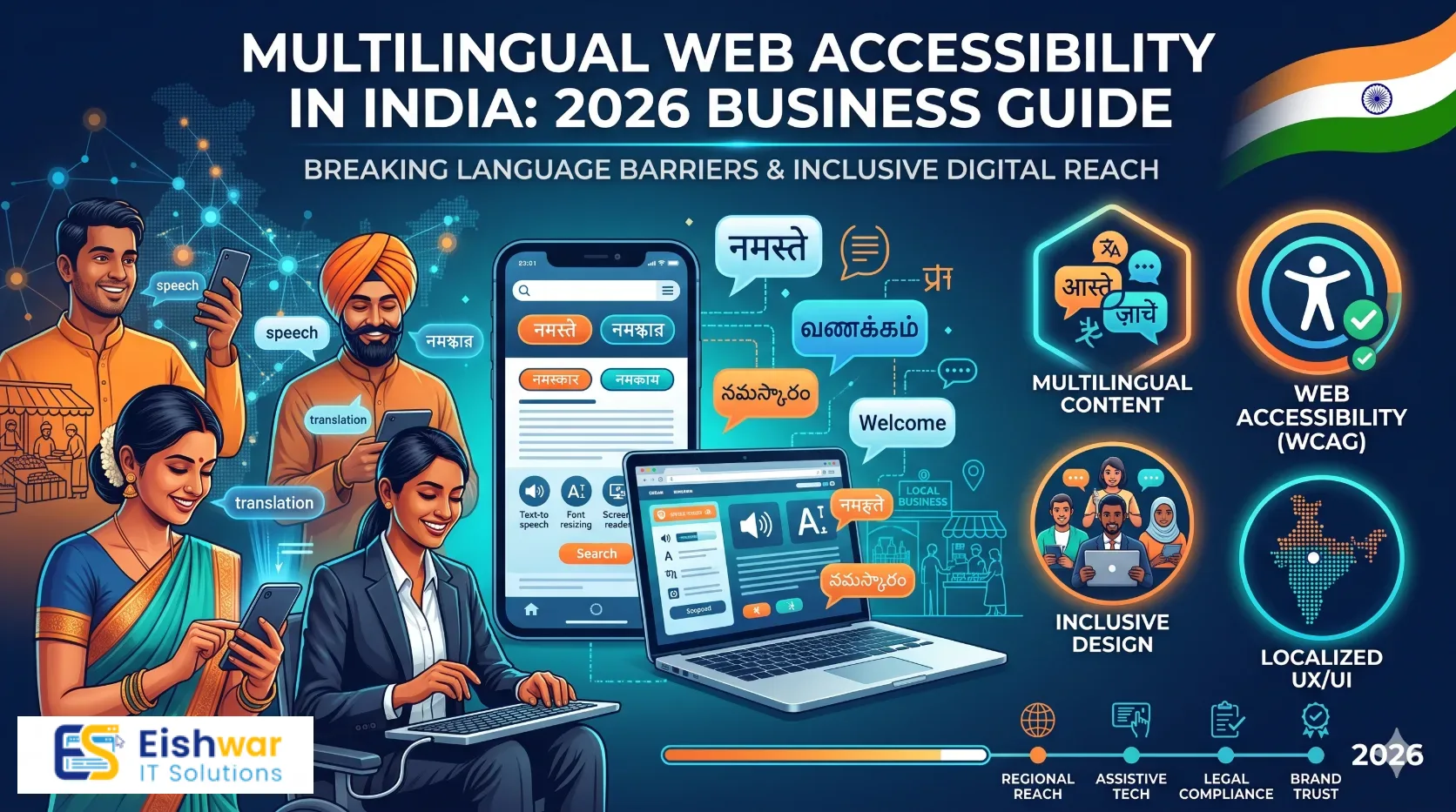
Multilingual Website Localization: 2026 India Guide
Learn how multilingual website localization helps Indian businesses reach regional audiences, improve SEO, and build trust in 2026.
Published 11 min readKeywords: multilingual website localization for Indian businesses, website localization India, multilingual SEO India, Indian language website, hreflang implementation, regional website content, website translation India, localization strategy
Multilingual Website Localization for Indian Businesses: 2026 Guide
Introduction
India’s internet growth is no longer an English-only story. From Tier 2 and Tier 3 cities to regional B2B buyers, customers often research, compare, and buy in the language they trust. If your website only speaks English, you are not just missing translation. You may be missing trust, leads, and repeat business.
Multilingual website localization for Indian businesses is the process of adapting your site’s content, design, SEO, and customer journey for specific language markets. It goes beyond replacing English words with Hindi or Tamil. It means making your brand feel local, useful, and credible.
This 2026 guide gives business owners, marketers, and professionals a practical roadmap. You will learn why localization matters, how to choose languages, what to translate first, how to set up SEO correctly, and which mistakes to avoid.
Main Section 1: Why Multilingual Website Localization Matters for Indian Businesses
India is linguistically diverse, but many business websites still treat English as the default for every customer. That creates a gap between the brand and the buyer. Localization closes that gap.
Trust begins in the customer’s language
People feel more confident when they understand product details, pricing, delivery terms, and support options without effort. A customer in Coimbatore may prefer Tamil for a high-value purchase. A buyer in Lucknow may shortlist a supplier because the quotation page is clear in Hindi. A founder in Mumbai may still prefer English for B2B research, but their operations team may need Marathi support content.
Localization signals that you respect the customer’s context. That matters for lead forms, checkout pages, service explanations, and customer support.
SEO opportunity beyond English keywords
English keywords are crowded. Regional language searches are often less competitive and closer to purchase intent. A user searching for a local service in Hindi, Bengali, or Marathi may be ready to act. If your website has no localized pages, you are invisible for those queries.
Multilingual SEO is not about translating keywords word-for-word. It is about understanding how customers describe problems, compare solutions, and ask for help in each language.
Translation is not localization
A direct translation can be grammatically correct and still fail commercially. Localization adapts currency, date formats, phone numbers, addresses, payment options, images, examples, testimonials, and even humor. It also respects cultural nuance.
For example, a page translated for Indian users may need UPI payment mentions, GST invoice references, pin code fields, and local delivery expectations. A generic global translation will miss those details.
Where it pays off first
Localization does not need to cover every page on day one. Start where revenue and trust are created. Common high-impact areas include the homepage, product or service pages, pricing, contact forms, checkout, FAQs, and support content.
A D2C brand may start with product pages and checkout. A B2B service company may start with service pages and inquiry forms. A SaaS business may start with onboarding and help articles.
Main Section 2: How to Build a Practical Localization Strategy
A good localization plan is selective, measurable, and realistic. You do not need to translate everything to prove value. You need the right pages in the right languages for the right audience.
1. Pick languages using evidence, not guesswork
Look at your analytics, Search Console queries, sales calls, WhatsApp inquiries, lead forms, and customer support tickets. Which regions already show interest? Which languages appear in customer conversations? Which markets are you actively targeting?
Most Indian businesses should start with two or three languages, not ten. Hindi is common, but it is not a universal default. If your customers are in Tamil Nadu, Tamil may matter more. If you serve West Bengal, Bengali may be the first choice. If you sell in Gujarat, Gujarati content can build trust quickly.
2. Prioritize pages by commercial value
Create a simple content inventory. Mark each page as high, medium, or low priority. High-priority pages usually include service pages, product pages, pricing, case studies, contact forms, checkout, and support FAQs.
Legal pages and policy content matter too, but they can follow once the core journey is localized. Do not spend weeks translating old blog archives while your inquiry form remains English-only.
3. Localize the experience, not only the words
Review the full user journey. Do the forms accept regional names correctly? Are address fields flexible? Are phone numbers and pin codes validated properly? Are prices shown with the right currency and tax context? Do images reflect the target market?
Use transcreation for headlines and calls to action. A slogan that works in English may feel awkward in Hindi. A friendly phrase in one language may sound too casual in another. Native review is essential.
4. Choose a clean URL and site architecture
For most Indian businesses, language subdirectories are the simplest option. Examples include eishwar.com/hi/, eishwar.com/ta/, and eishwar.com/bn/. They are easier to manage, easier to measure, and usually easier to implement than separate domains.
Subdomains such as hi.eishwar.com also work, but they can split authority and complicate analytics. Country-code domains are rarely necessary unless you operate as a separate legal entity in each market.
Avoid automatic redirection based only on IP address. Users should be able to switch languages easily. If a Tamil-speaking customer is traveling or using a VPN, auto-redirects can be frustrating.
5. Build a content and QA workflow
Create a glossary for brand terms, product names, technical phrases, and legal wording. Write a short style guide that explains tone, formality, and preferred terms. Use a translation management system if you have many pages or frequent updates.
AI tools can speed up the first draft, but do not publish raw machine translation. Use a native speaker or experienced local reviewer to check meaning, tone, and cultural fit. Then test the page on mobile, review forms, and verify SEO tags.
Main Section 3: Technical SEO and UX Checklist for Indian Language Websites
Localization only works when search engines and users can find and use the right version of your page. This section covers the technical details that often get missed.
Hreflang setup that search engines can understand
Use hreflang tags to tell Google about language and region variations. For example, your English-India page might use , your Hindi page might use , and your Tamil page might use .
Include an x-default version for users whose language or region is not explicitly targeted. Keep hreflang links reciprocal. If one page points to another, the other should point back. Also include localized URLs in your sitemap.
Language switcher and user control
Place the language switcher in a visible location, usually in the header or footer. Show language names in their native scripts, such as हिन्दी, தமிழ், or বাংলা. Do not force a language choice without giving users a clear way to change it.
Remember that language and region are not the same. A user may want Hindi content but still shop in India. Keep the interface simple and let users choose.
Fonts, performance, and mobile readability
Indian language scripts need proper font support. Test Devanagari, Tamil, Telugu, Bengali, Gujarati, and other scripts on real mobile devices. Some fonts render well on desktop but look cramped on small screens.
Use web fonts carefully. Subset fonts where possible, load only what is needed, and avoid adding several heavy scripts to every page. Performance matters because many users browse on mid-range phones and mobile networks.
Forms, checkout, and support
Localize form labels, validation messages, success messages, and error messages. A customer should not fill a Hindi form and then see an English error warning. Test checkout flows, payment pages, OTP screens, and order confirmation emails in each language.
Support content deserves attention too. If customers can read product pages in Tamil but must contact support only in English, the experience feels incomplete.
Analytics and measurement
Track language-specific traffic, engagement, leads, and revenue. Set up conversion events for forms, calls, WhatsApp clicks, checkouts, and downloads. Compare bounce rate, time on page, and conversion rate by language.
Do not judge success only by page views. A localized page that brings qualified inquiries is more valuable than a translation that gets traffic but no action.
Expert Tips
Start small and measure. Launch two languages properly instead of ten languages badly.
Use native reviewers. A bilingual employee is helpful, but a native copy reviewer catches tone and trust issues better.
Localize search intent. Research how customers ask for your service in each language, not just how your English keywords translate.
Keep brand terms consistent. Maintain a glossary so product names and legal terms do not change from page to page.
Plan for updates. Localization is ongoing. New offers, prices, and policies need localized versions too.
Use AI with human QA. AI can draft and speed up formatting, but human review protects brand quality.
Review the mobile experience first. Most regional language users will meet your brand on a phone.
Common Mistakes
Treating Hindi as one-size-fits-all. India has many language markets, and customer preferences vary by region and industry.
Translating everything before prioritizing. Translate revenue pages first, then expand.
Using automatic redirects without a switcher. Users should stay in control of language choice.
Publishing raw machine translation. Awkward phrasing damages trust and can hurt SEO quality.
Forgetting hreflang and localized metadata. Search engines need clear signals about each language version.
Ignoring fonts and page speed. Heavy fonts and poorly tested layouts can break the mobile experience.
Leaving support and legal content in English only. The customer journey should feel consistent from discovery to after-sales service.
Future Trends
Localization will become more automated, but quality will remain the differentiator. AI-assisted translation workflows will help teams move faster, while human reviewers will focus on tone, accuracy, and cultural fit.
Indic language search and voice interaction will continue to grow. Businesses may need to optimize content for conversational queries, not just typed keywords. Regional video, short-form content, and multilingual support will also shape customer expectations.
Composable content systems and translation management integrations will make it easier to publish localized pages without rebuilding the whole site. At the same time, users will expect personalized language experiences across web, email, WhatsApp, and support.
In 2026, localization will be less about simply adding a language dropdown and more about building a language-first customer experience.
FAQs
Is multilingual website localization only for large companies?
No. Small and mid-sized Indian businesses can start with two or three high-value pages in one or two languages. The goal is to improve trust and conversions where it matters most, not to translate every page.
Which Indian languages should my business start with?
Use your analytics, sales inquiries, and target market data. If you serve customers in Tamil Nadu, Tamil may be a strong first choice. If you target Hindi-speaking markets, Hindi may make sense. Choose based on evidence, not assumptions.
Will translated content hurt my SEO?
Not if it is done properly. Poor machine translation, duplicate content signals, missing hreflang, and thin pages can cause problems. High-quality localized content with correct technical setup usually helps SEO by reaching more search intents.
Do I need a separate domain for each language?
Usually no. Language subdirectories like eishwar.com/hi/ are simpler and more cost-effective for most Indian businesses. Separate domains can work for large global brands, but they add complexity.
Can I use AI to translate my website?
Yes, but use AI for drafting and speed, not final publishing. Have a native reviewer check meaning, tone, product details, legal wording, and cultural fit before going live.
How do I measure localization ROI?
Track language-specific traffic, form submissions, calls, WhatsApp clicks, checkouts, and revenue. Compare conversion rates by language and review customer feedback. The strongest signal is qualified leads or sales from localized pages.
What should I localize first?
Start with pages that drive revenue or trust: homepage, service or product pages, pricing, contact forms, checkout, FAQs, and support content. Legal and blog content can follow in phases.
Conclusion
Multilingual website localization is a practical growth lever for Indian businesses. It helps you reach customers who prefer regional languages, improves search visibility, and makes the buying journey feel more trustworthy. The key is to start with evidence, prioritize commercial pages, and get the technical SEO right.
You do not need to localize everything at once. A focused rollout in two languages, backed by native review and proper measurement, can deliver more value than a rushed translation of the entire site.
CTA
Ready to make your website speak your customer’s language? Contact EishwarITSolution for a multilingual website localization audit, SEO review, and practical rollout plan for 2026.