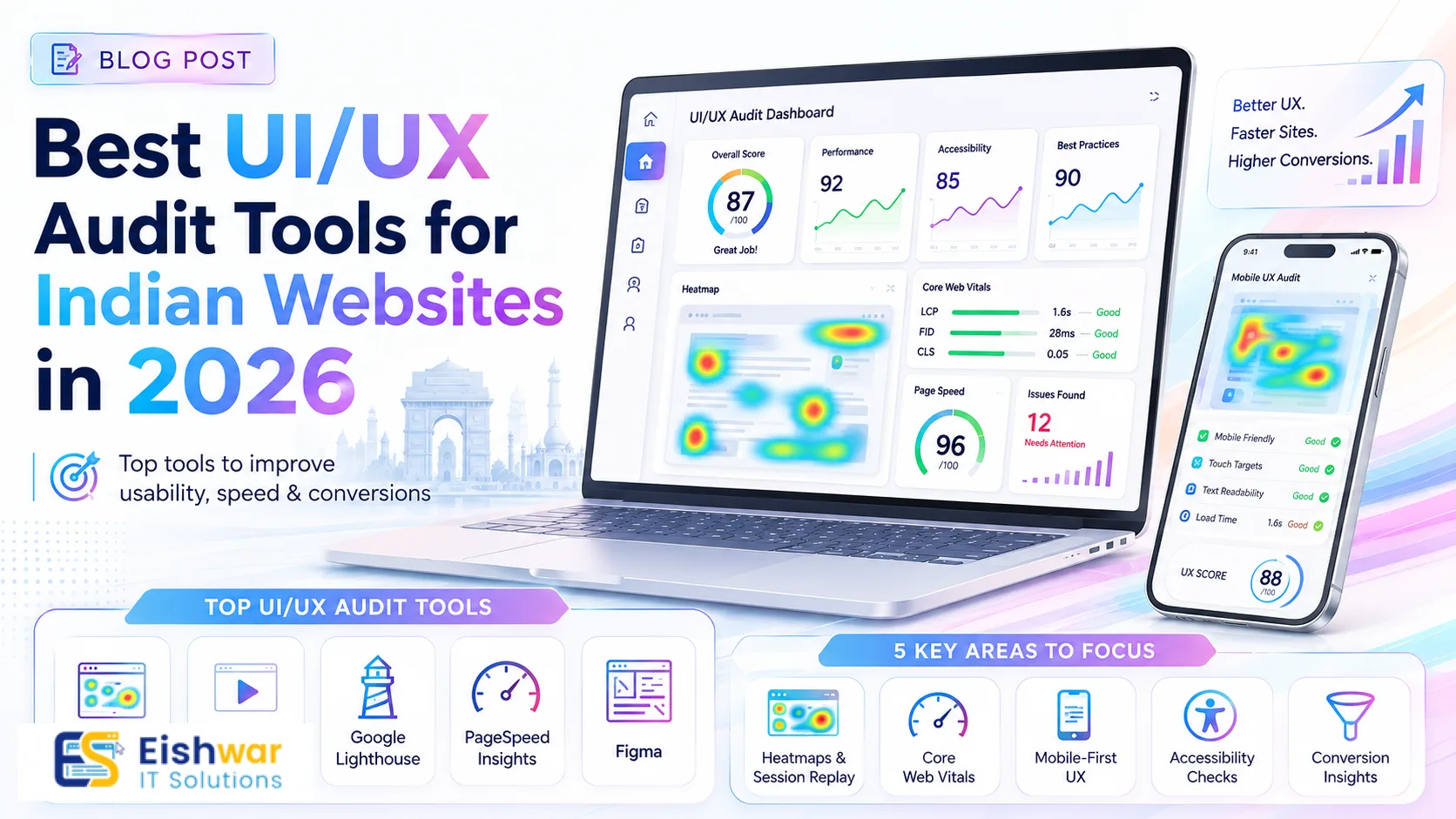
Best UI/UX Audit Tools for Indian Websites in 2026
Introduction
Your website is often the first impression potential customers have of your business. In 2026, with rising competition in the Indian digital space, a seamless user experience (UX) isn't just nice to have—it's essential for conversions. UI/UX audit tools help you identify friction points, improve navigation, and boost engagement. Whether you run a small business in Bilaspur or a growing startup in Bangalore, this guide will walk you through the best tools tailored for Indian websites. The Indian digital landscape is unique: over 800 million internet users, diverse languages, varying device capabilities, and network conditions ranging from high-speed fiber to patchy 3G. A generic audit approach often misses the mark. Tools that account for these nuances can make the difference between a user who abandons your site and one who converts. This guide dives deep into each tool, offering practical tips and real-world examples to help you get started immediately.
Main Section 1: Why UI/UX Audits Matter for Indian Businesses
Indian internet users are diverse, accessing websites on various devices and network speeds. A poor UI/UX can lead to high bounce rates and lost sales. Regular audits help you:
- Identify design flaws that frustrate users. For instance, a cluttered checkout page on a mobile device can cause cart abandonment rates of over 70% in India.
- Optimize for mobile-first browsing, which dominates India. Over 70% of web traffic in India comes from mobile devices. A desktop-only audit is insufficient.
- Improve page load times for slower connections. A one-second delay in page load can reduce conversions by 7% in India, where average 4G speeds are around 20 Mbps but can drop to 5 Mbps in rural areas.
- Enhance accessibility for users with disabilities. India has over 40 million people with disabilities. Ignoring accessibility not only excludes them but also risks non-compliance with evolving regulations like the Rights of Persons with Disabilities Act.
- Increase conversion rates by streamlining user journeys. For example, a local e-commerce site in Raipur saw a 25% boost in sales after fixing navigation issues revealed by a UX audit. The audit showed that users were confused by a multi-step checkout process; simplifying it to a single page increased completions by 30%.
Beyond these points, audits help you stay competitive. Indian users are increasingly savvy—they expect fast, intuitive, and personalized experiences. A site that loads slowly or is hard to navigate will quickly lose them to competitors like Amazon or Flipkart. Regular audits also help you adapt to changing user behavior, such as the rise of voice search and regional language preferences. For example, a travel booking site in Pune used heatmaps to discover that users were struggling to find the 'book now' button on mobile; after moving it above the fold, bookings increased by 15%.
Main Section 2: Top UI/UX Audit Tools for Indian Websites in 2026
Here are the best tools to audit your website's user experience, chosen for their relevance to Indian audiences. Each tool is evaluated based on features, pricing, and suitability for Indian contexts like multi-language support, low-bandwidth optimization, and mobile-first design.
1. Hotjar
Hotjar offers heatmaps, session recordings, and feedback polls. It's perfect for understanding how Indian users interact with your site. Use it to see where users click, scroll, and drop off. Pricing starts at a free tier (limited to 35 daily sessions), with paid plans starting at $39/month for more data. For Indian businesses, Hotjar's ability to filter by device type is crucial—you can isolate mobile user behavior to identify issues like tiny buttons or unresponsive elements. Practical tip: Set up a heatmap on your product page to see if users are scrolling past your call-to-action. One e-commerce store in Mumbai found that 60% of mobile users never saw the 'add to cart' button because it was below the fold; moving it up increased clicks by 40%.
2. Google PageSpeed Insights
Speed is critical in India where 3G/4G networks vary. This free tool analyzes load times and gives actionable suggestions. Focus on Core Web Vitals for better SEO and user experience. The tool provides separate scores for mobile and desktop, which is vital since mobile performance often lags. For example, a news website in Delhi used PageSpeed Insights to identify that unoptimized images were causing a 5-second load time on 3G; after compressing images and enabling lazy loading, load time dropped to 2 seconds, reducing bounce rate by 20%. Practical tip: Use the 'opportunities' section to prioritize fixes—start with 'eliminate render-blocking resources' and 'properly size images' for maximum impact.
3. WAVE Web Accessibility Tool
Accessibility is gaining importance in India. WAVE highlights errors like low contrast or missing alt text, ensuring your site is usable for everyone, including people with visual impairments. It's a free browser extension that provides visual feedback on your page. For Indian websites, this is especially important because many users rely on screen readers or have low vision. Practical tip: Run WAVE on your contact form to check if error messages are announced correctly. A government portal in Rajasthan used WAVE to fix contrast issues, making it usable for elderly citizens, and saw a 10% increase in form submissions.
4. Crazy Egg
Crazy Egg provides heatmaps, scroll maps, and A/B testing. It's excellent for optimizing landing pages for Indian audiences, especially for lead generation campaigns. Pricing starts at $24/month for basic features. For Indian businesses, the scroll map is invaluable—it shows how far users scroll on mobile, where attention drops off. Practical tip: Use A/B testing to compare two versions of a landing page headline. A fintech startup in Bangalore tested 'Get a Loan in 5 Minutes' vs. 'Instant Loan Approval' and found the former increased conversions by 18% among Indian users.
5. UXtweak
UXtweak offers user testing, tree testing, and session recording. It's ideal for validating design decisions with real Indian users. Their panel includes participants from India, allowing you to test with your target demographic. Pricing starts at $49/month for basic plans. Practical tip: Use tree testing to evaluate your site's navigation structure. An educational platform in Hyderabad used UXtweak to test a new menu layout; the test revealed that users couldn't find 'course materials' because it was buried under 'resources'—renaming it increased discoverability by 35%.
6. Lighthouse (Chrome DevTools)
Built into Chrome, Lighthouse audits performance, accessibility, and SEO. Run it on your site to get a comprehensive report with scores and recommendations. It's free and easy to use—just open DevTools, go to the 'Lighthouse' tab, and generate a report. For Indian websites, focus on the 'performance' and 'accessibility' scores. Practical tip: Run Lighthouse in mobile emulation mode to simulate a mid-range Android phone on a slow 3G connection. A local service site in Durg did this and discovered that a large hero image was causing a 4-second load time; after switching to a compressed WebP image, the score improved from 45 to 85.
7. Mouseflow
Similar to Hotjar, Mouseflow offers session replays, heatmaps, and form analytics. It's great for tracking user behavior on form-heavy sites like registration or checkout pages. Pricing starts at $29/month for 2,000 recordings. For Indian businesses, form analytics is a standout feature—it shows where users hesitate or abandon fields. Practical tip: Use form analytics to identify fields that cause drop-offs. An insurance company in Pune found that users were abandoning a 10-field form at the 'phone number' field; after adding a tooltip explaining the format, completions increased by 22%.
Main Section 3: How to Conduct a UI/UX Audit in 5 Steps
Follow this practical framework using the tools above:
- Define Goals: What do you want to improve? Conversions? Bounce rate? Set clear KPIs. For example, 'reduce checkout abandonment by 15% in 3 months.'
- Collect Data: Use Hotjar or Google Analytics to gather user behavior data. Focus on mobile users first, as they represent the majority in India.
- Analyze Heatmaps & Recordings: Identify where users click, get stuck, or leave. Look for 'rage clicks' (repeated clicking on non-interactive elements) which indicate frustration.
- Test Accessibility: Run WAVE or Lighthouse to check for compliance with WCAG 2.1 standards. Ensure alt text, contrast ratios, and keyboard navigation work.
- Prioritize Fixes: Create a list of issues sorted by impact. Fix high-impact items first, like broken navigation or slow loading. Use a simple matrix: high impact + low effort = do first.
For example, a service-based business in Durg used this approach to reduce form abandonment by 40% within a month. They defined a goal to increase quote requests, collected data via Hotjar, saw that users were dropping off at the 'budget' field, tested accessibility (the field had poor contrast), and prioritized fixing it. The result was a 40% reduction in abandonment and a 25% increase in leads.
Expert Tips
- Always test on real devices used by your target audience—budget Android phones with Chrome are common in India. Use BrowserStack or physical devices to simulate conditions.
- Combine quantitative data (heatmaps) with qualitative insights (user surveys) for a complete picture. For instance, heatmaps show where users click, but surveys reveal why they clicked.
- Run audits quarterly, especially after major design changes or algorithm updates. Google's Core Web Vitals update in 2024 made UX a ranking factor, so regular checks are crucial.
- Use free tools first (Google PageSpeed, Lighthouse) before investing in paid ones. This helps you identify low-hanging fruit without upfront costs.
- Involve your team—share heatmap recordings to align on user pain points. A weekly 15-minute review of session recordings can build empathy and drive improvements.
- Consider regional language support. Many Indian users prefer browsing in Hindi, Tamil, or other languages. Test your site's language switcher and ensure translations are accurate.
Common Mistakes
- Ignoring mobile users: India has over 800 million mobile internet users. Test on smaller screens first. A common mistake is designing for desktop and then 'shrinking' for mobile, which leads to tiny buttons and cramped layouts.
- Overlooking page speed: A one-second delay can reduce conversions by 7%. Use CDN and image compression. Many Indian websites use heavy stock images that slow down load times.
- Not testing with real users: Relying only on tools can miss context. Conduct user interviews or use UXtweak panels. For example, a tool might show a high bounce rate, but only user testing reveals that a confusing heading is the cause.
- Focusing only on desktop: Many Indian users browse on mobile with limited data—optimize for low bandwidth. Use techniques like lazy loading and minified CSS/JS.
- Neglecting accessibility: Not only is it ethical, but it also expands your audience and improves SEO. Accessible sites often rank higher in search results.
- Failing to localize: Indian users expect content in their preferred language and region-specific offers. A generic global design can feel impersonal.
Future Trends
In 2026 and beyond, AI-driven UX tools will automate audit processes, offering real-time suggestions. For example, tools like Microsoft Clarity are already using AI to highlight 'dead clicks' and 'rage clicks' automatically. Voice search optimization and AI chatbots will become standard, especially with the rise of voice assistants like Google Assistant in India. Indian websites will need to prioritize local languages and regional user preferences—expect more tools integrating with Indian payment gateways (like UPI) and regional analytics (e.g., tracking usage of Hindi vs. English). Additionally, augmented reality (AR) for e-commerce will require new UX audit approaches, such as testing AR try-on features for sarees or jewelry. Privacy regulations like the Digital Personal Data Protection Act will also influence audits, as tools must comply with data localization and consent requirements.
FAQs
What is a UI/UX audit?
A UI/UX audit is a systematic evaluation of your website's user interface and user experience to identify issues that hinder usability, accessibility, and conversions. It uses tools to analyze behavior, design, and performance. For Indian websites, it often includes checks for mobile responsiveness, page speed on slower networks, and regional language support.
How often should I run a UX audit?
Ideally, run a UX audit every quarter. However, after major redesigns, traffic spikes, or algorithm updates, conduct an immediate audit. For Indian businesses, also consider audits during festive seasons (like Diwali) when traffic surges, to ensure your site handles the load.
Are free UX audit tools enough?
Free tools like Google PageSpeed Insights and Lighthouse provide valuable data for basic audits. For in-depth analysis, consider paid tools like Hotjar or Crazy Egg, especially if you have high traffic. A good approach is to start with free tools to identify major issues, then invest in paid tools for detailed behavioral insights.
Which tool is best for mobile UX audit?
Hotjar and Google PageSpeed Insights are excellent for mobile. Use Lighthouse in Chrome's mobile emulation mode to test responsiveness and speed. For a comprehensive mobile audit, combine these with real-device testing on budget Android phones, which are common in India.
Can a UX audit improve SEO?
Absolutely. Google considers user experience signals like Core Web Vitals, mobile-friendliness, and page speed as ranking factors. A good UX audit directly boosts SEO by improving these metrics. For example, fixing slow load times can improve your search ranking, leading to more organic traffic.
Do I need technical skills to use these tools?
Most tools are designed for non-technical users. Hotjar and Crazy Egg have intuitive dashboards. For Lighthouse, basic familiarity with Chrome DevTools is helpful, but you can also use online versions like PageSpeed Insights. Many tools offer tutorials and support to get you started quickly.
How do I choose the right tool for my Indian website?
Consider your budget, technical expertise, and specific needs. For small businesses, start with free tools like Google PageSpeed Insights and Lighthouse. For e-commerce sites, invest in Hotjar or Mouseflow for behavior analytics. For accessibility, WAVE is essential. Always test tools on your site to see which provides the most actionable insights.
Conclusion
Investing in UI/UX audit tools is a smart move for any Indian business looking to thrive online. By understanding your users and fixing pain points, you'll not only improve satisfaction but also see tangible results in conversions and revenue. Start with free tools, involve your team, and make audits a regular habit. Remember, the Indian digital landscape is dynamic—what works today may not work tomorrow. Regular audits ensure your website stays competitive, accessible, and user-friendly. Whether you're a local shop in Bilaspur or a startup in Bangalore, the tools and strategies in this guide will help you create a seamless experience that drives growth.
CTA
Ready to transform your website? Contact EishwarITSolution for a professional UI/UX audit tailored to your Indian audience. Let's create a seamless experience that drives growth. Our team specializes in Indian user behavior, mobile-first design, and regional optimization. Get in touch today for a free consultation.