
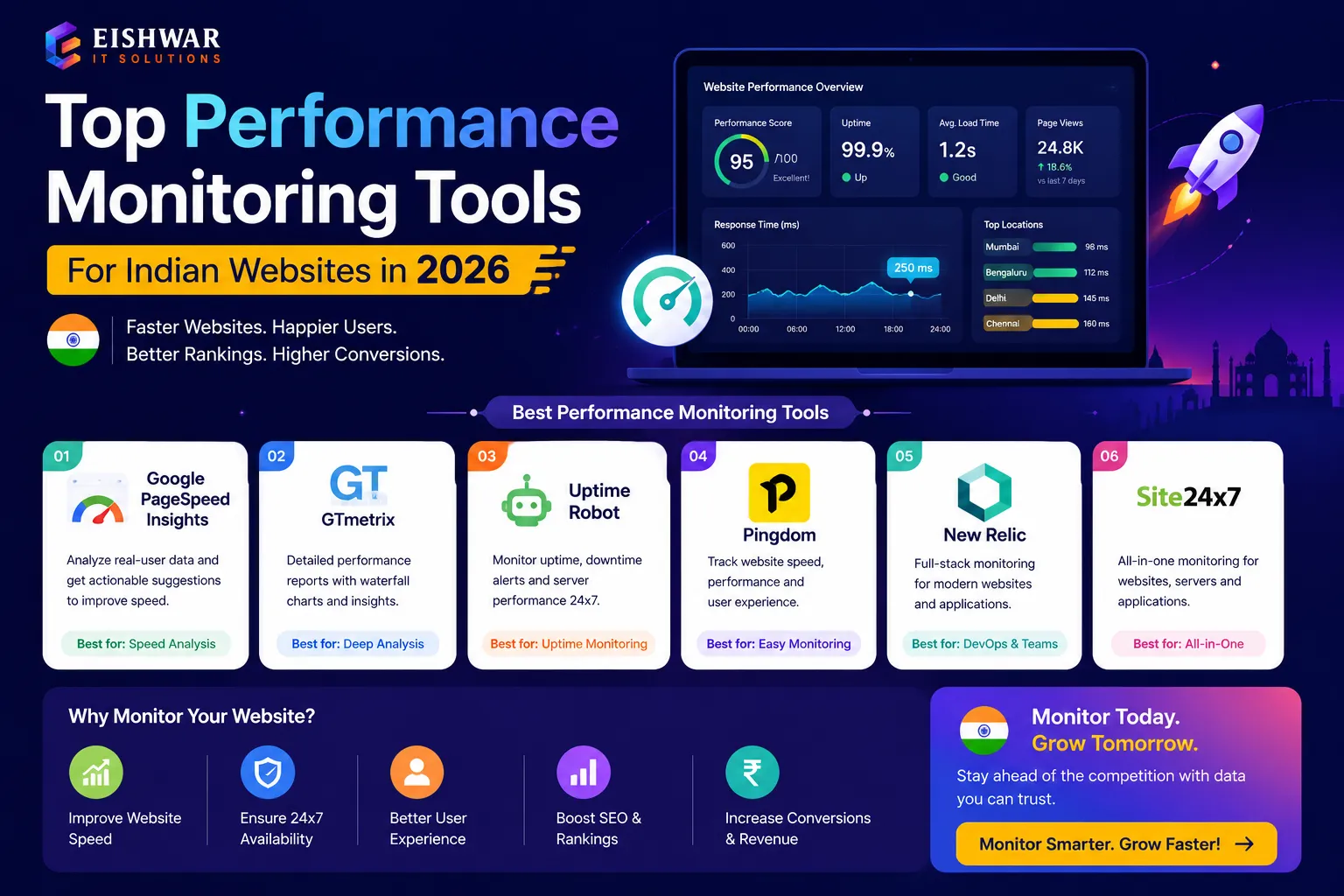
Top Performance Monitoring Tools for Indian Websites in 2026
Published on: 14 Jun 2026
Top Performance Monitoring Tools for Indian Websites in 2026
Introduction
In 2026, the digital landscape in India is more competitive than ever. Business owners, marketers, and professionals in cities like Bilaspur, Raipur, Durg, and Bhilai are investing heavily in their online presence. But a beautiful website is useless if it loads slowly or goes down frequently. Performance monitoring is no longer optional—it's essential. This guide covers the top performance monitoring tools for Indian websites in 2026, helping you ensure your site is fast, reliable, and user-friendly. With the rise of 5G and increasing mobile-first browsing, even a one-second delay can mean lost customers and revenue. We'll explore tools that cater to different budgets and technical expertise, with a focus on local relevance for Indian businesses.
Learn more about our Website services
Main Section 1: Why Performance Monitoring Matters for Indian Websites
India's internet users expect speed. With 5G rolling out and mobile-first browsing dominating, a one-second delay can reduce conversions by 7%. For local businesses, this means lost revenue. Performance monitoring tools track metrics like page load time, uptime, and Core Web Vitals. They alert you to issues before they affect users. In 2026, Google's ranking algorithm heavily weighs performance, so monitoring tools directly impact SEO. For example, a restaurant website in Raipur that loads in under 2 seconds will rank higher than a slower competitor. Tools like Google PageSpeed Insights are free but limited. Dedicated monitoring tools offer real-time alerts, historical data, and detailed reports. Investing in these tools is like hiring a 24/7 website watchman. Consider a local e-commerce store in Bhilai: if the site goes down during Diwali sales, the loss can be significant. Monitoring tools help prevent such scenarios by providing instant notifications and performance insights.
Additionally, performance monitoring helps you understand user behavior. For instance, if your site loads well in Mumbai but slowly in Bilaspur due to regional network issues, a good tool will highlight this. By addressing such disparities, you can improve user experience across all Indian cities. In 2026, with increasing competition from global players, local businesses must leverage every advantage—and performance is a key differentiator.
Main Section 2: Top 5 Performance Monitoring Tools for 2026
Here are the best tools tailored for Indian websites, considering affordability, features, and local relevance.
1. GTmetrix
GTmetrix provides detailed performance reports with actionable recommendations. It tests from multiple global locations, including Mumbai. Ideal for small businesses on a budget. Free tier available with limited tests. For example, a bakery in Durg can use GTmetrix to check its page speed and get specific suggestions like optimizing images or leveraging browser caching. The tool grades your site on performance and structure, making it easy to understand what to fix. Pro tip: Use GTmetrix's waterfall chart to identify slow-loading resources.
2. Pingdom
Pingdom offers uptime monitoring from over 70 locations worldwide. Its India-specific servers ensure accurate local testing. Real-time alerts via SMS or email. Starts at $10/month. For a marketing agency in Raipur managing multiple client sites, Pingdom's multi-site dashboard is a lifesaver. You can set up custom checks for each client and receive alerts if any site goes down. The tool also provides performance reports over time, helping you track improvements. Practical example: A client's site in Bhilai might experience intermittent downtime; Pingdom's detailed logs help identify the root cause, such as a hosting issue.
👉 Don't wait for the perfect moment; turn your vision into reality today.
Free Consultation3. WebPageTest
WebPageTest is an open-source tool loved by developers. It supports advanced testing like mobile emulation and video capture. Free but requires some technical knowledge. Great for agencies in Bilaspur. For instance, a developer can run a test from a simulated 3G connection to see how the site performs in low-bandwidth scenarios common in rural India. The tool also provides a filmstrip view of how the page loads visually. Pro tip: Use WebPageTest's 'Repeat View' to analyze cached vs. uncached performance.
4. UptimeRobot
UptimeRobot monitors your site every 5 minutes for free. Paid plans add more checks and SMS alerts. Simple and reliable for small businesses. Integrates with Slack and Telegram. For a solo entrepreneur in Bilaspur running a blog, UptimeRobot's free plan is perfect. You get basic uptime monitoring and can set up alerts via email. The paid plan ($7/month) adds 50 monitors and SMS alerts. Practical tip: Use UptimeRobot to monitor not just your homepage but also critical pages like checkout or contact forms.
5. Site24x7
Site24x7 is an all-in-one monitoring solution. It checks uptime, performance, and even user experience from Indian data centers. Offers AI-powered insights. Suitable for growing enterprises. For an e-commerce site in Bhilai with high traffic, Site24x7 provides deep analysis, including transaction monitoring (e.g., simulating a purchase). The AI feature can predict potential issues based on historical data. Example: If your server response time spikes during peak hours, Site24x7 can alert you before it affects users.
Each tool has unique strengths. For a local shop in Durg, UptimeRobot might suffice. For a larger e-commerce site in Bhilai, Site24x7 provides deeper analysis. Consider your specific needs and budget when choosing.
Main Section 3: How to Choose the Right Tool for Your Business
Choosing the best tool depends on your specific needs. Consider these factors:
- Budget: Free tools like WebPageTest work for startups, but paid tools offer better support. For example, if you're a freelancer in Raipur, start with free tools and upgrade as your business grows.
- Technical expertise: Beginners prefer Pingdom's simplicity; developers love GTmetrix. If you're not tech-savvy, avoid WebPageTest unless you have a developer on hand.
- Location testing: Ensure the tool has Indian test servers for accurate results. Tools like Pingdom and Site24x7 have servers in Mumbai, Delhi, and Bangalore.
- Alerting: Real-time alerts are critical for e-commerce sites. For instance, if your site goes down during a flash sale, you need immediate notification via SMS or phone call.
- Integration: Check if the tool integrates with your existing stack (e.g., Slack, WordPress). UptimeRobot integrates seamlessly with Slack, making it easy for teams to stay informed.
For instance, a marketing agency in Raipur managing multiple client sites might choose Site24x7 for its multi-site dashboard. A solo entrepreneur in Bilaspur can start with GTmetrix's free plan. Pro tip: Always test a tool's free trial before committing. Most paid tools offer a 30-day trial, so take advantage of that.
👉 Free Website Audit
Get Free AuditExpert Tips
Here are actionable tips from performance experts:
- Monitor Core Web Vitals (LCP, FID, CLS) monthly. These metrics directly affect SEO. For example, aim for LCP under 2.5 seconds, FID under 100ms, and CLS under 0.1.
- Set up uptime alerts for weekends and holidays when you might not check manually. A restaurant website in Raipur might see high traffic on weekends; downtime during that time can be costly.
- Use a combination of synthetic and real user monitoring (RUM) for a complete picture. Synthetic tests (like GTmetrix) simulate user behavior, while RUM (like Google Analytics) captures real user data.
- Test from different Indian cities to catch regional network issues. For instance, test from Mumbai, Delhi, and Bilaspur to ensure consistent performance.
- Regularly review your tool's reports to spot trends, not just alerts. For example, if page load time increases gradually over weeks, it might indicate a need for server upgrade.
- Optimize images and use a CDN to improve performance. Many monitoring tools will highlight these as recommendations.
Common Mistakes
Avoid these pitfalls:
- Relying only on free tools that offer limited data. For example, Google PageSpeed Insights gives a snapshot but doesn't monitor continuously.
- Ignoring mobile performance—over 70% of Indian users browse on mobile. Always test on mobile emulation.
- Not acting on alerts immediately; a 10-minute downtime can cost sales. Set up automated responses or have a team member on call.
- Testing only from one location (e.g., Mumbai) when your audience is in smaller cities. Use tools with multiple Indian test servers.
- Overlooking server response time (TTFB) which is crucial for Indian hosting. A high TTFB can indicate poor hosting or network issues.
- Not monitoring third-party scripts (e.g., analytics, ads) that can slow down your site. Tools like WebPageTest can help identify these.
For example, a common mistake is using only Google PageSpeed Insights. While useful, it doesn't provide continuous monitoring or uptime checks. Another mistake is ignoring the impact of plugins on WordPress sites; monitoring tools can help identify resource-heavy plugins.
Future Trends
In 2026, performance monitoring is evolving. AI-driven tools predict issues before they happen. Real user monitoring (RUM) becomes standard. Indian-specific trends include monitoring for regional internet fluctuations and low-bandwidth scenarios. Tools will integrate more deeply with SEO platforms. Expect more affordable plans tailored for Indian SMEs. For example, some tools now offer plans starting at $5/month for basic monitoring. Additionally, with the rise of Progressive Web Apps (PWAs), monitoring tools are adapting to track offline performance and service workers. Another trend is the use of machine learning to automatically suggest optimizations, such as image compression or code minification. For Indian businesses, this means less manual effort and faster improvements.
FAQs
What is the best free performance monitoring tool for Indian websites?
How often should I monitor my website's performance?
Do I need a paid tool if I have a small business website?
Can performance monitoring tools improve my SEO?
Which tool is best for monitoring from Indian locations?
What is the difference between synthetic monitoring and real user monitoring?
How can I monitor my website's performance on a tight budget?
Conclusion
Performance monitoring is a non-negotiable part of running a successful website in India in 2026. Whether you choose GTmetrix, Pingdom, or Site24x7, the key is to start monitoring today. Regular checks prevent downtime, improve user experience, and boost SEO. Don't let a slow site cost you customers. Pick a tool that fits your budget and technical level, and make performance a priority. Remember, in a competitive digital landscape, every millisecond counts. By investing in the right monitoring tools, you're not just protecting your site—you're investing in your business's growth.
👉 Free Homepage Demo
Book DemoCTA
Ready to optimize your website's performance? Contact EishwarITSolution for expert guidance tailored to Indian businesses. We help you choose and implement the right monitoring tools. Get in touch today! Whether you're in Bilaspur, Raipur, Durg, or Bhilai, our team understands local challenges and can provide personalized recommendations. Don't wait—start monitoring and see the difference in your site's performance and SEO rankings.