
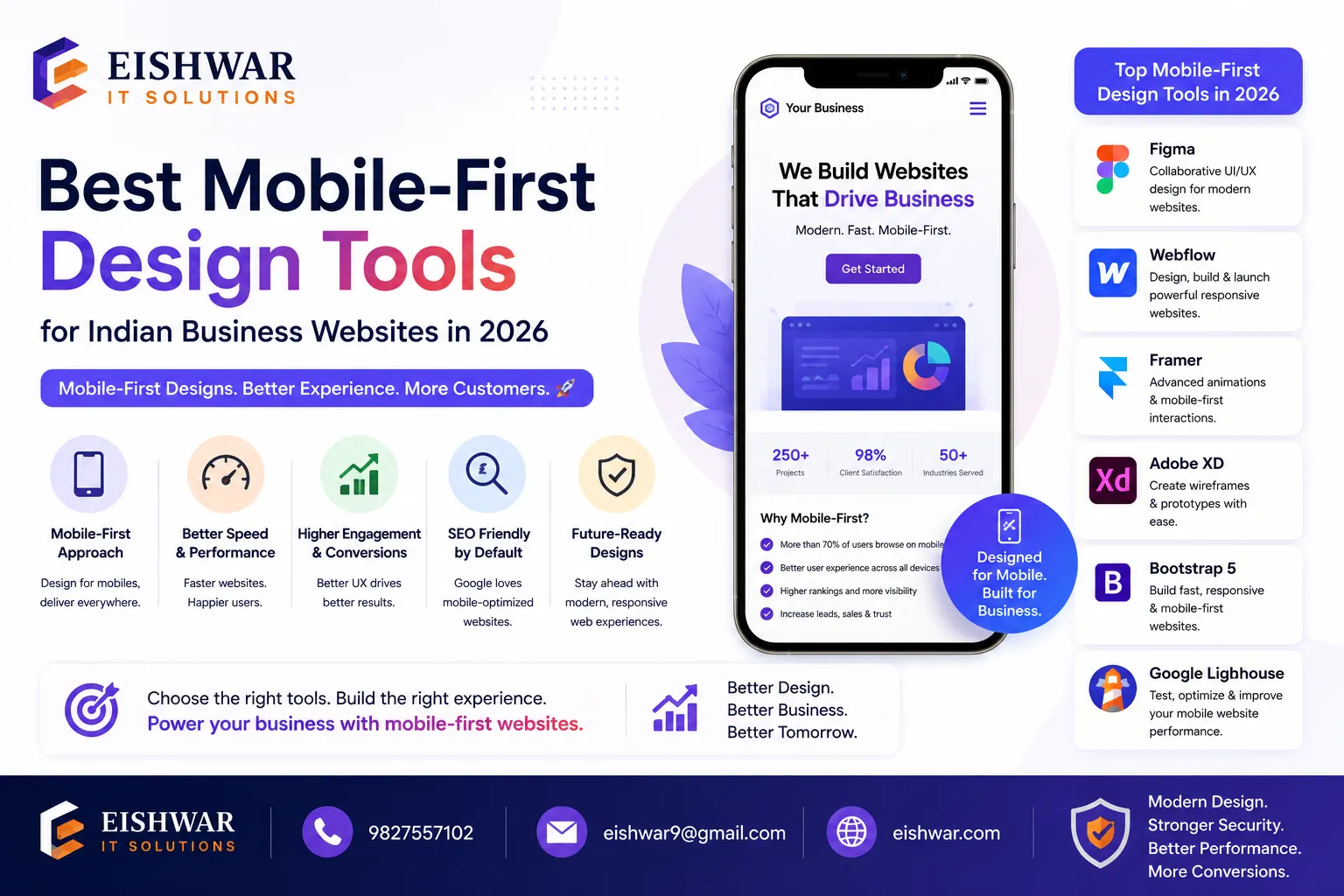
Best Mobile-First Design Tools for Indian Business Websites in 2026
Published on: 15 Jun 2026
Best Mobile-First Design Tools for Indian Business Websites in 2026
Introduction
India's internet landscape is undeniably mobile-first. With over 800 million smartphone users and growing, your website's mobile experience can make or break your business. In 2026, a mobile-first approach isn't just a trend—it's a necessity. This guide covers the most effective tools to design, test, and optimize mobile-first websites for Indian audiences. Whether you're a business owner in Bilaspur or a marketer in Mumbai, these tools will help you deliver fast, user-friendly, and conversion-ready mobile experiences. For example, a local bakery in Pune using a mobile-first design saw a 40% increase in online orders after optimizing for small screens. The key is to choose tools that align with your specific needs and budget.
Learn more about our Website services
Main Section 1: Why Mobile-First Design Matters for Indian Businesses
Mobile-first design prioritizes the mobile user experience before scaling up to larger screens. In India, where data costs are low but attention spans are shorter, a mobile-optimized site directly impacts your bottom line. Google's mobile-first indexing means your site's mobile version determines search rankings. Additionally, Indian users expect quick load times—53% of mobile visitors leave if a page takes longer than 3 seconds to load. By using the right tools, you can reduce bounce rates, improve conversions, and build trust with your audience. For instance, a small e-commerce store in Jaipur reduced its bounce rate by 25% after implementing mobile-first design principles. Practical tip: Start by auditing your current site's mobile performance using free tools like Google PageSpeed Insights to identify immediate issues.
Main Section 2: Top Mobile-First Design Tools for 2026
Here are the essential tools to create a stellar mobile-first website for your Indian business:
- Figma – Collaborative design tool with powerful mobile prototyping features. Use its auto-layout and smart animate to create responsive designs quickly. Ideal for teams working remotely across India. Example: A design agency in Bangalore used Figma to prototype a mobile-first landing page for a client, reducing iteration time by 30%.
- Adobe XD – Great for wireframing and high-fidelity mobile prototypes. Its repeat grid and responsive resize make it easy to adapt designs for multiple screen sizes. Tip: Use the 'Responsive Resize' feature to automatically adjust elements when changing screen sizes.
- Google's Mobile-Friendly Test – Free tool to check if your site meets mobile usability standards. Provides actionable fixes for issues like small font sizes and touch elements too close. For example, a blog in Delhi used this tool to identify and fix a font size issue, improving readability on mobile.
- GTmetrix – Analyze mobile page speed and get recommendations. For Indian users, targeting a load time under 2.5 seconds is crucial—this tool helps you achieve that. Practical tip: Use the 'Waterfall' chart to see which resources are slowing down your page.
- Bootstrap 5 – The latest version is fully mobile-first. Its grid system and utility classes let you build responsive layouts without heavy custom CSS. Perfect for small business websites. Example: A restaurant in Chennai used Bootstrap 5 to create a mobile-friendly menu page that loads in under 2 seconds.
- Tailwind CSS – A utility-first framework that makes responsive design intuitive. Use breakpoint prefixes to control layouts for mobile, tablet, and desktop. Tip: Start with the 'sm' breakpoint for mobile designs and add larger breakpoints as needed.
- AMP (Accelerated Mobile Pages) – While debated, AMP still helps for content-heavy sites like news or blogs. It ensures near-instant loading on mobile devices. For instance, a news portal in Mumbai used AMP to reduce load time by 50% on 3G networks.
- Progressive Web Apps (PWA) Tools like Workbox – Convert your website into an app-like experience. PWAs work offline, send push notifications, and load faster—key for users with unstable connections. Example: A local service provider in Hyderabad used Workbox to build a PWA, resulting in a 20% increase in repeat visits.
Main Section 3: How to Choose the Right Tool for Your Business
Selecting the right tool depends on your goals, team size, and budget. For a solo entrepreneur in Raipur, free tools like Google's Mobile-Friendly Test and Bootstrap 5 are sufficient. For agencies managing multiple clients, Figma and Adobe XD offer collaboration features. Always test with real Indian users—use tools like UserTesting or Hotjar to see how visitors interact on mobile. Remember, the best tool is one that fits your workflow and helps you iterate quickly. Practical tip: Create a checklist of your top three requirements (e.g., ease of use, cost, collaboration) and compare tools against them. For example, if you need real-time collaboration, Figma is better than Adobe XD for free tier users.
👉 Don't wait for the perfect moment; turn your vision into reality today.
Free ConsultationExpert Tips
- Start with a mobile wireframe – Use Figma or Adobe XD to sketch mobile layouts first, then expand to tablet and desktop. This ensures mobile needs are never an afterthought. Example: A startup in Pune created a mobile wireframe for their booking app, which helped them identify a critical navigation issue early.
- Optimize images for mobile – Use tools like TinyPNG or ImageOptim to compress images without losing quality. Large images are the #1 reason for slow mobile pages in India. Tip: Aim for images under 100KB for mobile to ensure fast loading.
- Test on real devices – Emulators are helpful, but nothing beats testing on actual smartphones used by your audience—like budget Android phones common in tier-2 and tier-3 cities. For instance, a retailer in Lucknow tested their site on a budget phone and found that a button was too small to tap.
- Use lazy loading – Implement lazy loading for images and videos to speed up initial page load. Most frameworks like Bootstrap and Tailwind support this natively. Practical tip: Use the 'loading="lazy"' attribute for images in HTML.
- Prioritize above-the-fold content – Ensure your key message and CTA appear without scrolling. Use tools like Google's Lighthouse to audit and improve. Example: A SaaS company in Bangalore redesigned their mobile homepage to show the CTA above the fold, increasing sign-ups by 15%.
Common Mistakes
- Ignoring touch targets – Buttons and links should be at least 48x48px. Avoid placing interactive elements too close together. Tip: Use Google's Mobile-Friendly Test to check for touch target issues.
- Using desktop navigation on mobile – Hamburger menus are fine, but ensure they're easy to tap. Avoid complex mega menus on small screens. Example: A travel agency in Goa saw a 10% drop in bookings after introducing a desktop-style mega menu on mobile.
- Overloading with pop-ups – Intrusive pop-ups frustrate mobile users and hurt SEO. Use timed or scroll-triggered pop-ups sparingly. Practical tip: Limit pop-ups to one per session and make them easy to dismiss.
- Neglecting font readability – Use at least 16px font size for body text. Avoid fancy fonts that are hard to read on small screens. For instance, a blog in Kolkata switched to a 16px font and saw a 5% increase in time on page.
- Skipping performance optimization – Don't assume your site will load fast. Always test with tools like GTmetrix and optimize accordingly. Example: An e-commerce site in Delhi reduced load time from 4.5 seconds to 2.1 seconds by compressing images and minifying CSS.
Future Trends
In 2026, mobile-first design will evolve with AI-driven personalization and voice search optimization. Tools like Adobe Sensei and Google's AI will help create adaptive layouts based on user behavior. Also, expect more Indian businesses to adopt PWAs and integrate with UPI for seamless mobile payments. Staying ahead means embracing these trends early. For example, a fintech startup in Mumbai used AI to personalize their mobile app interface, resulting in a 30% increase in user engagement. Practical tip: Start experimenting with voice search optimization by adding structured data for FAQs and local business info.
👉 Free Website Audit
Get Free AuditFAQs
What is mobile-first design?
Mobile-first design is a web design strategy where you create the mobile version of your website first, then progressively enhance it for larger screens like tablets and desktops. This ensures the best experience for mobile users. For example, a mobile-first approach might involve designing a single-column layout for phones before adding multi-column layouts for desktops.
Which mobile-first tool is best for beginners?
Bootstrap 5 is excellent for beginners because it's well-documented, has a large community, and offers pre-built components that are mobile-responsive by default. You can create a professional-looking mobile site quickly. For instance, a beginner in Indore built a portfolio site in under a day using Bootstrap 5's grid system and navbar component.
How does mobile-first design affect SEO in India?
Google uses mobile-first indexing, meaning it primarily uses the mobile version of your site for ranking. A mobile-optimized site improves load speed, user experience, and dwell time—all positive signals for SEO. For example, a local business in Nagpur saw a 20% boost in organic traffic after implementing mobile-first design.
Do I need to hire a developer to implement mobile-first design?
Not necessarily. Many tools like Wix, Squarespace, and WordPress themes are mobile-responsive out of the box. However, for custom designs, a developer can help optimize performance and usability. For instance, a small business in Surat used a WordPress theme with mobile-first features and saw immediate improvements without hiring a developer.
What are the best free mobile-first design tools?
Google's Mobile-Friendly Test, GTmetrix (free version), Bootstrap 5, and Figma's free plan are all excellent. They cover testing, design, and development without any cost. For example, a freelancer in Kochi used Figma's free plan to design a mobile-first landing page for a client.
👉 Free Homepage Demo
Book DemoHow can I test my site's mobile performance?
Use Google PageSpeed Insights, GTmetrix, or WebPageTest. These tools provide detailed reports on load time, render-blocking resources, and suggestions for improvement. For instance, a blogger in Jaipur used PageSpeed Insights to identify and fix a large image issue, cutting load time by 40%.
What is the ideal mobile page load time for Indian users?
Aim for under 2.5 seconds. Indian users on 4G or 3G networks expect fast loading, and 53% of visitors will leave if a page takes longer than 3 seconds. For example, an e-commerce site in Chennai reduced load time to 2 seconds, resulting in a 15% increase in conversions.
Conclusion
Mobile-first design is no longer optional for Indian businesses. By leveraging the right tools—from Figma to Bootstrap 5—you can create fast, user-friendly, and conversion-optimized mobile experiences. Start with a mobile wireframe, test on real devices, and continuously optimize performance. In 2026, the businesses that prioritize mobile will lead their markets. Remember, the key is to take action today, even if it's just running a mobile-friendly test on your current site.
CTA
Ready to transform your website for mobile users? Contact EishwarITSolution today for a free mobile-first audit and custom design consultation. Let's build a site that works for your Indian audience—on every device. Our team has helped businesses across India achieve measurable results, from increased traffic to higher conversions. Don't wait—your mobile users are waiting.