
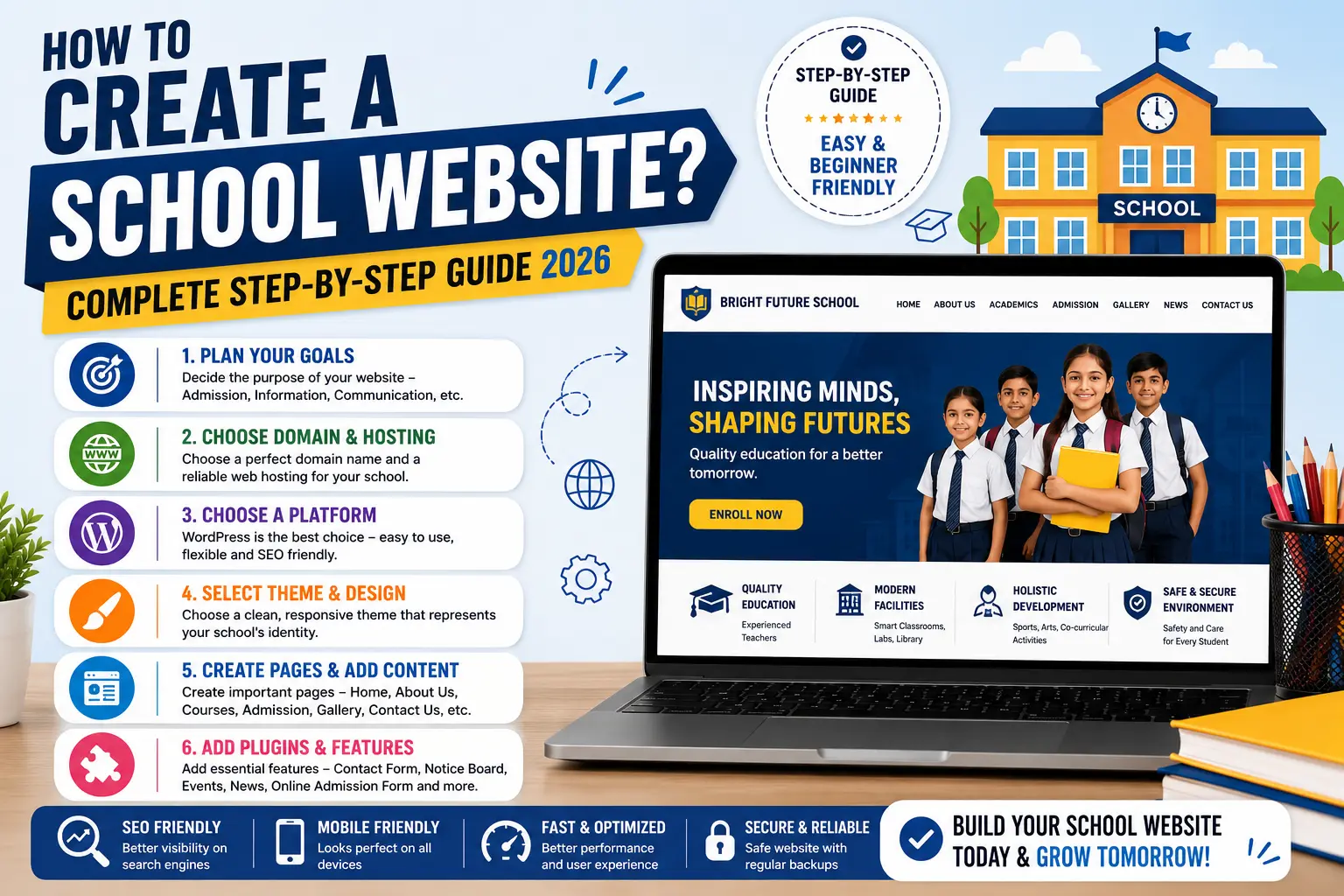
How to Create a School Website? (Complete Step-by-Step Guide 2026)
Published on: 17 May 2026
How to Create a School Website? (The Ultimate 2026 Step-by-Step Guide)
We live in a digital-first era. Today, a school’s reputation isn’t just built on its physical infrastructure, but on its digital footprint—specifically, its website. When parents look for the best school for their children, their first stop is always Google.
Learn more about our Website services
If your school lacks a professional, modern, and informative website, you are likely losing hundreds of potential admissions every single academic year.
Fortunately, building a website no longer requires complex coding knowledge. Whether you are a school administrator looking to build one yourself or a developer creating one for a client, this ultimate guide will show you how to create a school website step-by-step, along with the high-impact features needed to impress parents.
Why Every School Urgently Needs a Website
Before diving into the technical steps, let’s look at why a website is a necessity rather than a luxury for modern educational institutions:
The Ultimate First Impression: A website acts as your school’s digital reception area. A premium design instantly builds trust and credibility.
24/7 Information Hub: Parents, students, and staff can access the syllabus, fee structures, admission criteria, and holiday calendars anytime, anywhere.
Boosted Admissions: Integrated online inquiry forms make the admission funnel seamless, converting casual website visitors into enrolled students.
Eco-Friendly & Cost-Effective: Digital circulars, online report cards, and digital notices reduce paper waste and administrative printing costs.
The Two Main Ways to Build a School Website
There are two primary approaches to building an educational website:
Using a Content Management System (WordPress): Highly Recommended. This requires zero coding knowledge. You can use drag-and-drop builders to create a beautiful site quickly. Over 90% of schools use this method because it is highly scalable and cost-effective.
Custom Coding (HTML/CSS/JS/PHP): This involves building the site entirely from scratch. While highly customizable, it is expensive, time-consuming, and requires hiring dedicated developers for future updates.
For this guide, we will focus on the WordPress method as it delivers professional results quickly and affordably.
Step-by-Step Process: How to Create a School Website
Follow these clear, actionable steps to build a fully functional school website:
Step 1: Secure an Ideal Domain Name
A domain name is your website's permanent address on the internet (e.g., [www.yourschoolname.com](https://www.yourschoolname.com)).
Best practices for choosing a school domain:
Keep it identical or as close to the official school name as possible.
Keep it short, memorable, and easy to spell.
Prioritize extensions like .com, .edu, or region-specific ones like .in or .edu.in.
Step 2: Choose a Fast & Secure Web Hosting
Web hosting is the digital space where all your website’s images, text, and data files are stored. Because school websites experience massive traffic spikes during exam results and admission seasons, your hosting must be fast and reliable.
Pro Tip: Look into reputable providers like Hostinger, Bluehost, or SiteGround. A Cloud Hosting plan is perfect for growing schools to ensure zero downtime.
Step 3: Install WordPress
Once you purchase your hosting, log into your hosting dashboard (cPanel or hPanel). Look for the "One-Click WordPress Installer" tool. Fill in your admin details, click install, and your website platform will be ready in under two minutes.
👉 Don't wait for the perfect moment; turn your vision into reality today.
Free ConsultationStep 4: Pick a Professional Education Theme
Go to your WordPress dashboard and navigate to Appearance > Themes > Add New. For a school website, you need a clean, authoritative, and responsive design.
Top Recommended Themes:
Astra: Incredibly fast, highly customizable, and offers pre-built school website templates.
GeneratePress: A lightweight theme perfect for clean layouts and rapid loading speeds.
Eduma (Education WP Theme): A premium theme designed explicitly if you want to include a complete Learning Management System (LMS).
Step 5: Install Essential Plugins
Plugins extend the functionality of your website (much like apps on a smartphone). To run a school website smoothly, you need these essential plugins:
Elementor Page Builder: For designing stunning pages via a simple drag-and-drop interface.
WPForms or Contact Form 7: For creating admission inquiries and contact forms.
RankMath / Yoast SEO: To help your school rank on the first page of Google.
UpdraftPlus: To schedule automated backups so school data is never lost.
Architecture: Must-Have Website Pages
A standard, comprehensive school website should feature the following pages:
| Page Name | Core Content To Include |
|---|---|
| Home Page | Hero image/video of the campus, Principal's message, quick links, and recent achievements. |
| About Us | School history, core values, mission statement, and accreditation details. |
| Academics | Curriculum details (CBSE, ICSE, International Baccalaureate), class segments, and syllabus downloads. |
| Admissions | Fee structures, step-by-step registration guidelines, and an Online Admission Form. |
| Gallery | High-resolution photos of sports events, science exhibitions, classrooms, and labs. |
| Contact Us | Phone numbers, official email addresses, physical address, and an embedded Google Map location. |
High-Impact Features That Convert Clients
If you are a web developer trying to close a deal with a school management client, basic pages won't excite them. You need to pitch solutions that solve their administrative headaches. Propose these advanced features to command a premium price:
1. Automated Online Admission Portal
Allow parents to fill out registration forms, upload necessary documents (birth certificates, transfer certificates), and pay registration fees directly through the website.
2. Live Digital Notice Board
A prominent, dynamic section on the homepage where breaking news, holiday announcements, and exam timetables flash in real-time.
3. Integrated Fee Payment Gateway
Integrate secure payment gateways like Stripe, PayPal, Razorpay, or Paytm. Parents love the convenience of paying monthly or quarterly school fees online via credit cards, net banking, or UPI.
4. Student & Parent Dashboard (LMS)
A secure portal where parents can log in to view their child's daily attendance records, homework assignments, exam grades, and teacher remarks.
5. Faculty & Staff Directory
A dedicated space showcasing your experienced teaching staff, their academic qualifications, and their professional achievements, which reinforces teaching quality to prospective parents.
Local SEO: Ranking the School Website on Google
Building the website is only half the battle; ensuring local parents can find it is the real goal. Optimize the site using these Local SEO strategies:
Google Business Profile (GBP): Set up and optimize the school's Google Maps location and link it directly to the website.
Localized Keywords: Naturally weave search phrases like "Best high school in [City Name]" or "Top international school near me" into the website content.
👉 Free Website Audit
Get Free AuditMobile Optimization: Ensure the website loads flawlessly on smartphones, as over 80% of parents conduct their initial searches on mobile devices.
Speed Optimization: Compress all campus images before uploading them to keep page loading times under 2.5 seconds.
Cost Estimation: Budgeting the Project
The overall cost of building a school website depends entirely on whether it is a DIY project or handled by professionals.
1. The DIY Route (Building it Yourself)
Domain Name: $10 - $15 / year
Web Hosting: $50 - $120 / year
Theme & Plugins: Free (or approx. $60 for premium variants)
Total Setup Cost: $60 - $200 approx.
2. Hiring a Professional Web Developer (Client Pricing Standards)
If you are a freelancer or agency quoting a school client, you can price your packages based on complexity:
Basic Informational Website (5-7 Pages): $300 - $600
Advanced Portal (With LMS, Online Fees, and Student Login): $1,000 - $2,500+
Conclusion
Creating a modern school website is one of the smartest investments an educational institution can make in 2026. By choosing the right platform like WordPress, prioritizing user-friendly design, and integrating essential systems like online fee payments and admission forms, you can build a powerful digital asset that streamlines operations and drives admissions.