
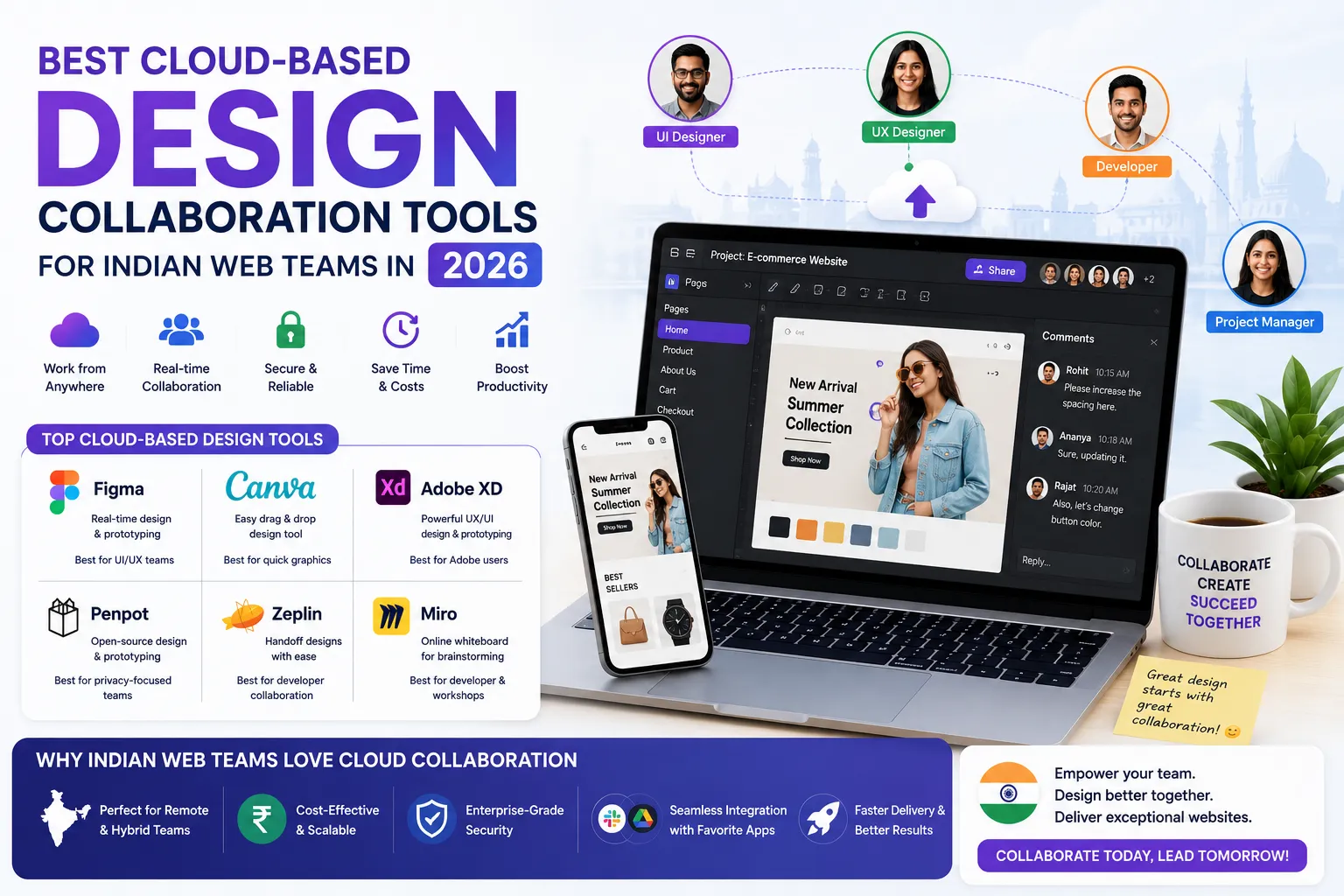
Best Cloud-Based Design Collaboration Tools for Indian Web Teams in 20
Published on: 18 Jun 2026
Best Cloud-Based Design Collaboration Tools for Indian Web Teams in 20
\nIntroduction
The way Indian web teams design websites has changed forever. Gone are the days of sending PSD files back and forth via email or struggling with version control. In 2026, cloud-based design collaboration tools are the backbone of every successful web project—especially for teams spread across cities like Bengaluru, Mumbai, Pune, and even remote locations.
Learn more about our Website services
These tools let designers, developers, and stakeholders work on the same file simultaneously, leave feedback instantly, and keep everything organized in one place. For business owners and marketers in India, this means faster project delivery, lower costs, and better quality output. Whether you're a freelance designer in Jaipur or a full-service agency in Delhi, choosing the right collaboration platform can make or break your workflow.
In this guide, we'll explore the top cloud-based design collaboration tools for Indian web teams in 2026, with practical comparisons, pricing insights, and expert tips to help you pick the perfect fit for your team.
Main Section 1: Why Cloud-Based Design Collaboration is Essential for Indian Teams
India's web design industry is booming, and remote work is now the norm. According to a 2025 NASSCOM report, over 70% of Indian tech teams operate in hybrid or fully remote modes. This shift demands tools that support real-time collaboration, seamless file sharing, and cross-platform compatibility.
Cloud-based tools eliminate the need for heavy local software, reduce hardware costs, and enable teams to work from any device—be it a laptop in a co-working space in Gurgaon or a tablet at home in Chennai. For business owners, this means you can hire the best talent regardless of location, scale your team quickly, and keep projects on track with transparent feedback loops. For example, a Mumbai-based agency recently cut its design-to-development handoff time by 40% after switching to a cloud-based platform, simply because developers could inspect designs without waiting for exported files.
Key benefits include: automatic saving and version history, integrated commenting and approval workflows, and integrations with project management tools like Jira, Trello, and Slack. Plus, many tools offer free tiers that are perfect for startups and small businesses. A practical tip: set up automated notifications in Slack for design comments to ensure no feedback slips through the cracks.
Main Section 2: Top 5 Cloud-Based Design Collaboration Tools for Indian Web Teams in 2026
1. Figma – The Industry Standard
Figma remains the top choice for Indian web teams in 2026. Its browser-based interface works on Windows, Mac, and Linux without installation. Real-time multiplayer editing allows multiple designers to work on the same frame simultaneously. The developer handoff feature generates CSS, iOS, and Android code snippets automatically. Pricing: Free tier for up to 3 projects; Professional plan at ₹1,200/month per editor. For teams with tight budgets, the free tier is surprisingly robust—you can create unlimited files within those three projects, and the community plugins (like icon libraries and color palette generators) extend functionality without extra cost. A Bengaluru-based startup used Figma's free tier for its first year, only upgrading when they needed more project slots for client work.
👉 Don't wait for the perfect moment; turn your vision into reality today.
Free Consultation2. Miro – Best for Brainstorming and UX Mapping
Miro is a digital whiteboard that excels in early-stage design collaboration. Indian teams use it for user journey mapping, wireframing, and agile retrospectives. Its infinite canvas supports sticky notes, diagrams, and embedded prototypes. Integrates with Figma, Jira, and Confluence. Pricing: Free unlimited boards; Team plan at ₹800/month per member. A practical example: a Pune-based UX team used Miro to conduct a remote design sprint with stakeholders across three cities, mapping out user flows in real time and reducing the ideation phase from two weeks to three days. Tip: use Miro's timer feature to keep brainstorming sessions focused and productive.
3. Sketch Cloud – Mac-Focused with Powerful Prototyping
Sketch remains popular among Mac-using Indian designers. Sketch Cloud enables sharing, feedback, and version control. The new 2026 update includes AI-powered design suggestions and improved real-time collaboration. Best for teams already invested in the Apple ecosystem. Pricing: Standard license ₹4,500/year per editor; Cloud features included. For agencies that rely heavily on symbols and shared styles, Sketch's library system is unmatched. A Delhi-based agency reported that using Sketch Cloud reduced design inconsistencies by 30% across a multi-page e-commerce project. However, note that Sketch's real-time collaboration still lags behind Figma for simultaneous editing—it's better suited for asynchronous workflows.
4. InVision – Enterprise-Grade Handoff and Prototyping
InVision's Freehand tool is great for remote workshops and design critiques. Its Inspect mode lets developers inspect designs pixel-by-pixel. InVision Studio offers advanced animation capabilities. Ideal for large agencies with complex approval workflows. Pricing: Free tier available; Pro plan at ₹3,000/month. For example, a Chennai-based agency handling government contracts used InVision's approval workflows to get sign-offs from multiple stakeholders, cutting approval time by 50%. Tip: use InVision's Craft plugin to sync designs directly from Sketch, keeping everything in sync without manual exports.
5. Penpot – Open Source Alternative
Penpot is gaining traction in India as a free, open-source alternative to Figma. It supports SVG-based design and is self-hostable, making it attractive for privacy-conscious businesses. Works in any modern browser. Pricing: Free and open source; self-hosted or cloud version available. A Hyderabad-based fintech startup chose Penpot for its data localization needs, hosting it on their own servers to comply with RBI guidelines. While Penpot's plugin ecosystem is smaller than Figma's, its core features—vector editing, prototyping, and team libraries—are solid for most web design projects. Tip: if you have in-house DevOps support, self-hosting Penpot gives you full control over updates and security patches.
Main Section 3: How to Choose the Right Tool for Your Indian Web Team
Selecting the best tool depends on your team size, budget, project complexity, and existing tech stack. Start with a free trial of each tool. Evaluate real-time performance on your internet connection—some tools work better on low bandwidth. For instance, Figma's performance on a 4G connection in a tier-2 city like Lucknow can be slower than Miro's lightweight interface. Check for integrations with your project management and developer tools. Consider the learning curve: Figma and Miro have large Indian user communities with tutorials in Hindi and English, making onboarding easier.
👉 Free Website Audit
Get Free AuditFor small teams (<10 members), Figma's free tier or Penpot's open-source model are cost-effective. For agencies handling multiple clients, Sketch Cloud or InVision offer robust client review features. For UX research and workshops, Miro is unbeatable. Always involve your developers in the decision—they'll appreciate tools that simplify handoff and reduce back-and-forth. A practical approach: run a two-week pilot with two tools, asking designers and developers to rate each on ease of use, performance, and handoff quality. This data-driven decision saves time and money in the long run.
Expert Tips
- Use Figma's component libraries to maintain brand consistency across projects. Create a master library with colors, typography, and UI elements, and share it across all team files.
- Set up design system templates in Miro to speed up onboarding for new team members. Pre-populate boards with common user personas, journey maps, and wireframe stencils.
- Enable live cursors and avatar visibility to reduce confusion during real-time editing. In Figma, you can even see what each team member is selecting, which helps avoid conflicts.
- Leverage version history to roll back changes without losing work. In Figma, version history is saved automatically every 30 minutes, but you can also manually save milestones before major reviews.
- Integrate your design tool with Slack or Teams to get instant notifications on comments and approvals. This keeps everyone in the loop without constant manual checking.
- For low-bandwidth areas, use Penpot's self-hosted option to ensure smooth performance. Alternatively, Figma's offline mode (available in 2026) lets you work without internet and sync later.
- Set up naming conventions for files and layers from day one. A simple format like 'ProjectName_Page_Element_Version' saves hours of searching later.
Common Mistakes
- Ignoring internet speed requirements: Some cloud tools need stable 5 Mbps+ for real-time sync. Test your team's average connection speed before committing to a tool.
- Not setting up naming conventions: Without clear file names, teams waste time searching for assets. A simple rule like 'Client_Project_Date' can prevent chaos.
- Over-relying on free tiers: Free plans often limit projects or editors, causing bottlenecks as you scale. Plan your upgrade path early to avoid disruption.
- Skipping training: Even intuitive tools need basic onboarding to avoid misuse. Invest in a one-hour workshop for your team—it pays off in reduced errors.
- Not involving developers early: Late handoff leads to rework and missed deadlines. Invite developers to design reviews from the start to catch feasibility issues early.
- Using too many tools: Stick to one or two core tools to avoid fragmentation. A common mistake is using Figma for design, Miro for brainstorming, and InVision for prototyping—this creates silos and extra work.
Future Trends
By 2027, expect deeper AI integration in design collaboration tools—auto-generating design variants, suggesting accessibility improvements, and even translating designs into code. Voice-controlled commands and AR/VR interfaces for design reviews are on the horizon. Indian web teams should also watch for tools that offer built-in compliance with India's data localization laws, ensuring sensitive client data stays within the country. For example, a tool like Penpot already allows self-hosting on Indian servers, and Figma is exploring data residency options in Mumbai. Additionally, AI-powered design assistants (like Figma's 'Design AI' beta) can automatically adjust layouts for different screen sizes, reducing manual work for responsive design.
FAQs
1. What is the best cloud design tool for Indian startups in 2026?
Figma's free tier is ideal for startups with limited budgets. Penpot is a great open-source alternative for those who want full control. For example, a bootstrapped startup in Pune used Figma's free tier for its first 10 projects, only upgrading when they needed more team members.
2. Can these tools work on slow internet connections?
Some tools like Figma and Penpot have offline modes or lightweight versions. Miro works well even on 3G connections for basic tasks. A tip: if you're in a low-bandwidth area, use Penpot's self-hosted version to avoid cloud latency.
3. Are there any India-specific pricing or payment options?
Yes, most tools offer pricing in INR and accept UPI, net banking, and credit cards. Figma and Miro have dedicated Indian payment gateways. For example, Figma's Professional plan costs ₹1,200/month per editor, billed annually, and you can pay via UPI.
4. How do I migrate from one tool to another?
Use built-in import/export features. Figma supports importing Sketch files. Miro can import from various whiteboard tools. Plan the migration during a low-traffic period. A practical step: export all assets and version history before switching, and run a parallel trial for a week to ensure nothing is lost.
5. Is data stored on Indian servers?
Most global tools use AWS or Google Cloud with options for data residency in Mumbai. Penpot allows self-hosting on Indian servers for complete data control. For example, a fintech company in Bengaluru chose Penpot self-hosted to comply with data localization requirements.
6. What is the best tool for client feedback and approvals?
InVision and Figma both excel here. InVision's Freehand allows clients to annotate directly on prototypes, while Figma's commenting system is more lightweight. For complex approval workflows with multiple stakeholders, InVision's structured approval process is better.
7. How do I train my team on these tools quickly?
Leverage free resources: Figma's YouTube channel has tutorials in Hindi, and Miro offers webinars. Set up a shared 'playground' project where team members can experiment without fear of breaking real work. A one-hour hands-on session usually covers 80% of daily use cases.
Conclusion
Cloud-based design collaboration tools are no longer optional for Indian web teams—they are essential for staying competitive, efficient, and innovative. Whether you choose Figma for its robust ecosystem, Miro for brainstorming, or Penpot for open-source flexibility, the key is to pick a tool that aligns with your team's workflow and scale.
Remember to evaluate tools based on real-world usage, involve your developers early, and invest in training to maximize ROI. The right collaboration tool will not only improve your team's productivity but also delight your clients with faster, transparent design processes. Start with a free trial, test with a real project, and iterate based on feedback. The future of web design in India is collaborative, cloud-driven, and full of opportunity.
CTA
Ready to supercharge your web design workflow? Contact EishwarITSolution for expert guidance on selecting and implementing the best design collaboration tools for your Indian business. Our team specializes in setting up seamless design-to-development pipelines that save you time and money. Explore our web design and development services to build a stunning, user-friendly website that stands out in 2026. Whether you need help with tool selection, team training, or full-scale implementation, we're here to help your team collaborate smarter.