
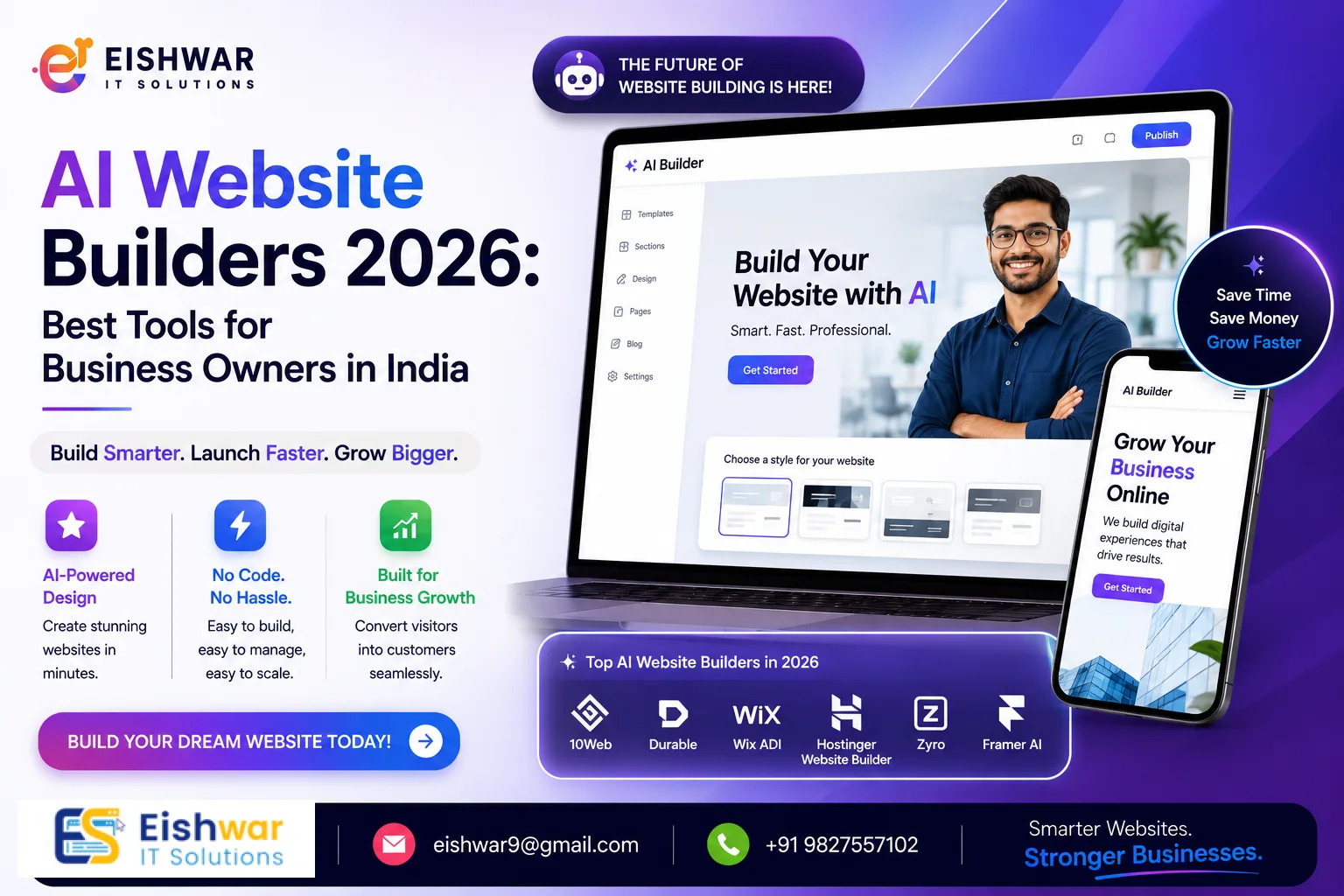
AI Website Builders 2026: Best Tools for Business Owners in India
Published on: 10 Jun 2026
AI Website Builders 2026: Best Tools for Business Owners in India
Introduction
Imagine building a fully functional, beautiful website in under an hour—without writing a single line of code. That's the power of AI-powered website builders in 2026. For business owners, marketers, and professionals in India, these tools are game-changers. They combine intelligent design suggestions, automated content generation, and seamless integrations to make DIY web design accessible to everyone. At EishwarITSolution (eishwar.com), we've seen how AI is reshaping the digital landscape. In this guide, we'll walk you through the best AI website builders of 2026, practical tips, common mistakes to avoid, and what the future holds. Let's dive in.
Learn more about our Website services
Main Section 1: Why AI Website Builders Are Perfect for Indian Businesses in 2026
India's digital economy is booming. With over 800 million internet users, having an online presence is no longer optional. But hiring a professional web developer can be expensive—costs range from ₹15,000 to ₹1,00,000 or more. AI website builders slash that cost to as low as ₹500 per month. They offer drag-and-drop interfaces, pre-built templates, and AI that learns your preferences. For a small business in Bilaspur or Raipur, this means you can launch a site in a day, not months.
These tools also optimize for mobile, speed, and SEO—critical for ranking on Google. Plus, they integrate with payment gateways like Razorpay and Paytm, making e-commerce a breeze. In 2026, AI website builders are not just a trend; they're a necessity for staying competitive. For example, a local bakery in Nagpur used Hostinger's AI builder to create an online ordering system in under two hours, integrating with Razorpay for payments and Google Maps for delivery tracking. The result? A 40% increase in orders within the first month. Similarly, a freelance graphic designer in Pune leveraged Wix ADI to build a portfolio site that automatically adjusts layout based on visitor behavior, leading to more client inquiries. These real-world examples show how AI builders level the playing field for small businesses.
Main Section 2: Top 5 AI Website Builders for 2026
Here are our top picks, tested by the EishwarITSolution team for performance, ease of use, and Indian market suitability.
1. Wix ADI (Artificial Design Intelligence)
Wix ADI asks you a few questions about your business and instantly creates a personalized website. It's great for local services like restaurants, clinics, and shops. Starting at ₹600/month, it includes hosting and a free domain for a year. The AI suggests layouts, colors, and even writes basic copy. A practical tip: use Wix's AI to generate initial content, but then replace generic phrases like "Welcome to our restaurant" with specific details like "Serving authentic Chhattisgarhi thalis since 2010." This personal touch boosts engagement and SEO.
2. Hostinger AI Website Builder
Hostinger's builder is ultra-fast and affordable (₹149/month). It uses AI to generate a complete site from a simple prompt. For example, type “cafe in Nagpur” and it produces a menu, contact page, and gallery. It's perfect for budget-conscious entrepreneurs. One tip: Hostinger's AI also suggests local keywords for SEO, like "best filter coffee in Nagpur," which can help you rank higher in local searches. Plus, its built-in caching ensures fast load times—critical since 53% of Indian users abandon sites that take over 3 seconds to load.
👉 Don't wait for the perfect moment; turn your vision into reality today.
Free Consultation3. Squarespace AI (Blueprint)
Launched in late 2025, Squarespace's AI creates highly aesthetic sites for creatives and professionals. It excels in design quality but is slightly pricier (₹1,200/month). Ideal for photographers, designers, and consultants in metro cities. For instance, a wedding photographer in Mumbai used Squarespace AI to build a portfolio with AI-generated captions and a booking system. The AI even suggested color palettes based on the uploaded images. However, note that Squarespace's AI is less flexible for complex e-commerce—stick to Wix or 10Web if you need advanced product management.
4. 10Web AI Builder
Built on WordPress, 10Web uses AI to clone existing sites or generate new ones. It's excellent for businesses that need advanced features like booking systems or membership areas. Pricing starts at ₹800/month. A key advantage: because it's WordPress-based, you can export your site anytime, avoiding vendor lock-in. For example, a yoga studio in Delhi used 10Web to create a membership site with class schedules, payment integration via PayU, and a blog—all generated from a single prompt. The AI also optimized images for speed, reducing load time by 30%.
5. Jimdo Creator
Jimdo's AI is simple and intuitive. It's best for very small businesses and freelancers. The free plan is ad-supported, but the paid plan at ₹400/month removes ads and adds a custom domain. A practical use case: a freelance writer in Raipur used Jimdo's free plan to create a simple portfolio with a contact form. The AI generated a clean, mobile-friendly layout in minutes. However, for growing businesses, Jimdo's limited scalability (no advanced e-commerce or multi-language support) means you may need to upgrade to a more robust builder later.
Main Section 3: How to Choose the Right AI Website Builder for Your Business
Not all AI builders are created equal. Here's a step-by-step guide to pick the right one.
Step 1: Define Your Goals – Do you need an e-commerce store, a portfolio, or a simple brochure site? For e-commerce, choose a builder with strong product management and payment integrations (e.g., Wix or 10Web). For a portfolio, Squarespace or Jimdo work well. For a local service site, Hostinger offers the best value.
Step 2: Check Local Support – Ensure the builder offers Indian payment gateways (Razorpay, PayU) and local language support. Hostinger and Wix excel here. For example, Wix's app marketplace includes a Razorpay plugin, while Hostinger supports Hindi and Marathi interfaces.
Step 3: Test the AI – Most builders have free trials. Create a sample site to see how well the AI understands your industry. At EishwarITSolution, we recommend starting with a trial before committing. For instance, test how the AI handles a niche like "organic farming supplies in Chhattisgarh"—does it suggest relevant keywords and layouts?
Step 4: Evaluate SEO Features – Look for built-in SEO tools like meta tag editing, sitemaps, and speed optimization. Squarespace and 10Web are top performers. A practical tip: use the AI's SEO suggestions but always add your own target keywords. For example, if you're a dentist in Bilaspur, ensure the AI includes phrases like "best dentist in Bilaspur" in headings and alt text.
👉 Free Website Audit
Get Free AuditStep 5: Consider Scalability – Your business will grow. Choose a builder that allows you to add features later without rebuilding. WordPress-based 10Web offers the most flexibility, while Wix and Squarespace have robust app marketplaces for adding features like booking systems or email marketing.
Expert Tips
- Use AI for content, but add your voice: AI can write headlines and descriptions, but personal stories and testimonials make your site unique. Edit the AI-generated text to reflect your brand personality. For example, instead of "We offer quality services," write "Our team has helped over 200 families in Raipur find their dream home."
- Prioritize mobile-first design: Over 70% of Indian users browse on mobile. All AI builders now optimize for mobile, but double-check that buttons and forms work perfectly on small screens. Use Google's Mobile-Friendly Test tool to verify.
- Leverage AI for A/B testing: Some advanced builders (like 10Web) use AI to test different layouts and suggest the best performing one. Use this to improve conversion rates. For instance, test whether a green "Book Now" button outperforms a red one.
- Integrate chatbots: Add an AI chatbot to handle customer queries 24/7. Many builders offer easy integration with ChatGPT or Tidio. For a clinic in Nagpur, a chatbot can answer common questions about appointment availability and fees, freeing up staff time.
- Keep it simple: Don't overcomplicate your site with too many animations or effects. AI builders often add them by default—trim what's unnecessary for speed. A clean, fast-loading site retains visitors better than a flashy one that takes 5 seconds to load.
Common Mistakes
- Over-relying on AI: AI is a tool, not a replacement for human creativity. A generic site won't stand out. Customize colors, fonts, and images to match your brand. For example, if you run a traditional Indian sweets shop, use warm colors and images of your products rather than stock photos.
- Ignoring SEO basics: Even the best AI builder can't fix missing meta descriptions or slow images. Always run an SEO audit (use free tools like Google PageSpeed Insights). For instance, compress images to under 100KB to improve load times.
- Choosing based on price alone: The cheapest builder might lack features you need later. For example, Jimdo's free plan has limited storage and no custom domain. Invest in a plan that grows with you. A ₹149/month Hostinger plan might be enough initially, but if you plan to sell products, upgrade to a ₹400/month plan with e-commerce features.
- Not testing on multiple devices: What looks great on your laptop might break on an iPhone. Preview your site on different screen sizes before publishing. Use browser developer tools to simulate mobile views, and ask friends to test on their devices.
- Skipping analytics: AI builders often include basic analytics, but they're not enough. Set up Google Analytics or use the builder's advanced reporting to track visitor behavior. For example, if you see high traffic but low conversions, you might need to improve your call-to-action placement.
Future Trends
By 2028, AI website builders will be able to design entire e-commerce stores with inventory management, automated marketing, and real-time customer support—all from a single prompt. Voice-based website creation will become common: just say “I need a site for my beauty salon in Pune” and the AI builds it. We'll also see AI that predicts user behavior and adjusts the site layout dynamically. For Indian businesses, hyper-local AI that understands regional languages and cultural nuances will be a huge advantage. At EishwarITSolution, we're already experimenting with AI tools that integrate with local payment systems and GST billing. The future is smart, fast, and incredibly accessible.
👉 Free Homepage Demo
Book DemoFAQs
Are AI website builders good for SEO?
Yes, most AI builders offer built-in SEO tools like meta tags, alt text suggestions, and sitemaps. However, you still need to optimize your content and images manually for best results. For example, use the AI's keyword suggestions but add long-tail keywords like "affordable wedding photography in Raipur" to target specific audiences.
Can I switch from an AI builder to a custom site later?
Yes, but it can be tricky. Some builders (like Wix) don't allow full export. Choose a builder like 10Web (WordPress-based) that lets you export your content easily. Alternatively, use a builder with a built-in export feature to HTML or CSV. Always check the terms before committing.
What is the cheapest AI website builder in India?
Hostinger AI Website Builder starts at ₹149/month and includes hosting. Jimdo's free plan is an option but with limitations like ads and no custom domain. For a balance of cost and features, Hostinger is the best budget-friendly choice for Indian businesses.
Do AI builders support Indian payment gateways?
Yes, most top builders now integrate with Razorpay, PayU, and Instamojo. Check the builder's app marketplace to confirm. For example, Wix and 10Web have direct plugins for Razorpay, while Hostinger supports PayU. Always test the payment flow before going live.
How long does it take to build a site with AI?
You can have a basic site ready in 30 minutes to 2 hours, depending on complexity. Adding custom content and fine-tuning may take a day. For instance, a simple portfolio might take 30 minutes, while an e-commerce store with 50 products could take 4-6 hours to fully customize.
Is AI website builder safe for business data?
Reputable builders use SSL encryption and comply with data protection laws. Always check their privacy policy and enable two-factor authentication. For example, Wix and Squarespace are GDPR-compliant, and Hostinger offers free SSL certificates. Avoid storing sensitive customer data directly on the site without proper encryption.
Can I use AI builders for multilingual sites?
Yes, many AI builders now support multilingual sites. Wix and Squarespace offer built-in language switchers, while 10Web uses plugins like WPML. For Indian businesses, this is crucial for reaching audiences in Hindi, Marathi, Tamil, and other regional languages. The AI can even translate content automatically, but manual review is recommended for accuracy.
Conclusion
AI website builders are revolutionizing how Indian business owners create their online presence. They're affordable, fast, and increasingly intelligent. Whether you're a freelancer in Durg or a retailer in Raipur, these tools can help you launch a professional website without breaking the bank. Remember to choose a builder that aligns with your goals, customize the AI output, and keep SEO in mind. The future of web design is here—and it's powered by AI.
CTA
Ready to build your AI-powered website? Visit EishwarITSolution for expert guidance, custom development, and the latest tools tailored for Indian businesses. Contact us today for a free consultation!